Cool that it also runs on the MAC… will it work offline? Unfortunately, I don’t have internet in the basement.
This first beta won’t, but very soon it will. I’d say within a month or less.
1 Like
One thing is we’ll have a nice remote control for the desktop app from the phone. So you can use the app as a phone, as a training device or a controller. Similar to Zwift companion mode I guess.
I will add the ability to repeat a section in this remote. I also think we should add the ability to choose your YouTube videos. Plan on adding Netflix as well soon if we can.
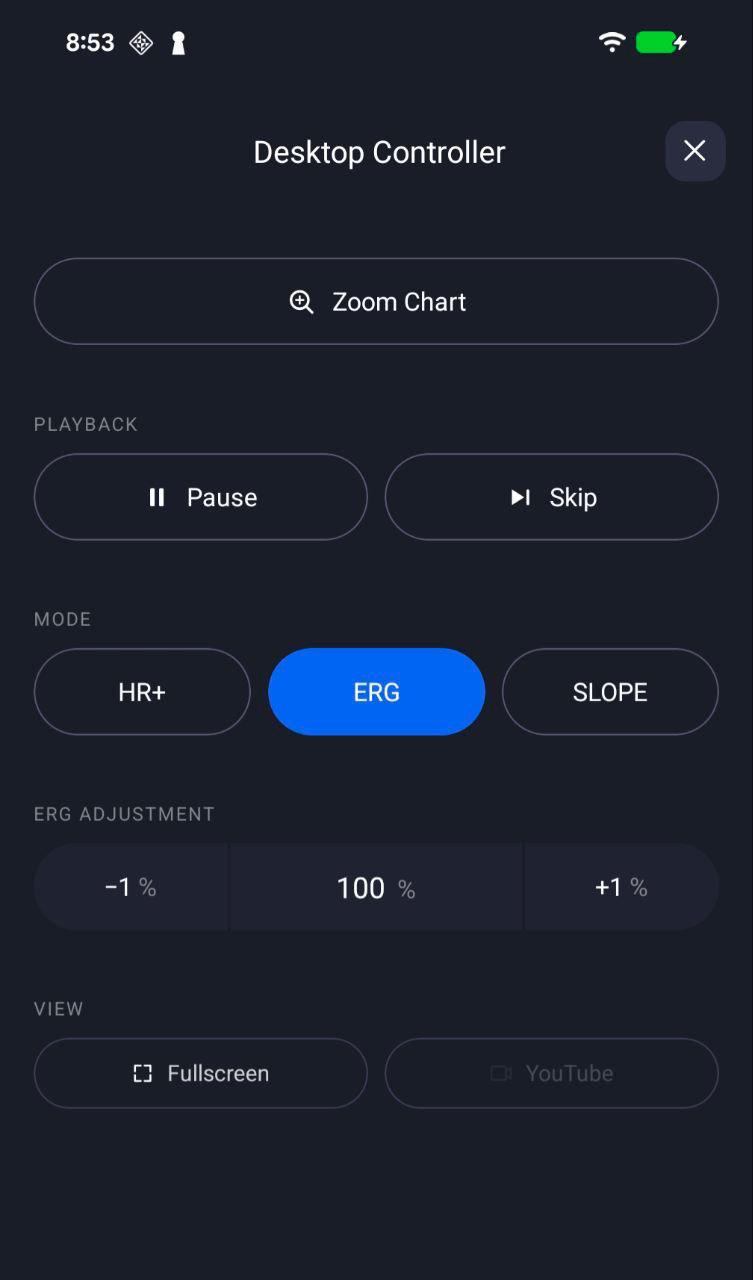
Okay, it’s beta. The Windows version gives you that irritating message about not trusted or something. We’re waiting for Microsoft to give us our certificate so that that message goes away. I love this desktop version. I think it’s going to be way better than the mobile version. The remote control on the mobile version should be out today, tomorrow. Trying to get as much feedback as we can to make this desktop app really great.
3 Likes
Ohhhhh ! Nice!
1 Like
Looks great. I’m going to try it. What would be even better is allowing for playing of downloaded videos. I typically just record on my Wahoo and run FulGaz videos on the screen. ICTrainer was allowing me to run them simultaneously, but this has stopped working.
I tried entering the URL of the video after signing into FulGaz, but that app said it doesn’t allow the playing of private videos.
Thank you!
Ok let’s me see. I really want to make this great. So it would seem best to set a default file path and it lets you select from your library in the UI and possibly even retain the folder structure at some level.
Yes, this is actually how IC trainer has it set up, but it stopped working. You set a default folder for “My Media”.
I just ran the workout. Very nice. Two things I noticed: (1) TSS for the planned workout said “of 516” (the workout was pulled from TP, which had it estimated at 115, so maybe the "“5” was wrong?), and (2) I had to force quit the app because it froze when quitting (this happened twice, may have been in full screen mode both times). I’m on a M4 Mac with the latest updates.
Thanks for all your work on this. You have a winner.
Excellent feedback and thanks so much.
We’ve ran a lot of workouts here and we’re Mac users, so I’m on my M2 Ultra and no issues. Not sure that I’ve done a lot of long workouts and for sure not in full screen, so we’ll try that combo. I’m just doing testing. Could you send any screenshots or provide any more information about your workout. I don’t see any errors in our logs related to this. More info could help, so you restarted and finished and saved it?. Also tell me your devices. I need to start tracking some of this stuff so I can see it more clearly.
Putting list here
- Crashes (likely bluetooth related deeply investigating now)
- Media player suggestion (I love this and will do this asap)
- TSS from TP is wrong
1 Like
Hi Alex,
The app was stable while running. It only froze when trying to quit. So, initially I was just checking it out before deciding the try it, and pressed “command-q” – and got the spinning wheel so had to force quit from the menu. Same thing happened after finishing the ride. So – stable while running, but froze when told to quit if that makes sense.
Thanks!
Oh yes, I’m having lots of those problems locally. It makes total sense. The bluetooth library doesn’t seem to want to die, stays connected to the device, so I’m having to do lots of stuff to try to kill it.
Media player works perfectly. Not sure the best way to deal with folders at this point in time. Right now it just filters top level folders inside of your media library. Update should be coming later today.
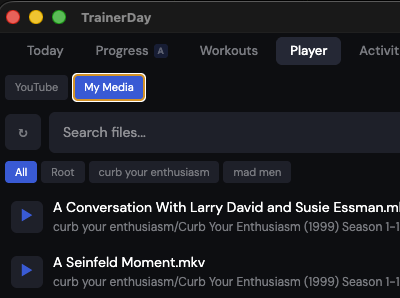
Woah – you already integrated the media player? Makes sense that it’s bluetooth. Pretty consistent for me. Every time I try to quit I have to force quit.
Pretty sure I got this shutdown bug fixed. Yes, the media player is done. Creating a new build now.
1 Like
A new version is available. If you reopen the app, it should automatically say there’s an upgrade.
1 Like
Someone else had a question / great idea. If you have the mobile app open and desktop pressing ride now could ask if you want to start on desktop or mobile… And even do merges from mobile. I LOVE this.  and will do it soon.
1 Like
This worked for me!
Something I thought about while riding, but likely a big job…the perfect experience would be full screen video with the TrainerDay interface overlaid using transparency.
I happy to have it as it is, however. Thank you!
1 Like
Okay, PC version has updates to improve the closing of the app process and no longer has this security warning.
I’m wondering about your idea here of a video with overlays. Do you mean specifically like the media playing in our app and its overlays rather than being at the bottom? Could even be overlays on the two sides? Because many full screen apps, you can’t put something over the top of them. It gets harder.
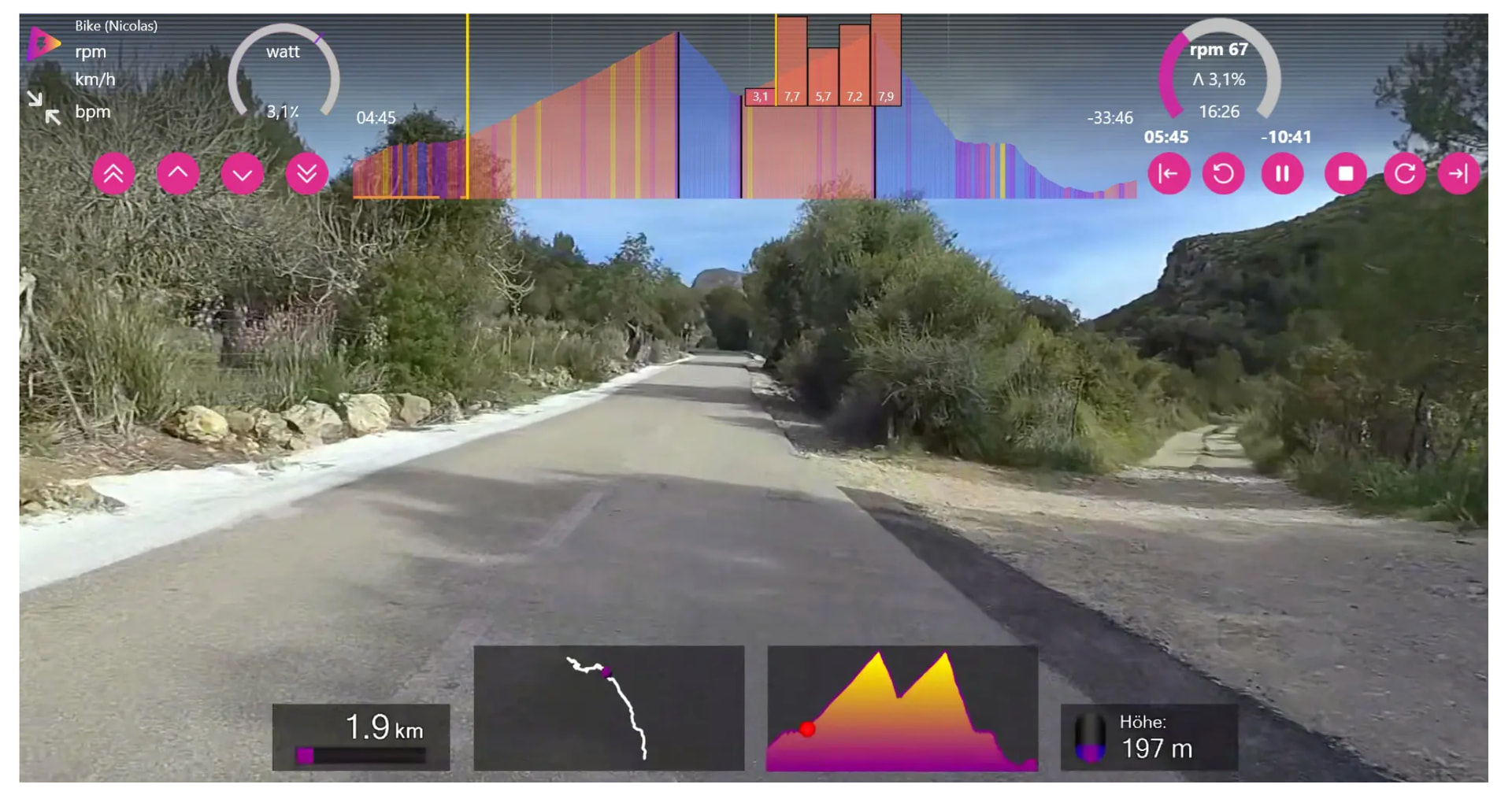
Oh yes, this is very possible. Probably even easy. And you feel this is a much better way? I like the idea. Can probably make something that looks better