Not that you want to do this… but you spend 20$/month on claude code or openai codex, you install it and ask ai to fix it… claude code can fix it, likely codex too… but this is not for the meek… these ai guys are serious troubleshooters…. There are free solutions too quality is much lower but it’s insane what is possible with these coding agents in regards to fixing computer issues… building minecraft servers for the kids… 
It is interesting in my case I just installed it and it worked other than needing to add a USB bluetooth adapter. Ubuntu LTS 24.x is what we use on all servers so it’s very predictable from my perspective.
I have launched the desktop app (using AppImage) successfully. @LunethG you can do it with the following commands:
chmod u+x TrainerDay-latest.AppImage => give you permission to exec the AppImage
./TrainerDay-latest.AppImage --no-sandbox => run the app
I have seen this on the logs:
[DB] Flushed activities for UTC-only schema (v5)
[BLE] Noble loaded on linux — initial state: unknown
[Updater] Channel: stable (version: 1.7.11)
[ANT+] No ANT+ USB stick found — ANT+ disabled
It seems ANT+ is not detected although I have plugged an USB stick and is fully working on the system:
abr 30 09:18:47 slimbook kernel: usb 1-2.1: new full-speed USB device number 15 using xhci_hcd
abr 30 09:18:47 slimbook kernel: usb 1-2.1: New USB device found, idVendor=0fcf, idProduct=1009, bcdDevice= 1.00
abr 30 09:18:47 slimbook kernel: usb 1-2.1: New USB device strings: Mfr=1, Product=2, SerialNumber=3
abr 30 09:18:47 slimbook kernel: usb 1-2.1: Product: ANT USB-m Stick
abr 30 09:18:47 slimbook kernel: usb 1-2.1: Manufacturer: Dynastream Innovations
abr 30 09:18:47 slimbook kernel: usb 1-2.1: SerialNumber: 036
abr 30 09:18:47 slimbook kernel: usb_serial_simple 1-2.1:1.0: suunto converter detected
abr 30 09:18:47 slimbook kernel: usb 1-2.1: suunto converter now attached to ttyUSB0
It isn’t detected in the desktop app but it might support it.
You are the best. I will see if I can fix this chmod install stuff automatically and will test/fix my Ant+ thanks for confirming.
Your are very wellcome. I think the “chmod” step is required because of how the browsers or even CLI commands download and assign permissions to the files. It isn’t related to the app itself.
Although maybe we could distribute it via apt or something? I use linux servers all the time but I only install never create so I know nothing about linux desktop other than I was fully committed to switch to Omarchy but rolled back to Mac
Yes, apt or even .deb packages could be used. I think .deb packages can be installed via GUI, but you might have conflicts with library versions depending on what the system has already installed.
AppImage seems to have everything itself which is “better” to fix conflicts. Other vendors may use Flatpak which behaves like AppImage (everything packaged there) and also Snap, same solution from Canonical (Ubuntu).
To avoid conflicts and library version problems you may try a “all-in-one” package. APT or .deb packages may steal time from you because it needs more maintenance.
So it seems like the easiest solution is just do a bash script that fixes permissions and installs
curl -fsSL https://download.trainerday.com/linux/install.sh | bash
That puts TrainerDay in ~/Applications/, adds it to your app menu with an icon, and handles the --no-sandbox and FUSE quirks automatically. No sudo needed.
It’s funny as I really can’t spend a lot of time on this linux other than trying some early things to get it working. But my whole mindset behind starting TD 6-7 years ago was to make training indoors a good yet affordable process. So linux / ant+ totally fits into that vision even though it’s likely not worth the effort but we will see. If we get it working and it is mostly trouble free or automated tests can fix the issues then I am happy.
Seeing if I can fix Ant+ now.
Ok regarding Ant+ I was also able to get it working
This fixed it for me on Ubuntu 24.04
ANT+ adapter Fix
curl -fsSL https://download.trainerday.com/linux/setup-antplus.sh | sudo bash
For me it only worked when running from the ubuntu menu not when running from double clicking on the app.
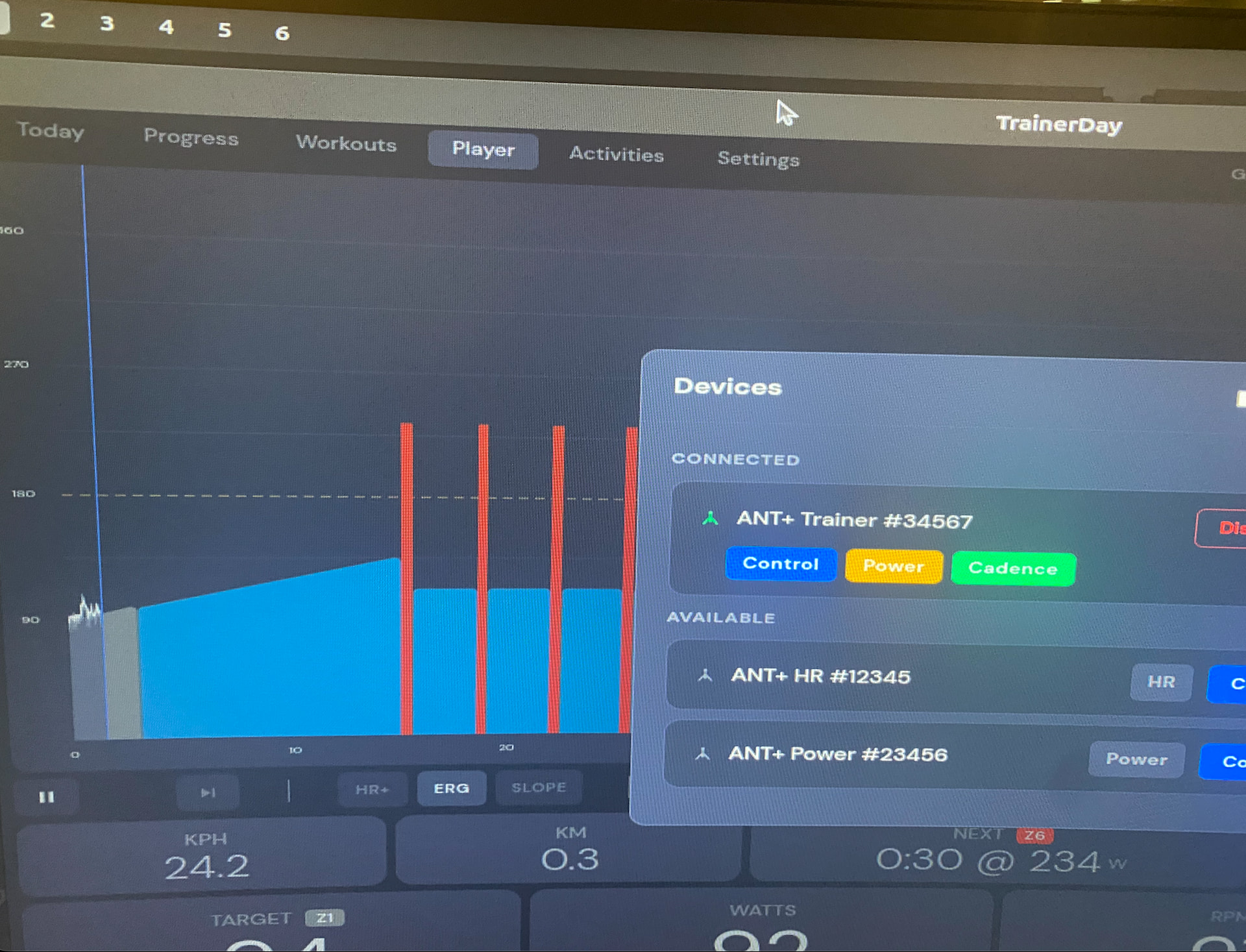
Nice approach, I have seen this solution in other software and seems to solve the problem .
I have to try it from scratch and also test the ANT+ USB stick. Mine is not Garmin / Dynastream. Maybe I would need another udev rule. I will test it asap and let you know.
EDIT:
I see udev rules take my device into account
My device: New USB device found, idVendor=0fcf, idProduct=1009, bcdDevice= 1.00
udev rule: SUBSYSTEM==“usb”, ATTR{idVendor}==“0fcf”, ATTR{idProduct}==“1009”, MODE=“0666”
1 Like
Sorry for the delay, I have tried it and it seems the new AppImage doesn’t work for me:
A JavaScript error occurred in the main process
Uncaught Exception:
Error: Invalid or incompatible cached data (cachedDataRejected)
at Module._extensions..jsc.Module._extensions..cjsc (/tmp/appimage_extracted_b3db556a3214f5276f4368cc5bf7c190/resources/app.asar/out/main/bytecode-loader.cjs:50:11)
at Module.load (node:internal/modules/cjs/loader:1540:32)
at Module._load (node:internal/modules/cjs/loader:1342:12)
at c._load (node:electron/js2c/node_init:2:17999)
at wrapModuleLoad (node:internal/modules/cjs/loader:262:19)
at Module.require (node:internal/modules/cjs/loader:1563:12)
at require (node:internal/modules/helpers:152:16)
at Object. (/tmp/appimage_extracted_b3db556a3214f5276f4368cc5bf7c190/resources/app.asar/out/main/index.js:3:1)
at Module._compile (node:internal/modules/cjs/loader:1820:14)
at Module._extensions..js (node:internal/modules/cjs/loader:1953:10)
I have removed everything and installed from scratch. I also have the required libs for fuse.
Oh, I tried building it on my Mac instead of directly on the Linux machine. I’ll rebuild. Sorry.
No worries, this happens when you have to manage different environments  . It has been useful to clean the “garbage” from previous tests.
Let me know when you have the right version and I will try it again.
Yeah, it was wishful thinking. So I didn’t test it after building it from the Mac, and I should have.
I have tested it again and… it works!!
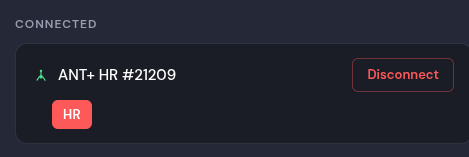
Some details:
* App logs:
[Updater] Channel: stable (version: 1.7.16)
[ANT+] Opened stick (8 channels)
[ANT+] Scanner started
…
[ANT+] Connected: ANT+ HR #21209
* Kernel logs:
(USB stick connection)
kernel: usb 1-2.1: Manufacturer: Dynastream Innovations
kernel: usb 1-2.1: SerialNumber: 036
kernel: usb_serial_simple 1-2.1:1.0: suunto converter detected
kernel: usb 1-2.1: suunto converter now attached to ttyUSB0
(App started)
kernel: suunto ttyUSB0: suunto converter now disconnected from ttyUSB0
kernel: usb_serial_simple 1-2.1:1.0: device disconnected
systemd[1830]: Started app-trainerday-desktop-2143570.scope.
It seems that the App get the stick to itself. It seems it is working fine.

Wow!!! Cool I forgot to say I did a new build and verified it was at least opening…
Not sure anyone is using Linux But I just built a new ubuntu from an old zen book and noticed it had the same problem as my old mac mini which is the bluetooth would not pick up devices. I had to put in bluetooth dongle to make it work. I don’t think I am going to support linux if it has issues separate from other platforms but I just did do some “final” linux specific improvements. I switched from appImage to .deb in my script below.
curl -fsSL https://download.trainerday.com/linux/setup-antplus.sh | sudo bash
Sorry, I haven’t given this a try lately. Have had issues with my laptop lately. Not enough time to fix the issues of late. I’ll give it a try again when I get a chance.
1 Like
Hi Alex, you pasted the “setup-antplus” rather than the install script here. Does the .deb package has too much dependencies? In that case it could be tricky to get it work.
AppImage “all-in-one” exec file was a clean solution in my point of view and even exportable to other Linux flavours.
Send the right install script (if it is different from the first one) and I will give a try. I don’t have BLE devices, but I think I can debug something in the logs related to bluetooh (in my laptop).
Sorry to not be more clear. This is a single one liner that should resolve most permissions issues.
curl -fsSL https://download.trainerday.com/linux/setup-antplus.sh | sudo bash
These are both fine as well.
-
AppImage: https://download.trainerday.com/linux/stable/TrainerDay-latest.AppImage
-
deb: https://download.trainerday.com/linux/stable/TrainerDay-latest.deb
Once installed and working it should get our standard in-app upgrade messages. If you don’t see these let me know. Linux is part of our standard upgrade process I am just not listing it on the website at this time or fully committing. As I mentioned, if it doesn’t take a lot of support time specifically for Linux, I’ll just keep going with it and eventually list it on the site and fully support it.