Ah, sorry. I thought you just couldn’t see the 20 free workouts. At the bottom of the page, you should see Quick Start like I have. And when you click on it, it starts at a flat 60. You can move it up or down in intensity at the bottom.If you want to stop in 20 minutes, just stop in 20 minutes. This freeride is also the same workout.
As I said in post 11, I cannot have a 20 minute timer with Free Ride. Where did the flat 20 minute “warmup” come from an why can I not run it again? Did it get removed in the latest update? Is there no way to manually set the timer?
Oh, that’s some kind of bug you found. Meaning the first time you loaded the app, it didn’t pull from the internet and refresh your workouts, because that workout is probably stored in the original that you downloaded. It used to be 20 minutes about a year ago and now it’s 60. I can do you a favor later today or tomorrow and add a 20-minute workout to the list of free workouts. I feel passionate about your struggles here.
1 Like
Ah, that explains it. I thought I was losing my mind. (bad pun)
Maybe as a feature request you could add the option in QUICK START to set the timer?
Thanks
I prefer people to just upgrade and pay and make a 20-minute or 25-minute workout.  Bet you’re getting special treatment here.
This! Just go for the premium version. Its cheap and you got the money back guarantee if you are not satisfied. 
2 Likes
Right now, all I want is a timer and cadence to further my recovery during these Winter months. I’ll be back on country roads with my mountain bike again soon enough come Spring with the hopes of building up my strength to be able to eventually ride my Bianchi on the highway.
Before I dare venture out onto the highway, I need to get a radar light to compensate for my loss of peripheral vision due to the stroke. For that I will also need a bike computer. I am considering the Bryton Rider 650 with the sensor bundle and radar.
For the time being, I can just set a 20 minute timer on my iPhone.
I avoid traffic like the plague, and I still love my Garmin Radar but likely most of them are good. Our free app is fine for many use cases and we are happy with that. Abrams is just being supportive 
1 Like
There is a back story to this…
Back in the 90’s I moved out of the city and away from the racing scene. I could not abuse the Bianchi on the country gravel roads so I hung it up and got a mountain bike. I only took it down to use it on the Saris trainer after my stroke. As I mentioned in my second post, the Saris lost it’s oil so it was easy pedaling in top cog. After replacing the oil, I could not maintain a decent cadence even in the granny gear. Mind you, it has tight race gearing.
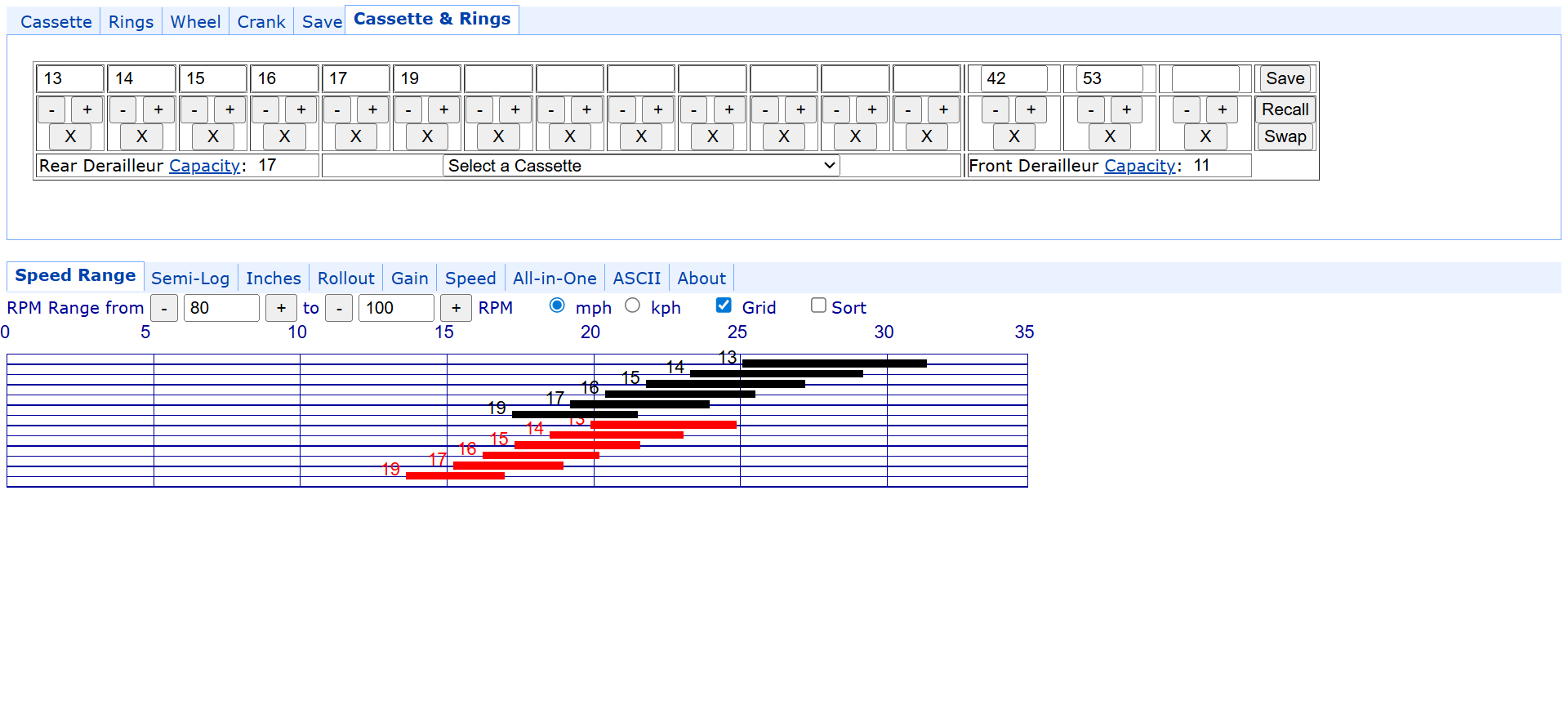
This Summer I changed out the knobby tires on my mountain bike so I can now use it on the trainer but it does not have a bike computer, hence why I am using this software to read the Saris cadence sensor.
Cutting to the chase…
With the greater resistance, I am seeing slower cadence and wonder if the app/sensor is reading wrong or if I am slow to recover? Should I trust the numbers and stay in the gear I am in and struggle to keep my cadence above 60 or choose a lower gear?
I don’t know if I will improve enough to be able to ride the Bianchi come Spring or stay with the mountain bike. (BTW, there are now paved roads)
I always recommend people just go the cadence that’s comfortable for them, unless they’re specifically working on cadence drills. So I would choose the lower gear unless you happen to like below 60. I don’t mind low RPM, but that’s getting a little bit on the low side. I’ve probably ridden a mountain bike more than anything, but absolutely love gravel compared to any other style these days.Or let’s say specifically no traffic riding. I do like roads.
Do you think the app/sensor is accurate and its not my misperception? I would take down my road bike and compare it with the CatEye computer if it were not Winter. I cannot mount it on my trainer now because I misplaced the special QR skewer. I guess I should just order another QR skewer from Saris.
Where’s the cadence sensor located? If it’s located on your crank arm or pedal or something, then it should be accurate. But if it’s somewhere else, it’s hard to say.Overall, our app should be accurate. There can be some variance, but in general accurate.
The magnet-less sensor is on the left crank arm.
I counted the revolutions at 60 RPM and it matched to seconds on the clock so it looks to be accurate. It must just be me or too high a gear.
My mountain bike does not have toeclips so my feet are not strapped in like on my road bike so maybe that partially accounts for it. On my road bike not only am I strapped in but also my racing shoes had cleats. Not once had I ever forgot to loosen the straps and fallen over but I don’t trust being strapped in on a mountain bike.
Is it possible to sort the 2 items so the one I want is on top and I don’t have to scroll down every time?
Paid version, create your own list. See, you want the features of the paid version.
I acquired a second sensor and set it to “speed” but I cannot see where in the app to set the wheel size to calibrate the speed/distance.
I have made some progress to where my feet stay aligned on the pedals at higher cadence without being strapped in. Not quite as fast as on my road racer which I plan to mount on the trainer when the weather improves and I can take my mountain bike on the road again.
We just use 700 for everything. Overall, this isn’t a super accurate method anyway, so this gives you relative reliability, which is what’s most important. If you’re using a BMX, it might be off. And also, I was going to mention it to you, or I’m going to mention it in general, this broadcast to a bigger screen is now a free feature. What you’re going to see in the next version of the app coming next week is a huge amount of new free features. A much better free user experience.
1 Like
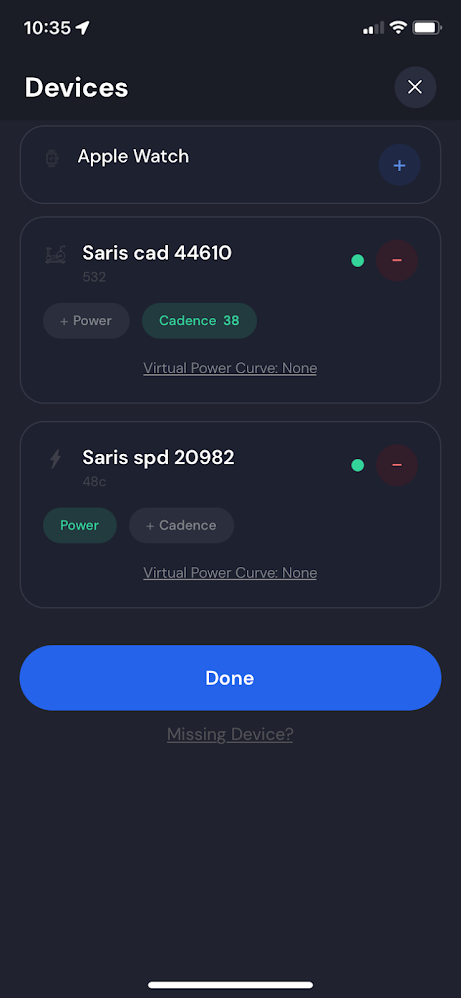
What happens when you click the plus button on the power? It should work. What we’re doing is we’re converting speed to virtual power. I should probably change that button to virtual power or make it more clear somehow. And I should remove that virtual power curve until you’ve actually clicked on the power.