So one thing I keep forgetting to say is if anyone is using the broadcast feature this uses a lot of device processing.
Yes, running long workouts in the background and then coming to foreground our app tries to play catch up but that would make your device un-responsive. Generally background mode it gives our app less memory and horse power to keep up.
Our app does not use huge amounts of memory 400mb even with long workouts or something. But still if for some reason your device is running low in memory then this could be what triggers it over the edge. Since it runs fine on very slow devices it’s something else but maybe I will test running on slow device in the background for a long time. I have not tested this. If we can replicate the problem it would make it easier to solve.
I am not sure if you are android or ios but I understand there is a setting in Android that gives priority to apps in the foreground. So when our app comes to the foreground it starts trying to catch up which requires a huge amount of processing power until it does. We have an idea for an improvement to this though.
No problem, still fascinated of your app. So many ‚hidden’ features
Will try the ‚merge workout‘ feature today. Tried it in test mode (another hidden feature) as I was reading about it in another thread.
Hey Alex,
i wanted to note that I also experience the issue where the timer is slowing down during longer workouts.
I use an iPad 6.Gen 32GB with iPadOS 17.1.1 with a Kickr Core, and one HR Strap via Bluetooth, nothing more.
I keep the iPad on trainerday fullscreen all the time with no other apps running in the background, no Netflix, music…
I can’t seem to reproduce the issue, but during some longer workouts, the times slows down drastically after more than an hour.
My “fix” is to close the app (and “delete” it from iPadOS multitaskting, by swiping the app away, you know) and than relaunch the app. The workout continues despire closing the app, but closing the app solves the issue.
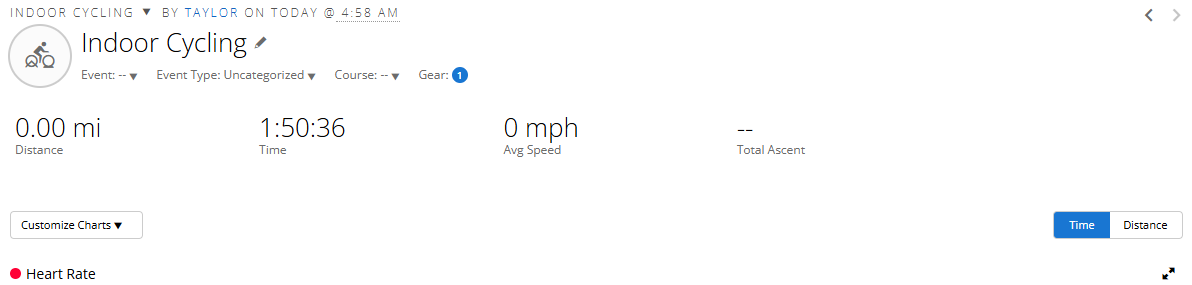
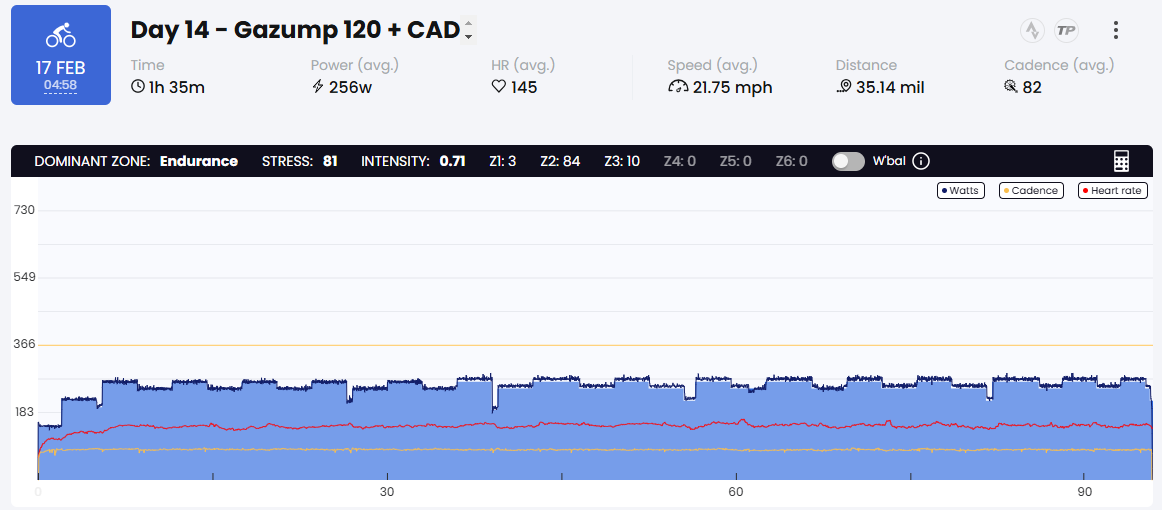
I know I had this issue a long time ago, where the workouts I did for some reason showed a less amount of time than what I actually did. I noticed the app was just updated on my phone (Android), and I am now experiencing this issue again.
For example today I did 110 minutes (screenshot from my garmin recording):
Any idea what introduced this issue back in the app? It sorta makes harder intervals quite difficult, as I don’t really know exactly how long I’m going for.