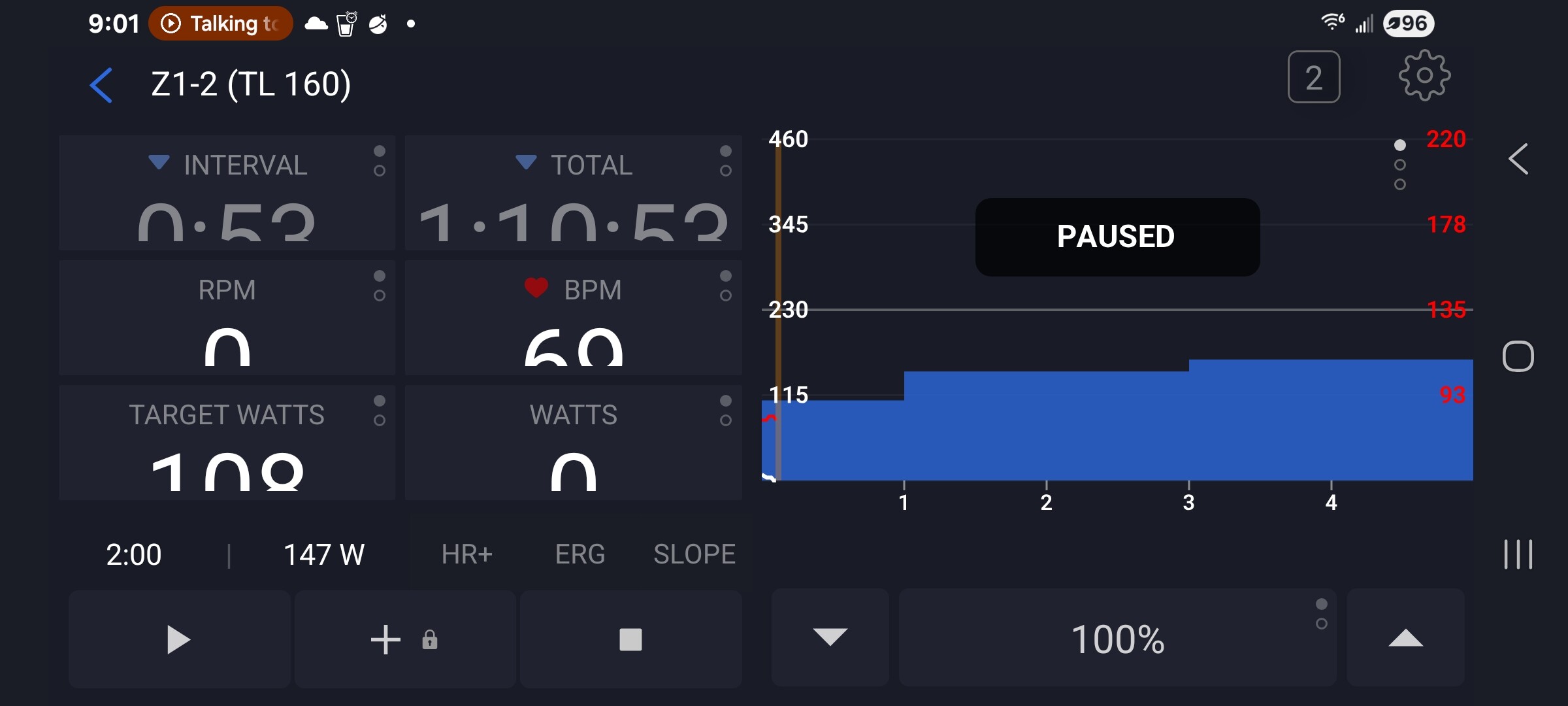
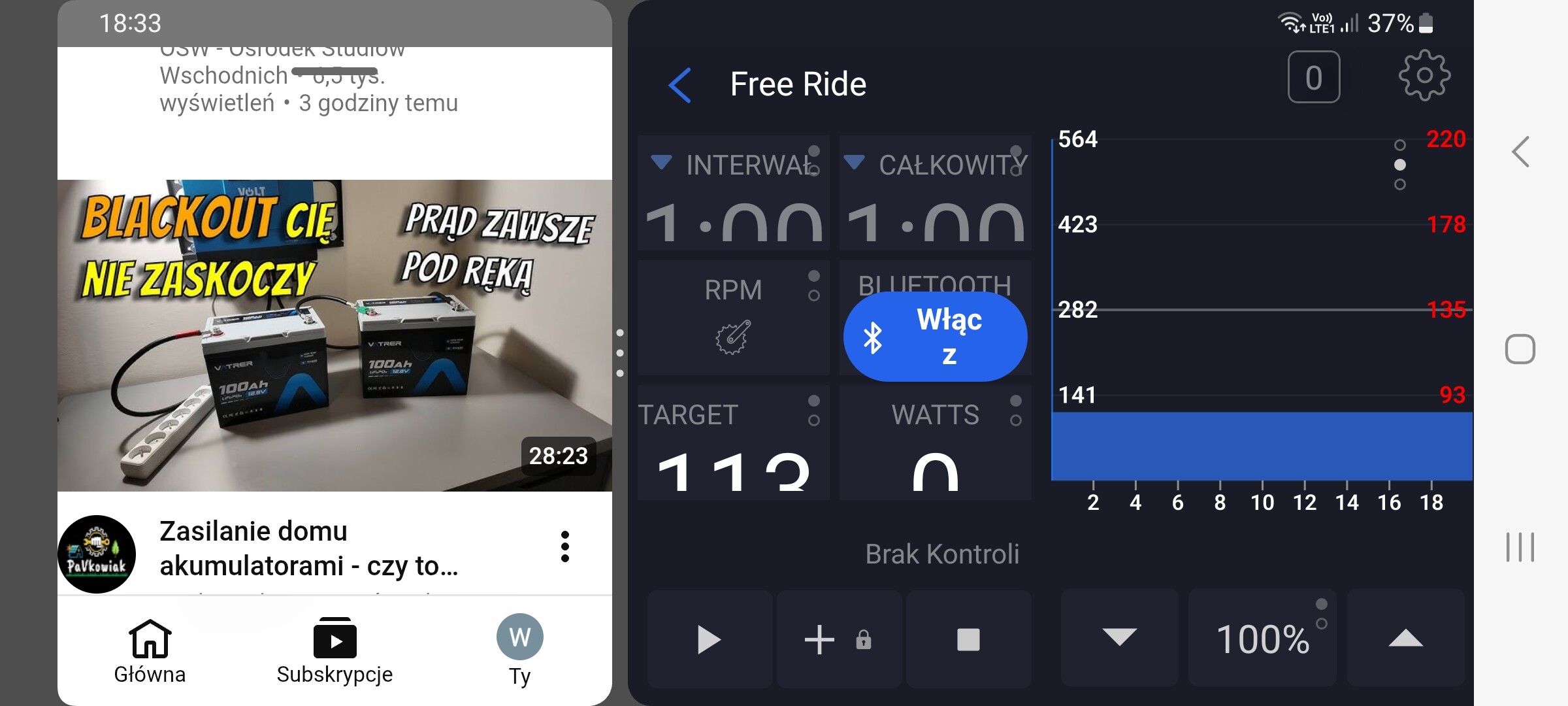
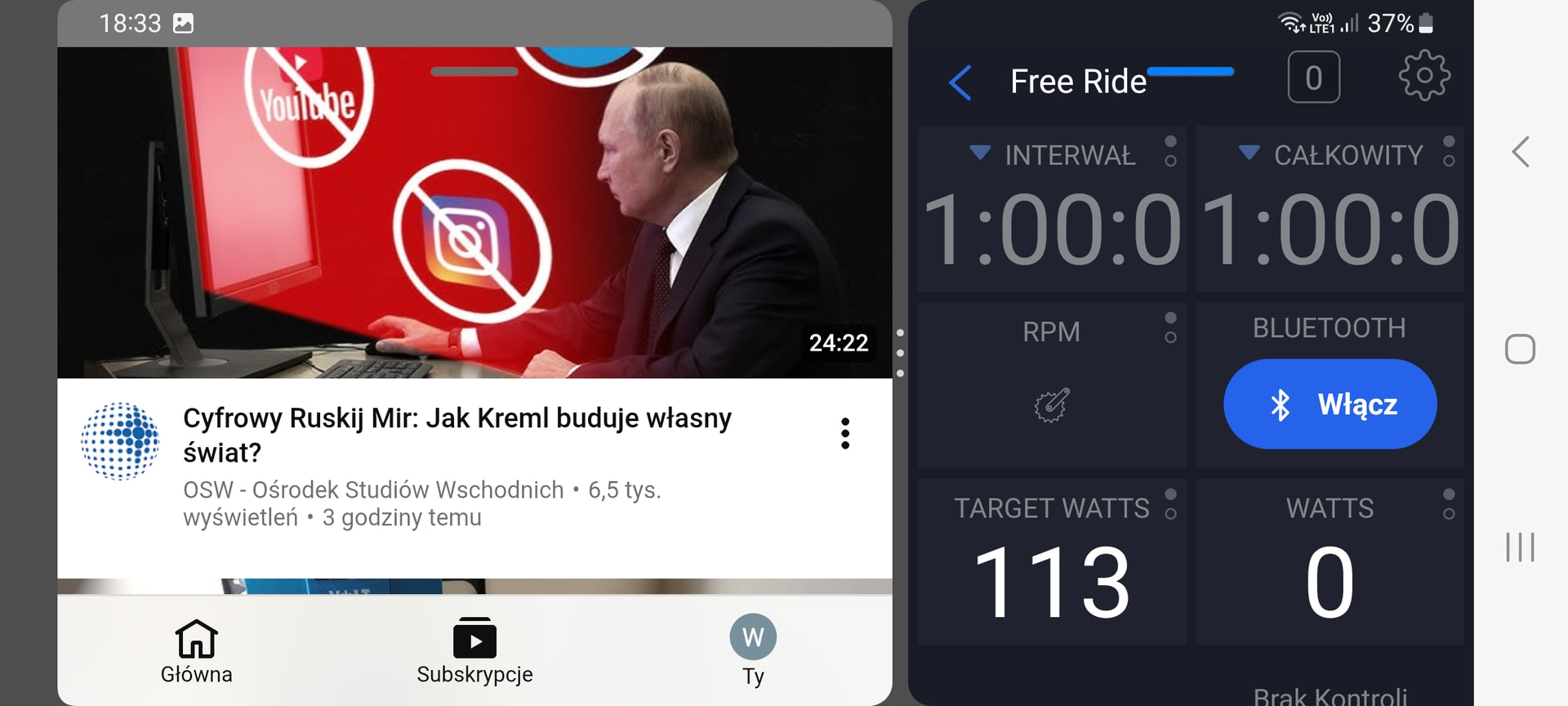
After the recent update the landscape font is too large and is mostly unreadable, which is the mode this I normally use.
Android screenshot S21+5G phone.
After the recent update the landscape font is too large and is mostly unreadable, which is the mode this I normally use.
Android screenshot S21+5G phone.
Sorry, I tested about 10 different devices and they all work. I’ll look at that. I’ll try to see if I can make a simulator of that.
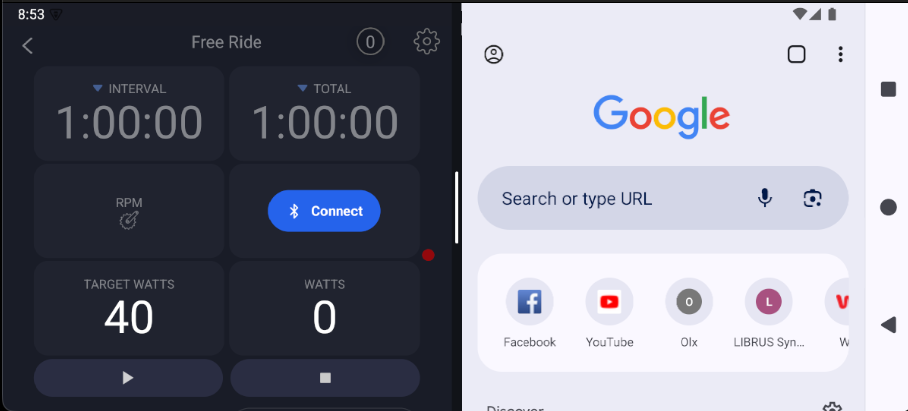
I’ve done a lot of changes, as you can see in this mockup. But this is an S21 emulator, which should be the same as yours unless you have some increased font sizes somehow.
So I’m not sure if I fixed it since the last build or if there’s something different about my emulator than your phone. But next week we should have this one, so hopefully it works for you.
I will say your phone looks like it’s narrower than this emulator for some reason But below is what this one is, and it’s according to perplexity. It’s the same as yours.
Physical size: 1080x2400
Physical density: 420
So I think you have some specific settings that are causing this. I realize it might have worked before, but we changed things to make it fit better for other devices. So you might want to try changing your settings. But again, wait until you see the next version of our app.
In Settings, search for ‘Screen zoom’ (use the search icon at the top). It’s
either under Display → Display size and text, or Accessibility → Visibility
enhancements. Set the slider back to the default/middle position.
Edit: I tried to research if there was an easy fix, meaning look at our old code and see if something changed. And the only thing that changed is actually a major technology upgrade from an old version of our core technology called React Native to a new one. It’s impossible for us to go back to an old version, and we never would, meaning it’s a major investment to move forward in technologies, and that seems to be what caused the change. And I don’t see any easy way to fix it because the default settings in the Samsung S21 seem fine based on the emulator.
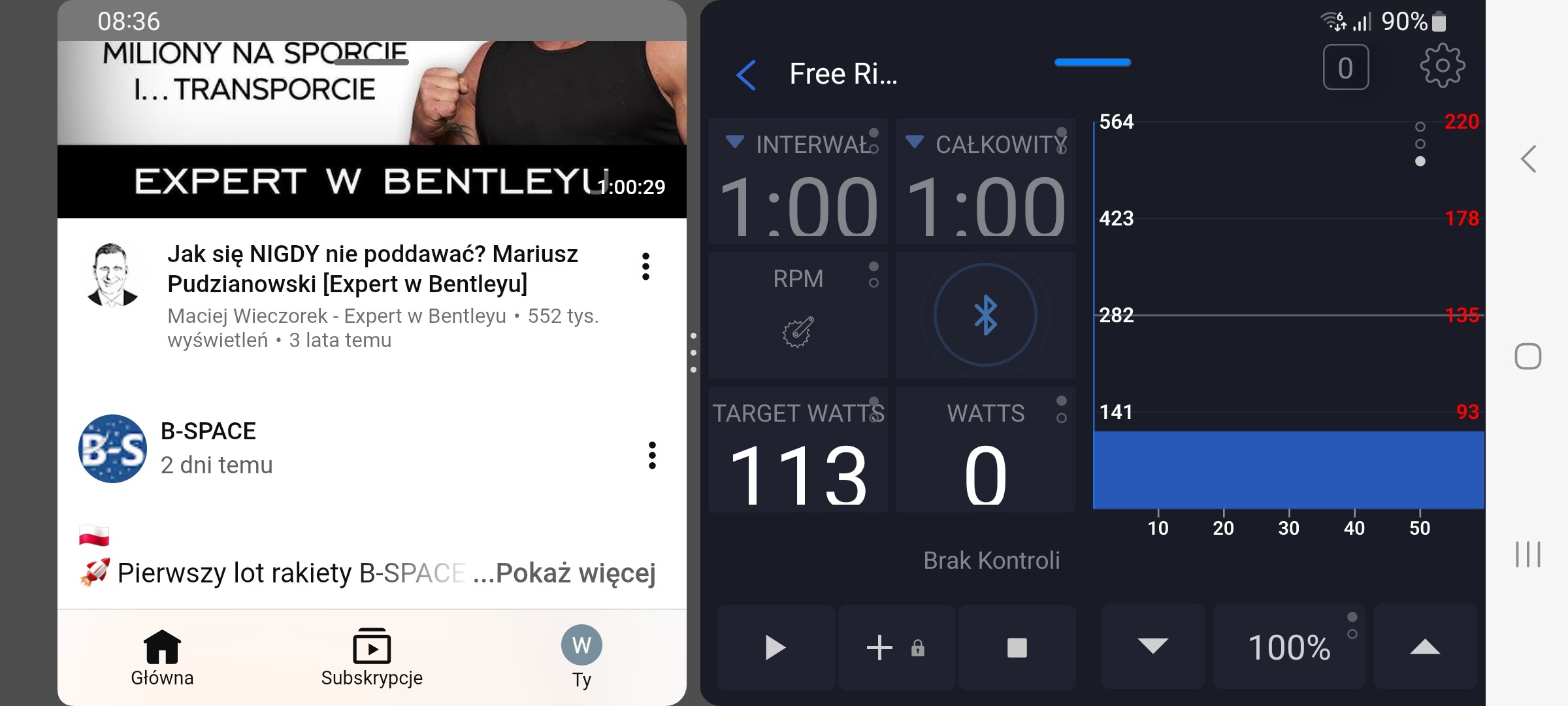
I’ve had exactly the same problem for a few days on my Samsung S20 FE. I changed the screen zoom to the smallest possible setting. While driving, I watch podcasts on YouTube. Take a look at how it looks now. I’m attaching screenshots. Is it possible to downgrade or disable automatic updates?
Unfortunately, changing the screen zoom affects all screens globally, so I had to move the slider back to the middle because everything became too small. This is how our application looksnow in the configuration that I always use.
This split screen problem is interesting. And it’s more that when you’re in split screen, it should be the standard view of our app not the landscape view, although does our app even fit in 1/2 a phone? I guess you don’t have a screenshot of how it looked before?
It’s interesting, though, that your screen text is chopped even with the smaller screen zoom while my emulator does not have this problem and my google pixel phones and iphones work perfect. We have older samsungs we can try.
You can google search for old apk files and install them but that is not officially supported method and may break at some point. 8.5.3 I think was the version before our major technology updates.
I will keep researching this. The split screen issue might be easy to fix.
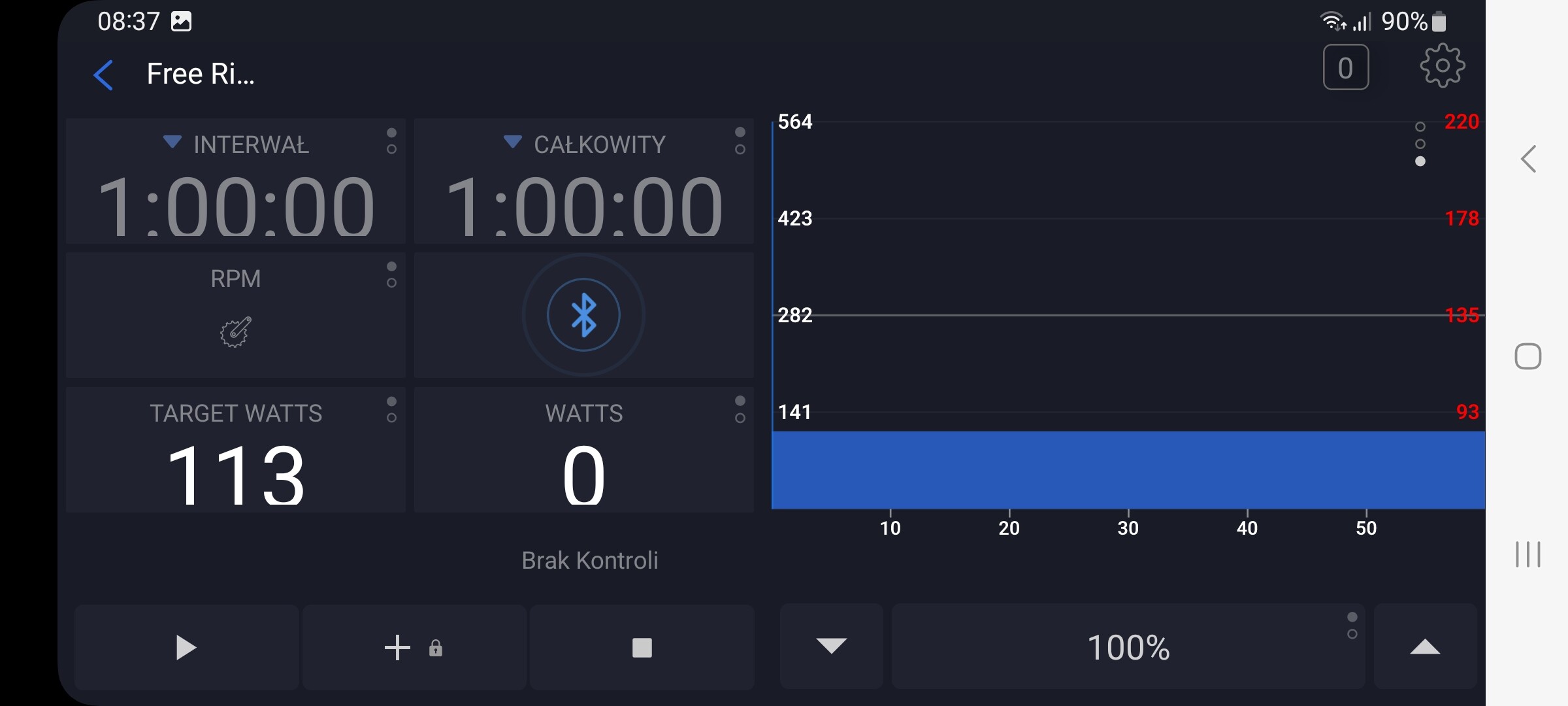
Additional screenshots. I never use a configuration from second screenshot because it doesn’t show the route, and it’s also not possible to scroll down; scrolling simply doesn’t work on this view on my phone.
You’re saying that previously it looked okay? I just don’t see how it’s possible our app fits in half of a phone screen.
Splitscreen with standard pixel density/zoom should be resolved in the next version
So I don’t see how it’s possible that this fit before. This is the only way I can see it fitting, and I have it working on my Pixel phone and s21 emulator. There’s no way we can fit the chart and everything on the same screen.
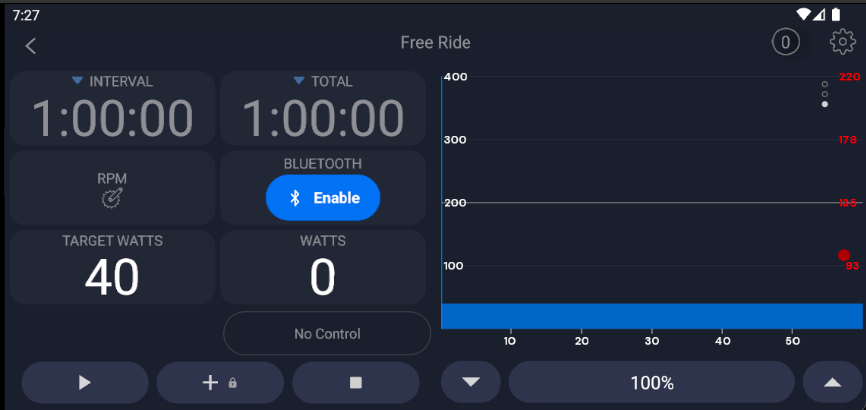
S21 Emulator - A15 - could not get 16 - standard zoom.
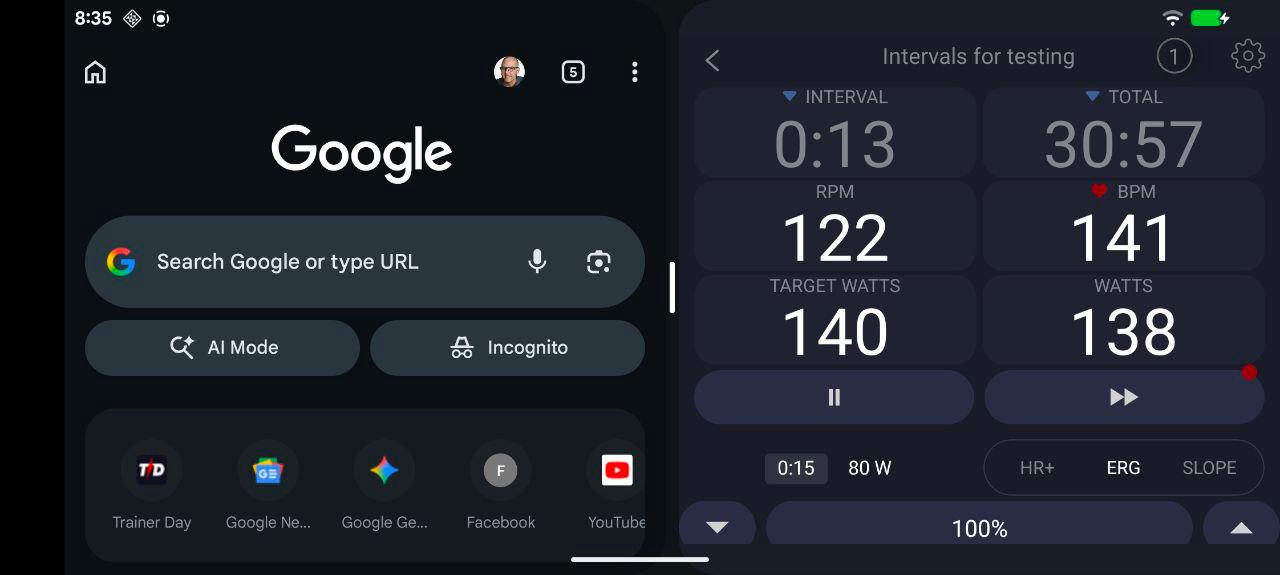
Pixel 8
As I said, your screen must be zoomed up. You have some kind of zoom/multiplier to make it bigger. That’s what causes this problem.
Just to try to help it look a little bit better and usable, even with your zooming stuff, it should look like this now.
Yeah, I was using the app on half of the screen and I could see youtube on the left and trainerday on the right with the route chart and proper font. It was 50/50, evertything visible properly and clear, something happened with the ui in the last time.
I was not playing with zooming stuff on my phone since today morning. I rolled back these changes anyway as you’ve seen.
I can achieve almost the same effect as you’re showing in the screenshot by globally changing the font size for all apps, and without sharing 50/50 screen with YouTube. However, something happened, and I’d like everything to be the same as before – so that the phone’s font size would be normal and I could display two apps at once without losing text/parameters visibility
But on both screens you’ve provided (S21 Emulator - A15, Pixel 8), our app is below 50% of the screen width and that’s why the route graph is hidden.
I’ve recorded my screen: