This week I’ve been doing my planned workouts on different days to those scheduled in my Coach Jack plan. I’ve basically just selected the workout in the TrainerDay app in the Workouts tab and tapped Ride Now. In the web app calendar I would like to move the workouts to the days I actually completed them, so I can link them, but I can’t see a way of doing this. Is this possible? E.g. I completed tomorrow’s tempo workout today, so I want to move the planned workout from tomorrow to today and link the workout with my completed ride.
If you just drag and drop planned in the calendar it should ask you to auto-link it.
Thanks Alex. I can’t drag and drop any workouts in my calendar. I’ve tried in multiple browsers.
I just logged into your account and dragged your workout using Chrome browser. See video. Maybe you have some plugin or something that is blocking.
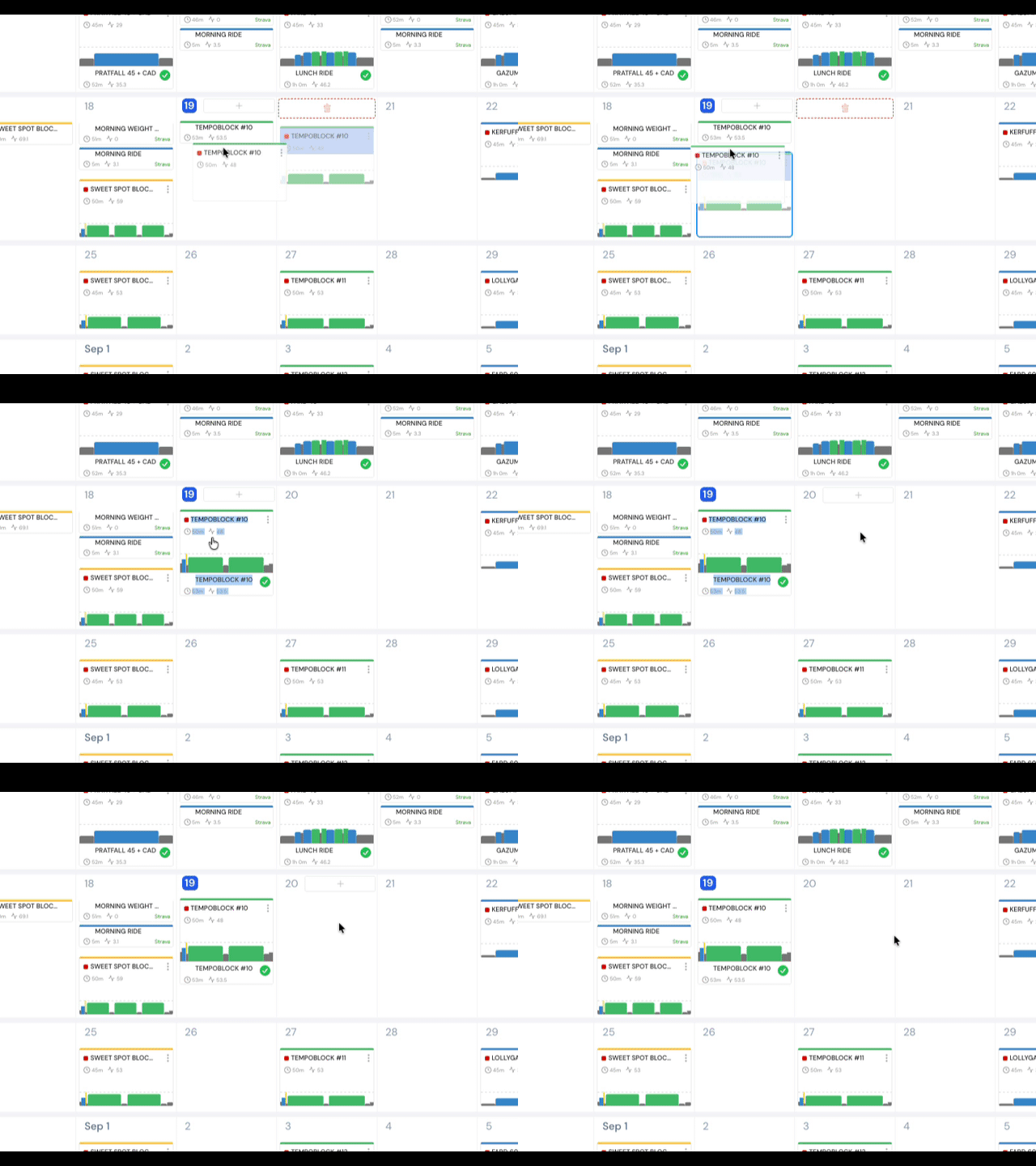
It completely does let you move a planned workout. I showed it in the video above. You are the first 2 people to mention it out of thousands that use our calendar. Something strange going on. Now you might need to unpair for example if it was incorrectly paired. Or it’s some specific browser or plugin issue or something. If you can give complete details and possibly a video it might help. We can’t fix it because we can’t reproduce it.