Hi. I connected my Samsung phone to my monitor to do a workout today, using Samsung dex. Previously I had no issues the last time I used it this way in the winter, but as you can see from the screenshot photo, the workout interval blocks aren’t showing. It’s like it’s magnified so much and just showing the top numbers.
I’ve tried adjusting the screen resolution and screen zoom but nothing worked.
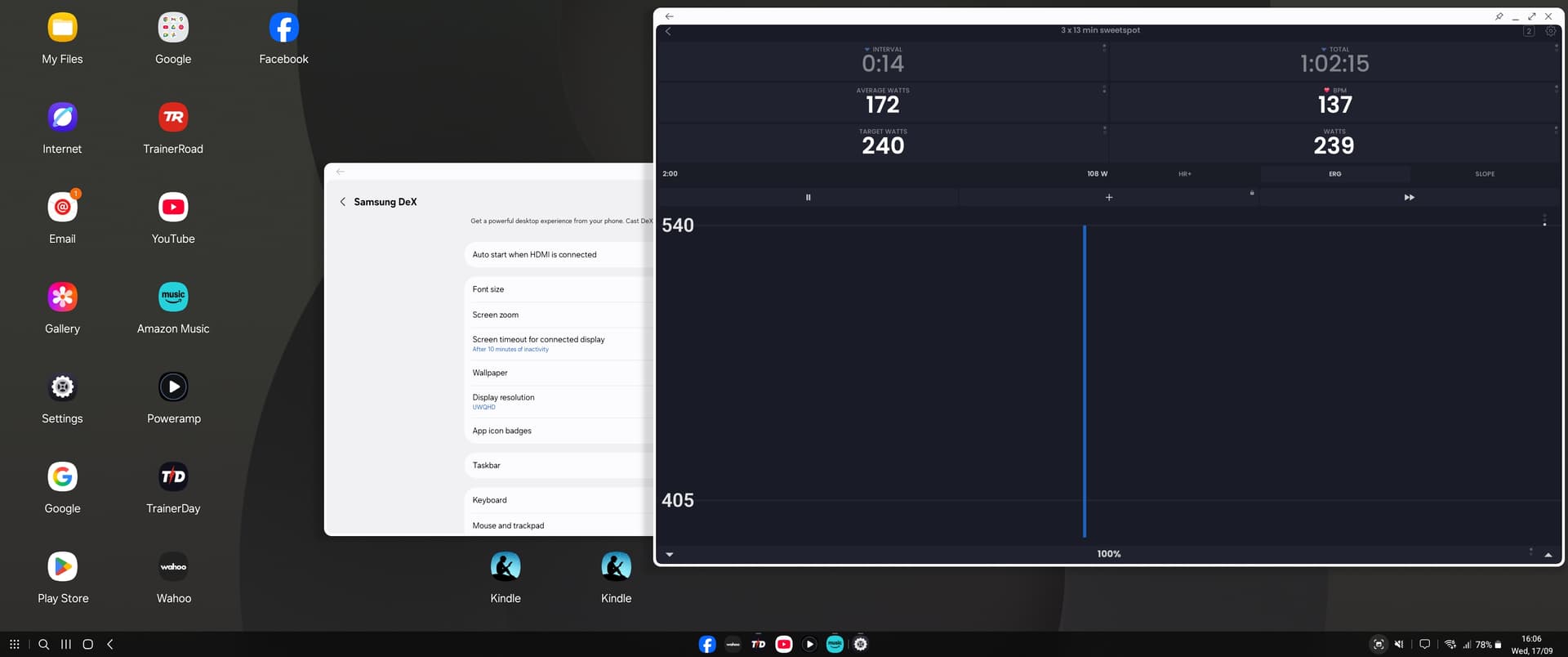
It’s a long story but due to Android 15 we had to change chart technologies and it must have affected this. We are deep in resolving a few people device connection issues and when we get done with that we can look at this. I would hope that is in the next couple weeks.
Hi Alex. It’s been a while since I posted this topic and still no fix for the messed up DEX display. Is this being worked on? I understand that not many people will be using TD with DEX, but it’s really frustrating not being able to use it.
Hi Mark, I was assuming that our tablet fixes would just fix it and I forgot to ever respond. No one is reporting any UI issues like this so this seems to be a dex only issue and maybe you are the only one or very few people affected.
None of us use PC here and Dex appears to be PC only. Sorry but I would say we can’t prioritize this right now, it’s risky making UI changes like this that could cause a lot of people issues so it’s safer for us to look at this the next time we are making bigger tablet changes which more than likely is after winter. What about using our broadcast screen? ride.trainerday.com?
I understand. But DEX is a Samsung phone/tablet feature, not PC. When you plug a Samsung phone into a monitor, it turns the monitor into a desktop type experience.
Oh I see. I was reading and they said it was a PC app. I have a monitor and a samsung (for testing). Let me try this. If I can easily replicate it then it makes it easier to fix.
Ok brilliant
Oh I just realized it requires S series or does not work with any of the samsung devices anyone on the team has. I have 3 samsungs but none of them would work. Will try pixels and other devices
Nope, iphone does not support this nor does pixel 7 or any of my tablets… sadly no way to reproduce it without buying s series phone and I am not sure but looks like you have a tablet in that display. I have a pretty good idea what the issue is but no way to verify any changes we would make.
It’s a Samsung phone / tablet only feature, and only works with S devices as you say. And no, I don’t have a tablet. My phone is the s25 ultra. The monitor is a wide screen, but it worked perfectly on it up until my original message.
Yes Google required us to do huge technology changes which was the reason we started all this. It was good we did it anyway but sorry you are one of the few still affected. Our code is so massively different its impossible to be able to blindly just start making changes and hope for the best.
I know you really want to use this but probably just like me, you don’t want to buy us an S series phone to fix this issue quickly. I like everyone to be happy and would like to fix this. Just need to wait and hope we can solve it the next time we do UI changes around this area of functionality. Sorry again.
Hi.
Any luck in figuring out what the issue with my DEX display is? I’m getting sick of using it on my tiny phone. I loved being able to open the app on my large monitor with dex.
I asked my developer to look at this. So I would say a slight amount of progress, he tends to have a lot of priorities, did you try rotating the screen?
Try using smart view instead
I use it to watch/ forecast anything from my Samsung to any TV/Monitor
Just make sure you adjust the settings after you get connected, those settings will allow you to adjust the screen ratio and other basic settings like portrait/ landscape view
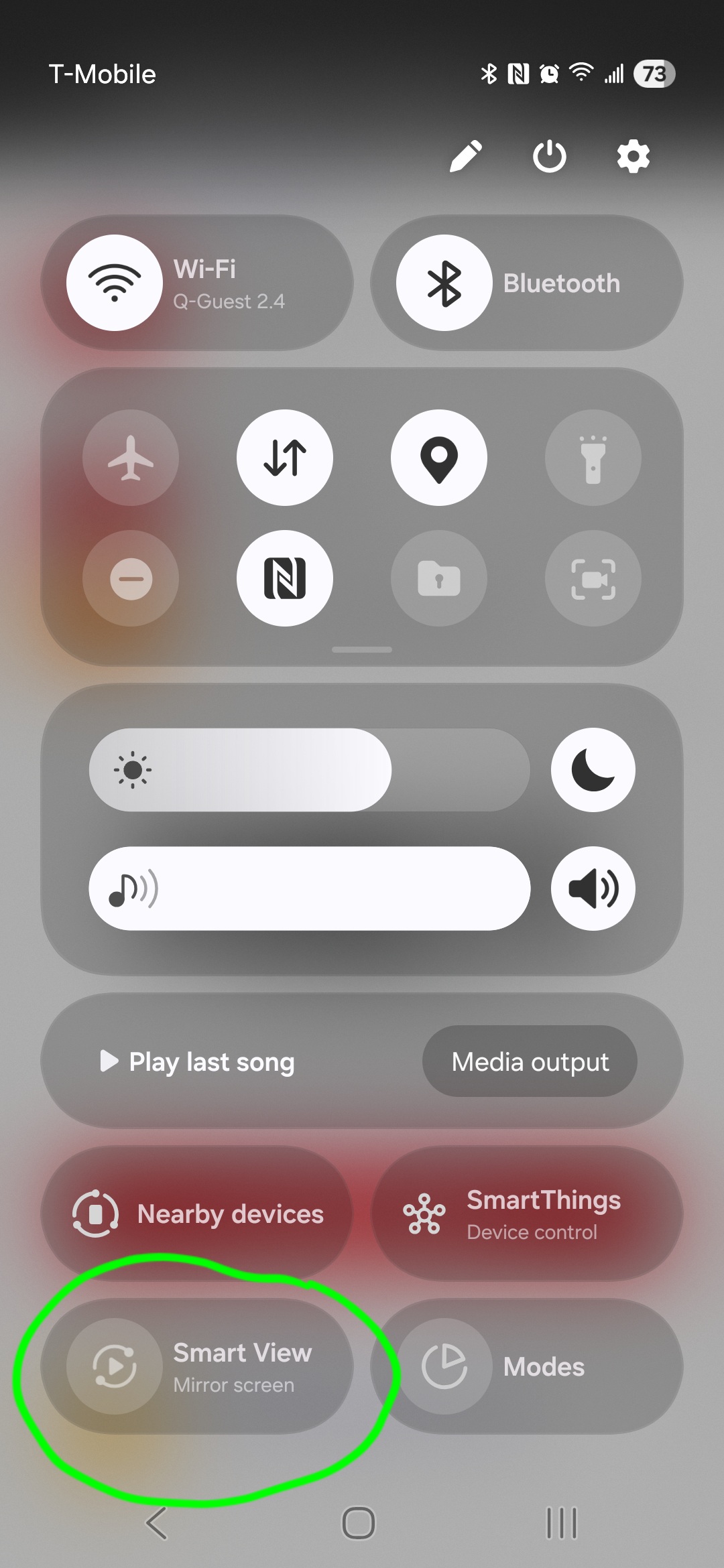
I can’t rotate the screen as it’s a wide screen in fixed orientation. I don’t think that would work anyway.
yes it does it.
As soon you are connected via Smart View, there’s a little setting options button showing on your screen where you can select to rotate the broadcasting accordingly your phone rotation. Also there’re some other few settings like aspect ratio and so forth.
I’m using it for long time and it works pretty good
I see Google Pixel now has some Samsung DEX competitor. I tried to hook it up, but I couldn’t somehow get trainerday to display on it, although I could see it as my desktop. It’s supposed to work quite differently from Dex, so I wasn’t sure that it would cause the same effect.
I have a fix coming that fixed a split-screen tablet issue that might resolve your issue here. Fingers crossed. Again, I can’t test this, so I have no idea.
Ah yes. I’ve just checked it with split screen and it has the same issue…..the app seems to move to a small rectangle on the top left of the screen. Very similar to what happens with DEX.
I’ve attached a screenshot of it.
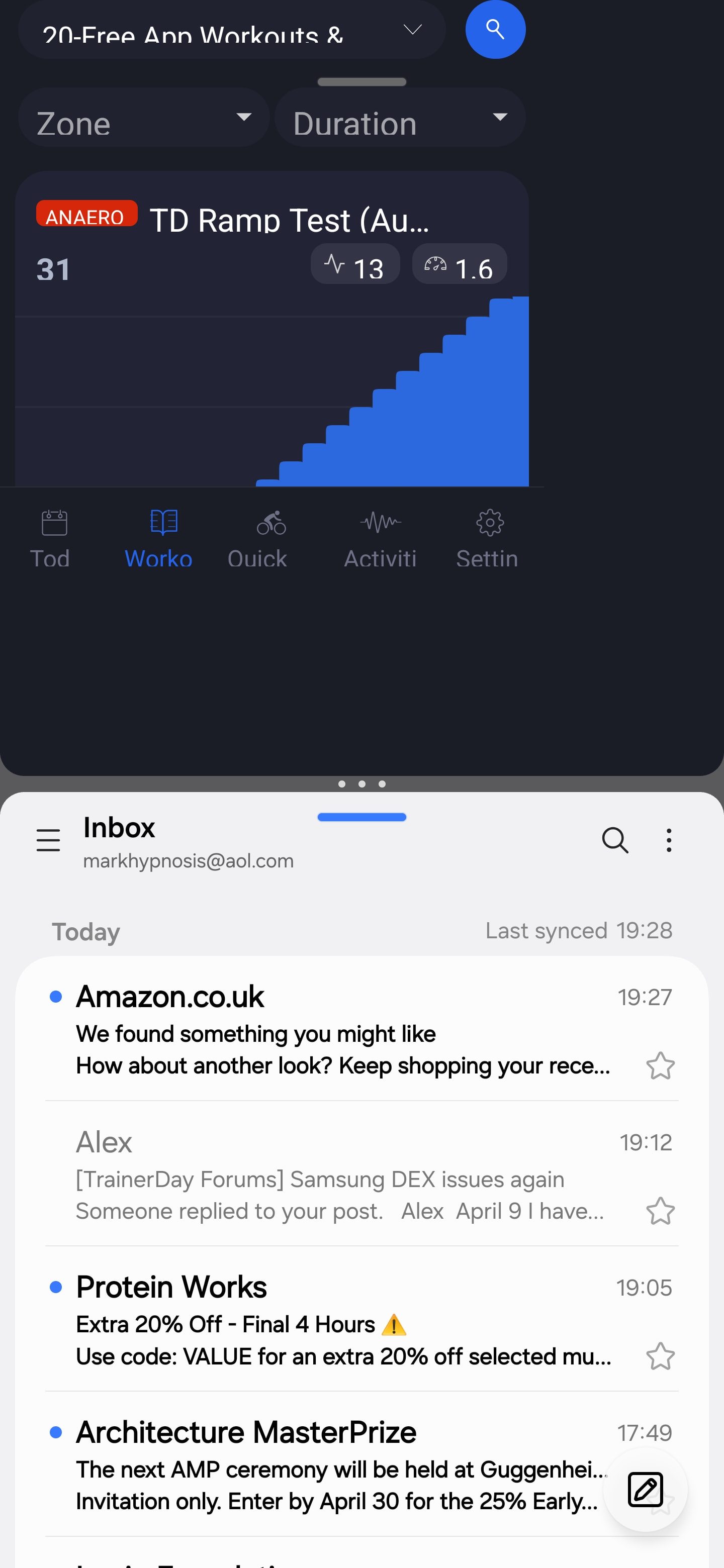
Yeah, our app can’t be that short. I was actually thinking more of split screen like you can see on this forum post below, this is similar to your problem. Split screen on a phone just seems too small. Although I’ve seen people trying it.