Hi Alex,
I’m running a Coach Jack “Summer Polarized” plan and following it via My Calendar, with the TrainerDay → Intervals.icu calendar sync enabled. From Intervals the workouts feed onward to my Hammerhead Karoo, so the version that lands in Intervals is the version I end up riding outdoors.
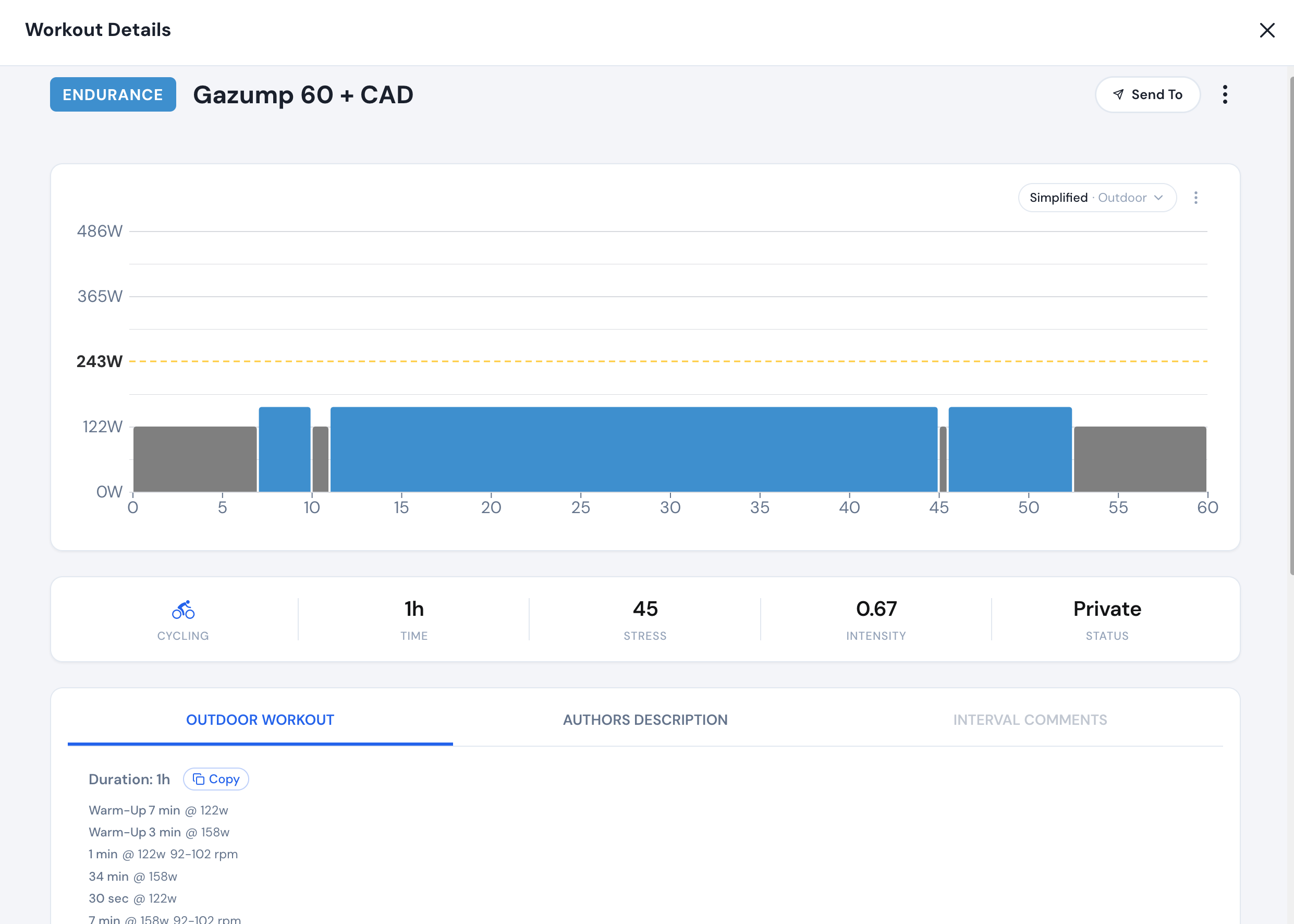
I’ve switched several days in the plan to outdoor mode. In the web Workout Details view these correctly show as “Simplified · Outdoor” — just a few long, easy-to-follow blocks (for example Gazump 60 becomes essentially Warm-Up, a single 34 min @ 158w main block, and a cooldown). That simplified outdoor version is exactly what I want to ride.
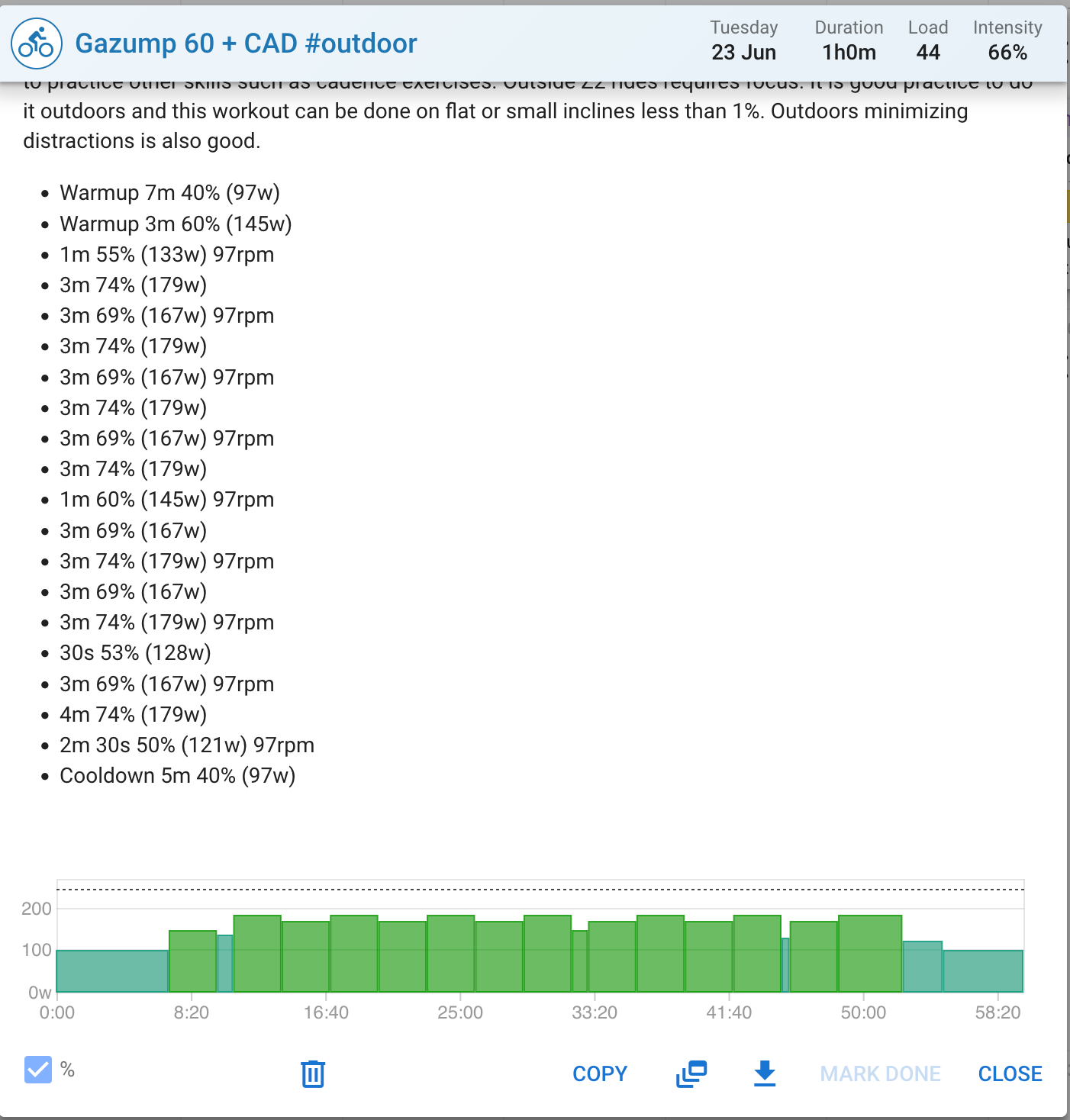
The problem: the calendar sync to Intervals.icu does not send that simplified version. What arrives in Intervals is the full original structure — roughly 20 separate intervals (the detailed warmup, repeated 3 min 69%/74% alternations, 30s steps, etc.). I’ve confirmed this by comparing the same workout side by side: “Simplified · Outdoor” in TrainerDay’s Workout Details, but the full ~20-step version in the Intervals calendar. This makes the workout very hard to follow outdoors on the Karoo.
Things I’ve already tried:
- Toggling the Intervals sync off and on in Connections to force a full two-week push, the detailed version still comes through.
- Confirmed the days are set to outdoor (the simplified outdoor view renders correctly in the web app).
- Checked next week, which I generated as outdoor from the start — same result, the complex versions are what sync across.
My questions:
-
Does the calendar sync to Intervals.icu send the simplified outdoor version of a workout, or does it always export the workout’s full underlying structure regardless of the indoor/outdoor toggle?
-
If it currently sends the full structure, is there any setting or workflow that makes the simplified outdoor version sync instead?
-
If there isn’t, what’s the recommended way to get the simplified outdoor version of a planned workout onto a head unit — for example, does the web app’s “Send To” export the simplified outdoor version correctly, and which targets does it support?
I ask question 3 specifically because I’ve seen the forum note that the mobile app’s “send to Garmin” always exports as outdoor regardless of choice, while the web app respects the chosen indoor/outdoor version. That suggests different export paths behave differently, so I want to understand which path actually carries the simplified outdoor structure.
Thanks for the great app, and for any guidance.
Best regards,
Szabolcs
