Back on the turbo again and liking the App. but have noticed some strange differences?
Jet Black Victory controlled with the mobile app running on a Samsung tablet. Laptop running the TrainerDay SW.
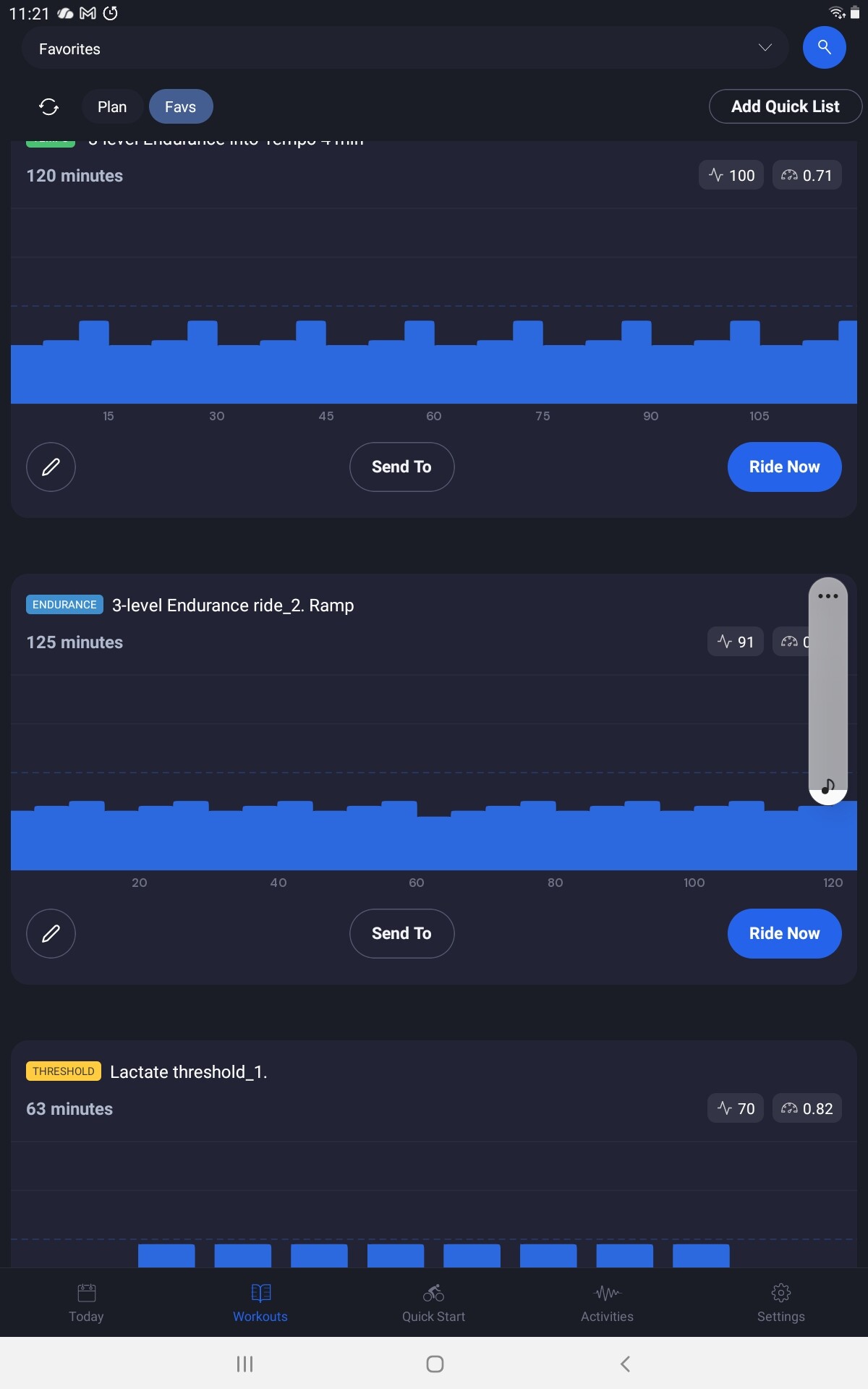
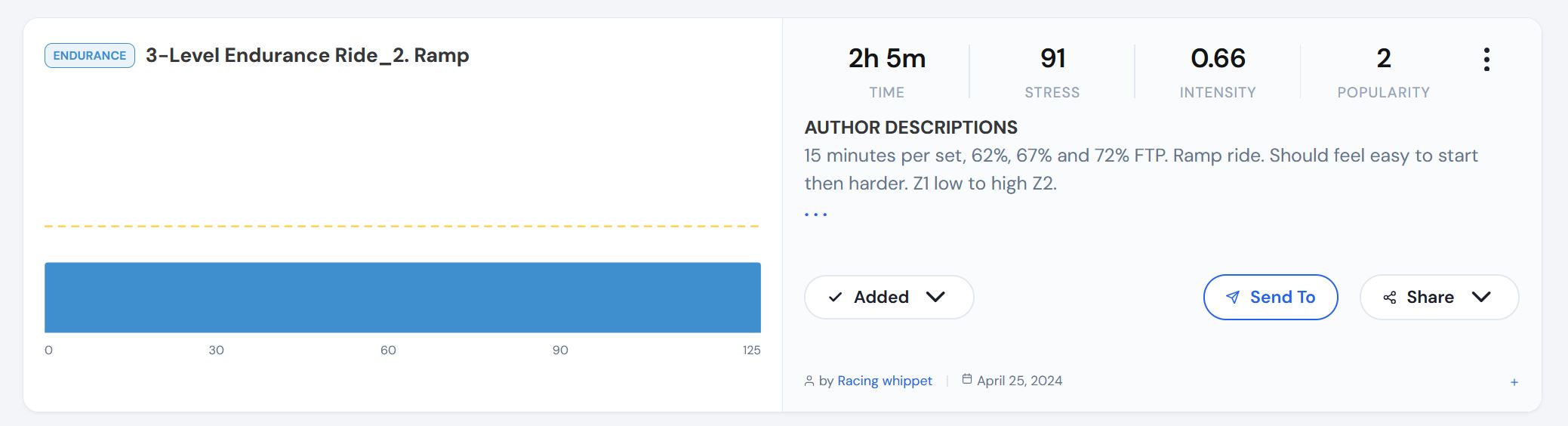
Looking through the Workouts on the laptop and some show a ‘flat line’ picture but the mobile app shows it as expected. See attached.
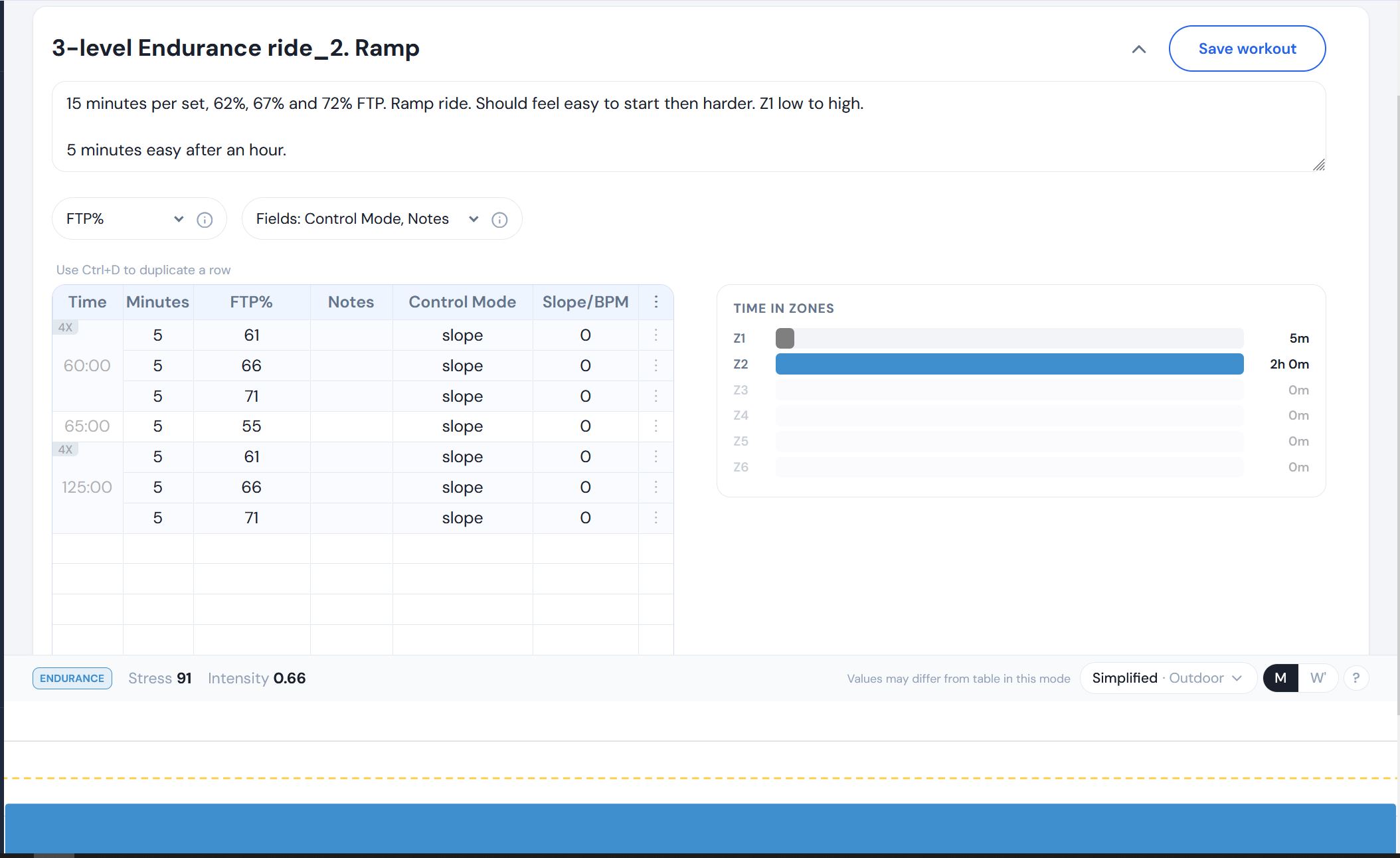
Also, when editing the workout the picture at the bottom is also a ‘flat line’. The table is correct. Se attached.
I only use the mobile app for training but do my creating and editing on the desktop app, is this correct?
The ride went ok, but I found Slope was not working when I selected it so rode in ERG with me having to reselect ERG at the end of each 5 minutes? Does it drop out automatically.
Silly question…when creating a workout what does the Slope/BPM do?
Sorry missed the message about ERG and slope. It should work correctly in slope and ERG should work correctly. Victory users report issues from time to time but some here have no issues at all. Make sure your tablet is not directly paired to your trainer in android settings. Also make sure no other app or device could be connecting to it.