I’ve noticed very annoying problem when I setup a sync of my calendar with Garmin connect.
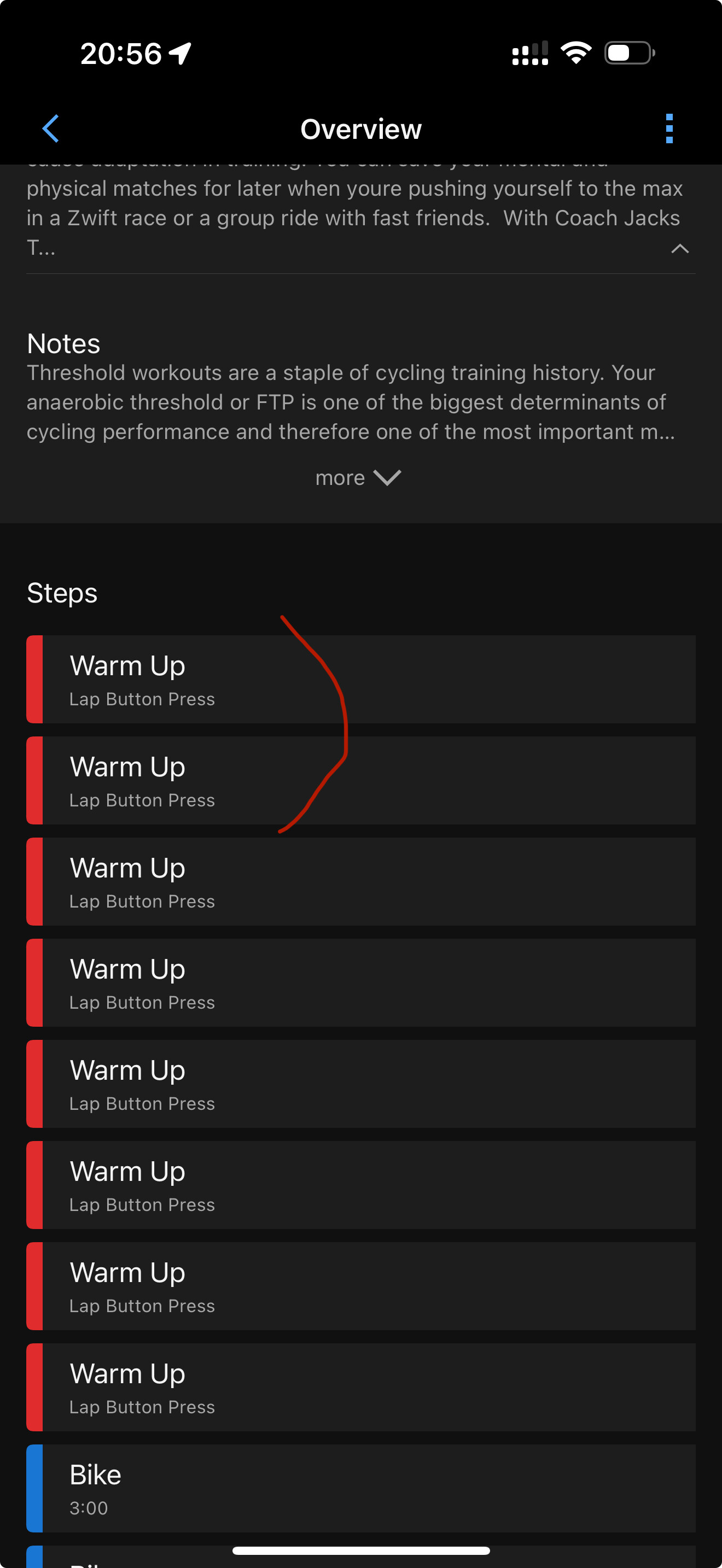
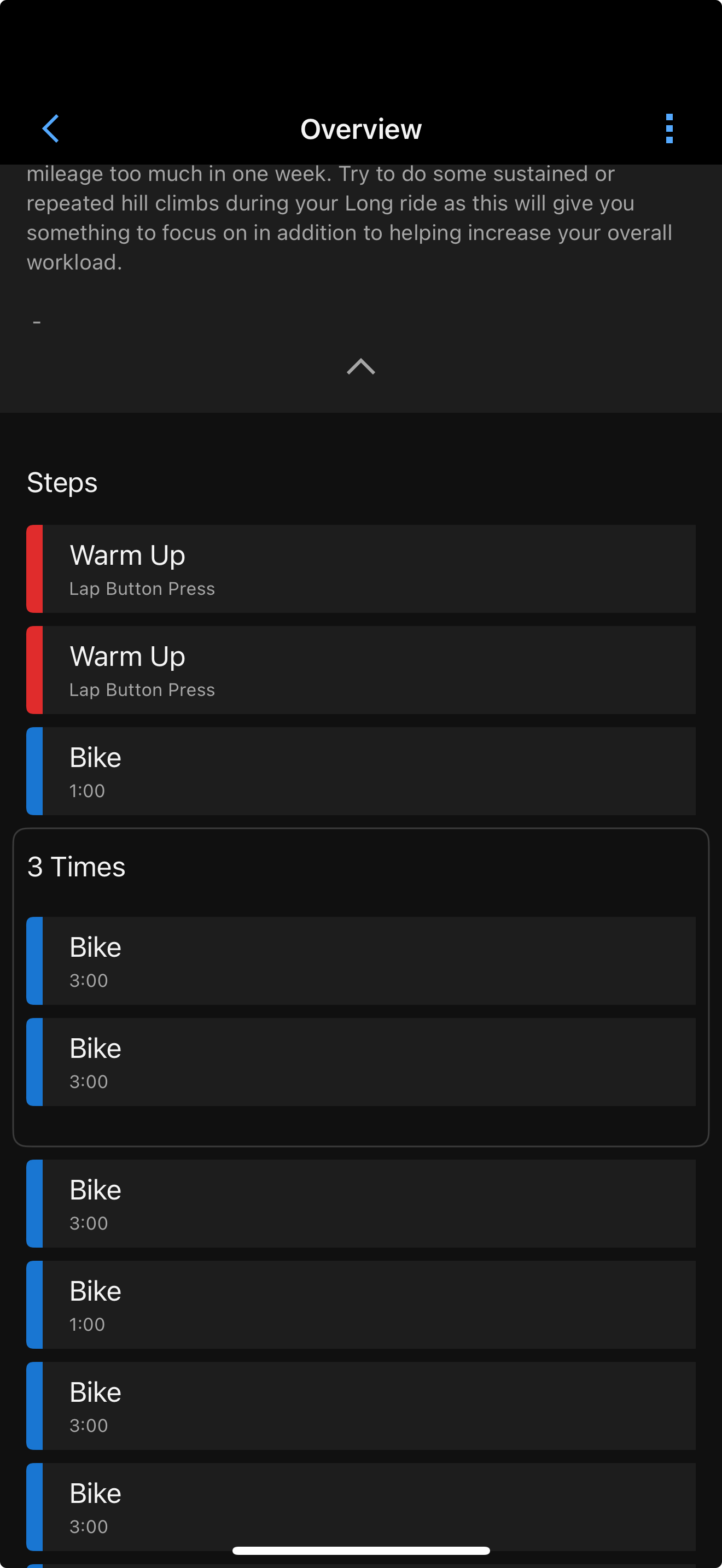
Long story short, synced workouts has warmup sessions without time limit and require lap click to finish it.
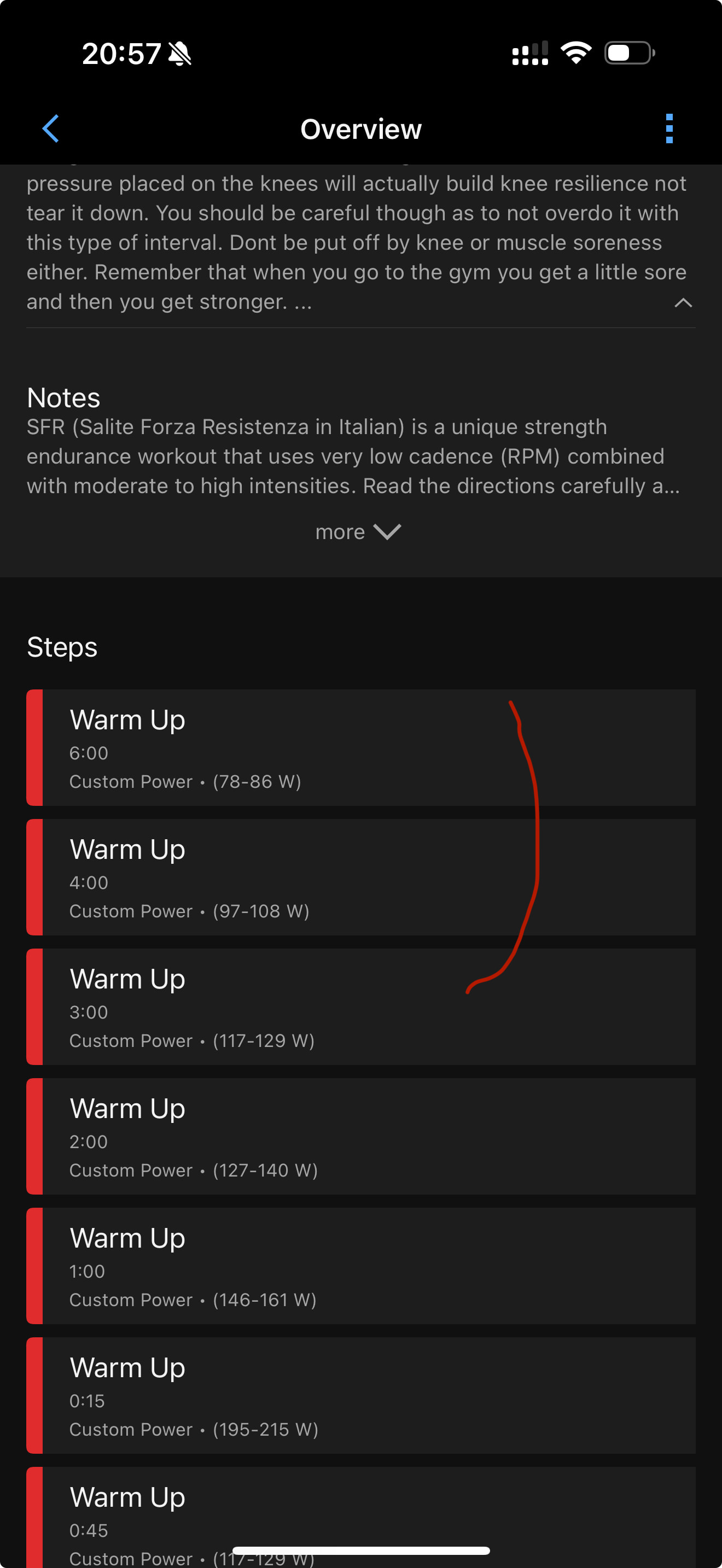
But when I use send to device I can see all timings correctly. I hope it will finish them automatically, haven’t tried yet, but appears at least correctly.
Check screenshots attached.
In my opinion behavior should be consistent as of now I’m keeping my phone open nearby to check how long would given warmup take and lap it on the edge accordingly
The problem is those settings won’t cause a re-sync we should fix that at some point in time but right now what you have to do is go in and edit your plan and re-sync it to your calendar to get it to re-sync
Updated plan and seems like I can see the correct times of the sessions in the connect calendar.
Interesting though, it still looks a bit different if I send it to device, e.g. sync workouts doesn’t show target zones, only time and notes. I’ll test whether they will be picked up correctly during workout.
You can see it on my screenshot above, when I send to device I can see “Custom Power” text per section of the workout.
I’m not sure I understand exactly, but yes, Garmin doesn’t show everything when it’s an external / third party workout, meaning not something that you created in Garmin Connect. I think inside the device, everything should be the same, just not in the app.