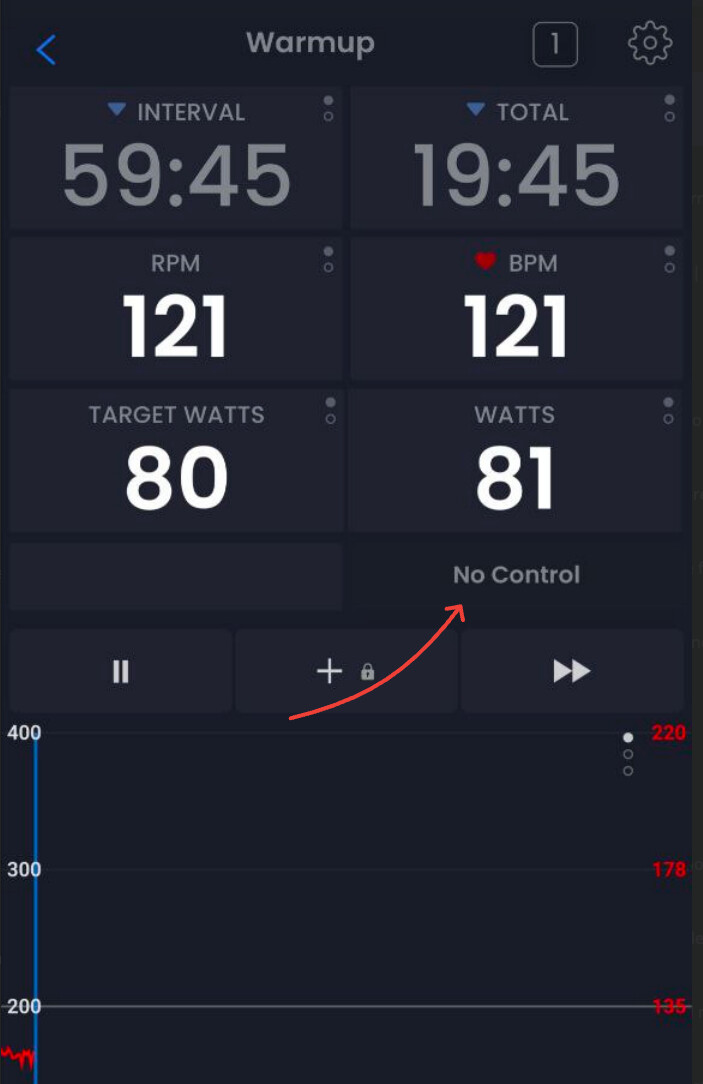
Hello Alex,
I have a Stages SB20 trainer, which has been working fine, and now all of a sudden there doesn’t seem to be any control of the trainer from the app: if I change the target Watts or HR the resistance of the trainer does not change. This is whether I’m in ERG or HR mode, or trying a quick start ride or a saved ride.
The trainer, the LH crank power meter and my Garmin watch HR all show as being connected in the app on the devices screen, with the relevant capabilities selected for each.
I have deleted and reinstalled the app and re-booted all related equipment, including FWIW my router.
Any thoughts? Is there some specific information I can provide for you to help with diagnosis?
Thanks
Martyn
Hi Martyn, lately the most common cause for this is people not selecting controllable on the devices tab. Other SB20 users have not reported any issues lately but it could always be some strange case. Sending screenshots during training and devices page can help me understand.
Hi Alex,
Please see some screenshots attached.
I believe the devices are set correctly. And you can see how I upped the %FTP target from 56% to 132%, but there was no change in the trainer’s resistance. Is there anything else I can provide, or is there a test I could perform?
Thanks
Martyn
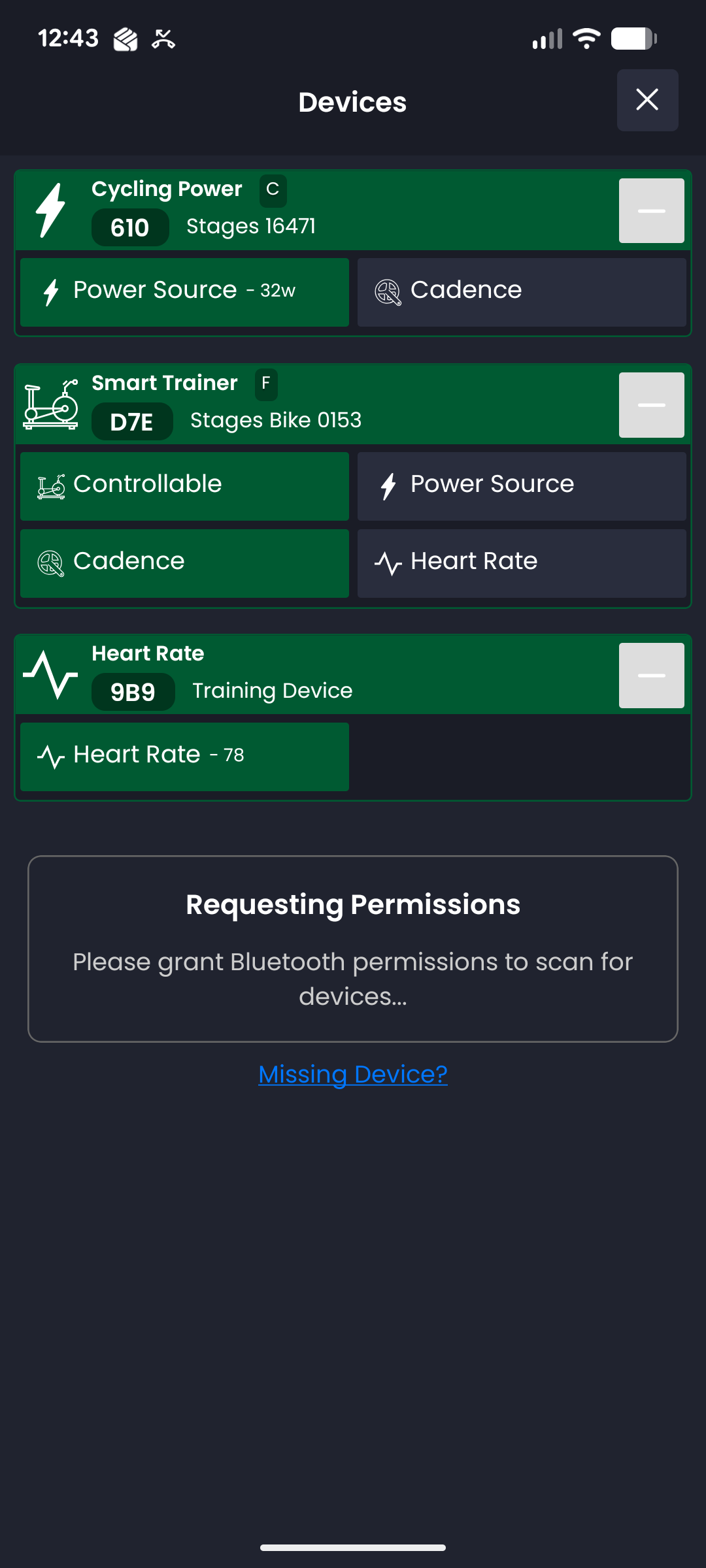
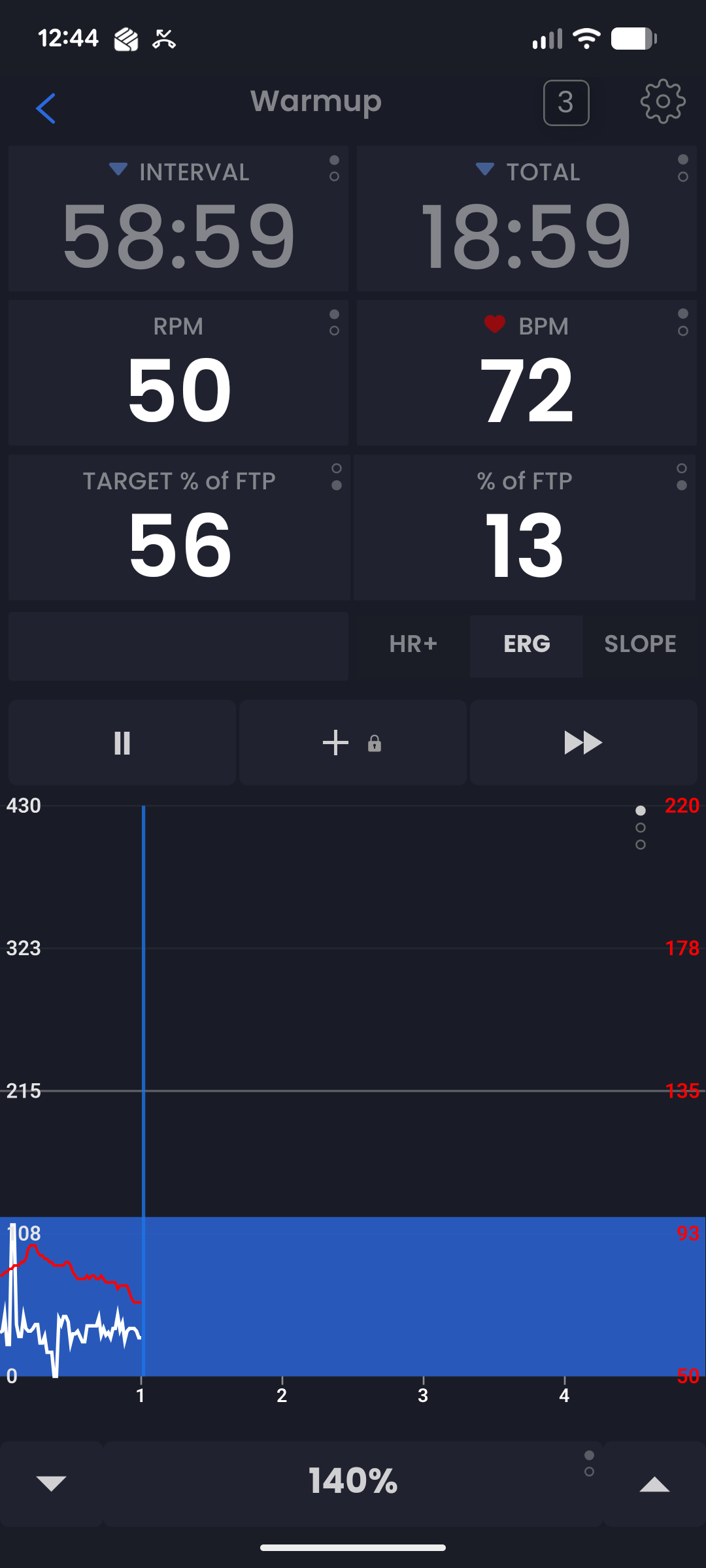
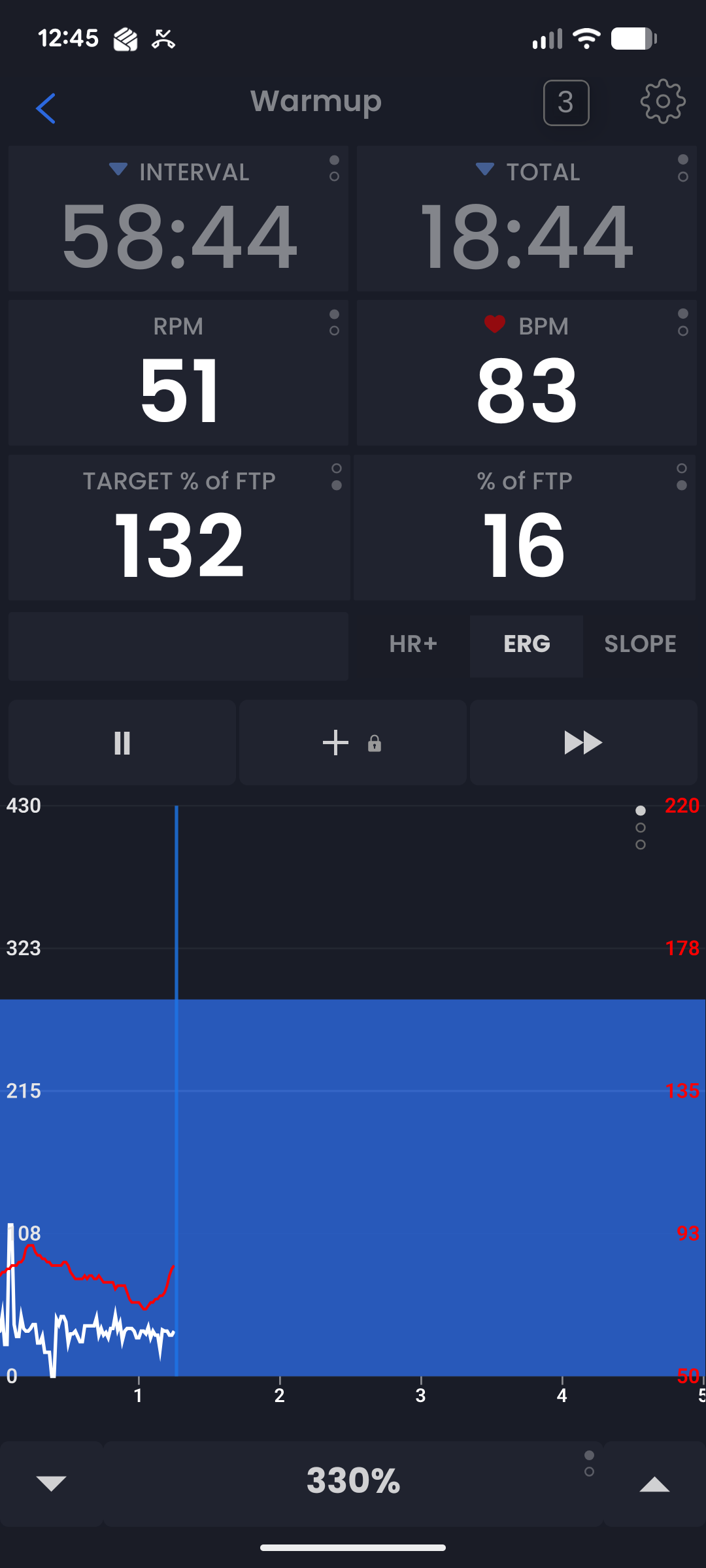
Yeah that is very strange. You could try single source, meaning only the stages bike and the flywheel power just to see what that does. I will review more tomorrow.
I have a SB20 and not problem at all.
Question:
Are you using the Stages App while using TD? Please don’t use Stages App ever when using another cycling/training app
Did you check the batteries of both power meters?
Did you install the latest TD version?
Did you delete all your Bluetooth connections from the TD app and reconnect then again?
Lastly, and this is one of the most common issue I’ve read in the SB20 Facebook group. Maybe a button on your handlebar is pressed or went bad for some reason. Disconnect the cables coming from the handlebar tape and ride the workout without connecting those cables.
Actually, you don’t need them because you’re doing a ERG workout that override the SB20 shifting.
Also, you can join the StagesBike SB20 Owners Group in Facebook, there’s a great guy (Craig Statchuck) who is a genius and he’s a top group collaborator to identify and fix issues
This guy also has his page pedalsmartblog.blogspot.com where he has pretty much all the information documented
Hope you can solve the issue 
1 Like
Craig is the one that inspired my to build automated slope mode in TrainerDay. I was very impressed in the conversations I had with him. Great and talented guy for sure.
1 Like
I just started having this problem today as well. My last ride on the SB20 was on the 8th with no issues. Looks like the update on the 13th may have caused some issues? Running version 8.4.2 on a cheap tablet and a Galaxy S25. I replaced the crankarm batteries and restarted both devices. When I connect to the Stages app it controls power without any problems.
Sorry about your issues. We did not change anything related to bluetooth that could have affected that in our last release on the 14th. Seems more likely to be some other issue not related to our release. Have you verified controllable is selected on the devices popup?
We don’t hear of hardly any ble related issues these days but you could always try uninstalling our app and reinstalling. Make sure no garmin devices are not connecting to your bike.
OK so the update changed the controllable setting that was there before. I guess the problem is with my old eyes - I didn’t see that setting had changed, I just saw that the bike was connected and was sending info to TD. Just tested and seems to be working just fine. Maybe for future updates make sure it doesn’t change current configurations?
Great, glad it is solved. Normally it does not forget your selections on updates, we have seen rare but random disconnects like this and try to protect from it. I would guess it has to do with a delay in your device saying it is controllable, some kind of perfect storm… I had a message on the screen that said NO CONTROL when you have to controllable selected and it stopped showing. I think making sure that is working again is the first step.