hope is fine to repost here as I’m picking up from where it was left. Sorry if it is the wrong place.
I’m facing the following issue: the plan generated with the AI is (frequently) mismatched in the app. More in detail:
I’ve a plan generated with the AI (as previous posts) and I see it correctly in my calendar
yesterday I had a planned workout of 45min
I run the app on my mobile, and I see the workout lasting 45min
I start it
I see immediately in the app the instead of 45min the workout is now 58min
I went to the description and the segment times are correctly listed (5min, 10min, 1 min and so on) with a grand total that is the correct valur of the expected 45min
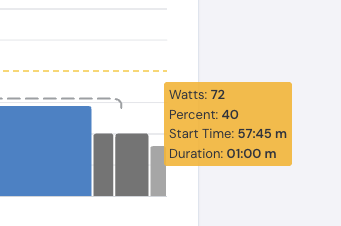
I go back to the main window and each segment (if you tap) is a bit longer (5.15min, 15min, 1:15min and so on) fort a total of 58min
If I go now back in my calendar in the website, I see two workouts, same name
This do not always happen, this week it happened on Tuesday and Saturday, Thursday was ok
Hence
a) I’m not able to progress in the plan, TD do not register my progress “in the plan”
b) The training that are proposed/planned when I actually execute them, are not as planned.
Am I doing something wrong, and would you have suggestions for a workaround?
Ok found the source if the problem. This was an old bug that was previously fixed but you created this plan before the bug fix.
I just made a change that you can send a plan in the past, so you can re-send the plan and you will have duplicate plans but you can verify the new one is correct. Change the plan name so you know which is which.
If you go to your calendar NOW in our website for adventure seeker #3 that you did last you can see it is too long. So it says 45m but it is actually 58m.
Once you confirm you can delete the old plan. I have not tested this much but your completed workouts should stay and you could delete the new duplicates of what you completed.
Many thanks Alex! I did what suggested, later in the day/week I’ll have the corrected workouts from the newer-same plan and I’ll let you know if all is back on track.
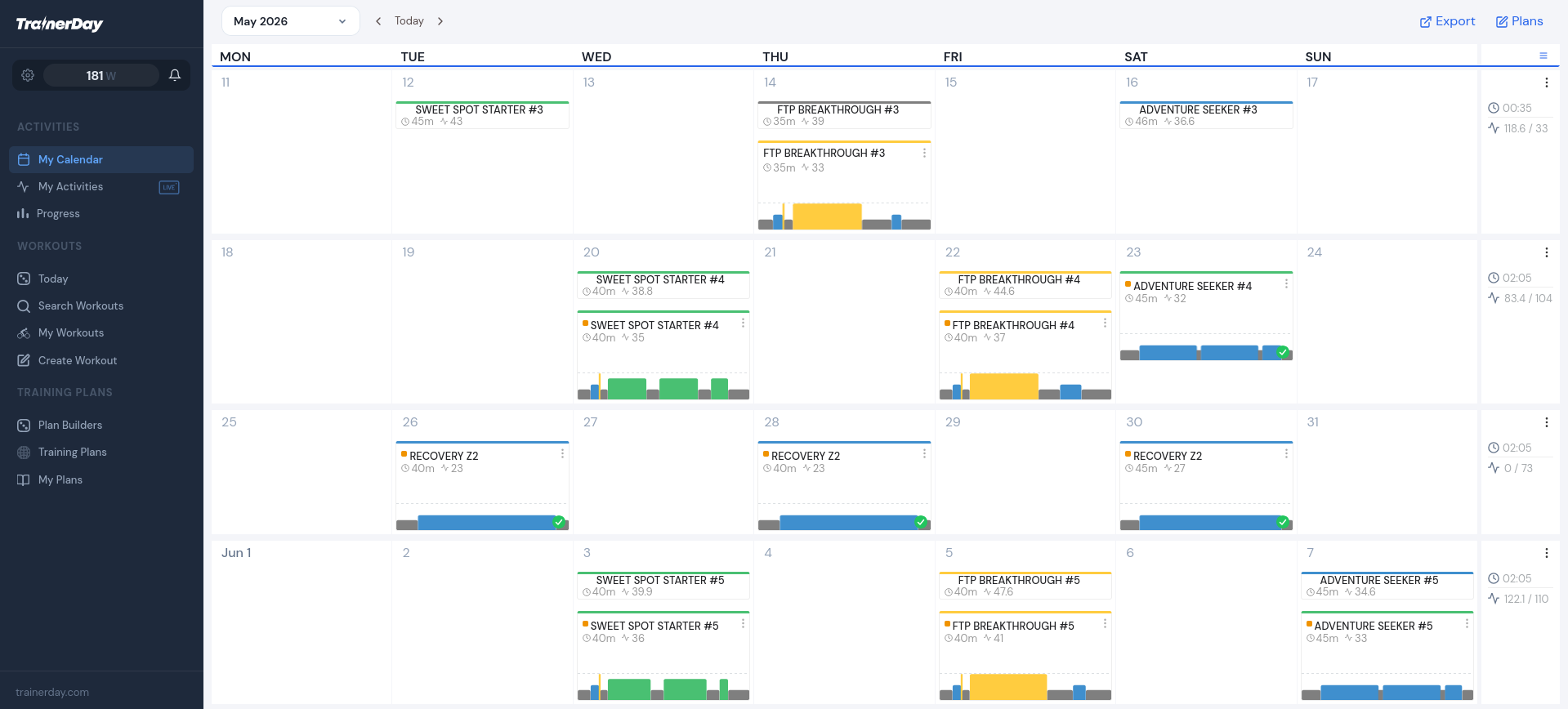
Hi Alex, thanks for your magic, it almost worked! Now the app shows workouts with durations as per plan. The only issue still open is that for some reason the workouts appear duplicated in my calendar. See for example last week …
To be more precise: I did the suggested changes 3 weeks ago, and removed at that time duplicates that appeared in my calendar. I then skipped one week (I was on holiday, no training then and then last week I did workouts as per plan.
This week I opened my calendar since then, and I noticed the duplicates in last week…
… and right now I scroll even more back in time and I see duplicates in March/April. That is strange, because at that time I was doing another plan ….
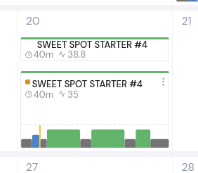
I looked at your web calendar and only see 1 workout per day but I also see one completed activity. You can pair them together if you want. Please send screenshot
See this, top one is what you did, the bottom one is what you planned. If you click on the 3 dots on the bottom one you can pair these activities so it is just one item. If you are training in our app it should pair automatically.
thanks. I just tried the three dots/pairing, but nothing happens. I also tried to logout and login back, but no chage. What I do not understand is why items are duplicated. What I do to workout is:
lunch the app on my handy (app is the last updated)
refresh/poull down (otherwise I only have a black screen)
the app propose correctly the workout in the plan (right duration and structure)
I execute the workout and when prompted I save it
It looks like for some reason, entry are being duplicated after the save from the app …
It also is not clear why workouts I did in Feb/March/April are duplicated, as those belongs to a different plan …
Thanks in case you may shed some light on it
P.S.
I only training using trainerday app nothing else
P.P.S.
I just tried to pair duplicated on 25th and 28th April, it worked instantly. Instead for example 6th May does nothing ….
I still don’t see any duplications. I am confused. But not pairing sounds like a bug, we just launched a change to this 2 days ago. We will get this fixed.
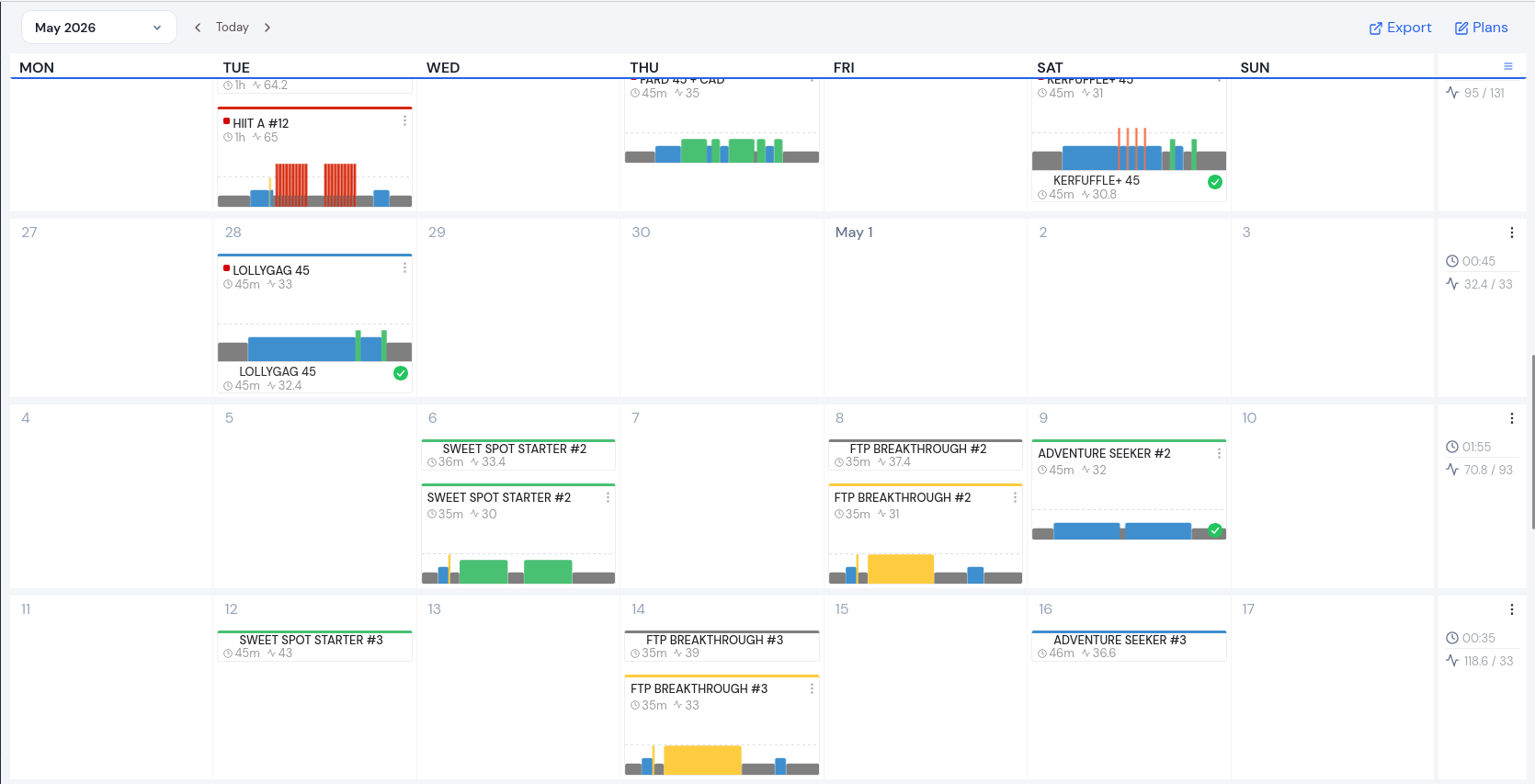
below a new screenshot. You may see for example the 28th April succesfully paired. It has a green thicked circle, and a red square dot top left. As in: it belongs to a plan and is paired. As comparison you may see 23rd April, still with red quare dot (belongs to plan), but no green thick (it was not duplicated). I tried to pair for example 6th MAy, but they remain splitted ….
If it helps, a new bit of troubleshooting: The pairing works nicely on my previous plan. The issue seems to be linked to my current plan, that started on 6th May. It is the plan that you helped me to fix (see this thread a few posts ago). Is it possible that the fix prevents the pairing?