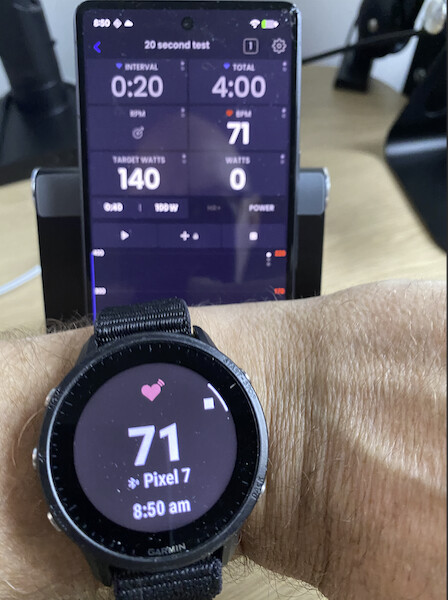
Hi there, I recently purchased a subscription. I tried my first workout today and set up as usual. I turned on my zwift hub trainer and set up my hr broadcast on my garmin instinct 2. Via bluetooth I connected both to the app on my iphone 12 pro (tried it on my macbook m1 pro too).
Everything went smooth, great erg, except my heartrate. Although my watch gave me updated values, the app showed only the heartrate at the start and a flat red line. Seemingly the brodcast didn’t pull through. It just stayed at one value (89 bpm).
Not sure how to fix this. I tried reconnecting, restarting the watch/phone/laptop, restarting the application, restarting hr broadcast.
Any help would be greatly appreciated, extremely excited about the app
Cool, excited to have you. One thing I would try is disconnecting the garmin from being paired directly to your phone. I think they automatically reconnect. I have two Forerunners and both work fine and other users have reported Garmin watches work as well. I assume Instinct should work fine. I have never heard of connecting, showing HR, and flatline. I will test a bit more tomorrow and see if I can create any issues like this as I have not tested my watches in a few weeks. Always possible there could be some bug.
Really appreciate the quick response. I’ll do some more troubleshooting tomorrow as well, as my suspicion is the heart rate was broadcasted to two places or the garmin was connected in two places. Not sure where or how but I suppose for example my macbook and phone could have both been picking it up.
I’ll also check to turn bluetooth on the phone off and only use the laptop and vise-versa see if that helps.
I did some testing and without connecting my zwift hub, all possible combinations work for heart rate capturing. Now, the zwift hub also can provide heart rate, though I have not selected it as an option (heart rate is greyed out). Could it be that there is a conflict there? Will send a screenshot tomorrow
No that would not be an issue. I just tested my watch and no issues. Screen shot of devices tab might shed some insight. Make sure you actually have broadcast broadcasting, it’s 2 steps. See how mine shows stop button indicator on the watch.
It was really interesting, the moment I plugged my trainer (Zwift Hub One) in the power outlet, the HR stopped updating on any device (except the watch). Almost as if the broadcast ‘signal’ was being cut off or redirected.
It turned out I had once tested to send my trainer data to my garmin to use it as a training headunit. So the moment I turned it (my trainer) on, it started sending data to my watch. This seems to block the broadcast from going out, because the moment I disconnected the hub from my watch, all was smooth sailing. Weird ‘bug’, but fascinating.