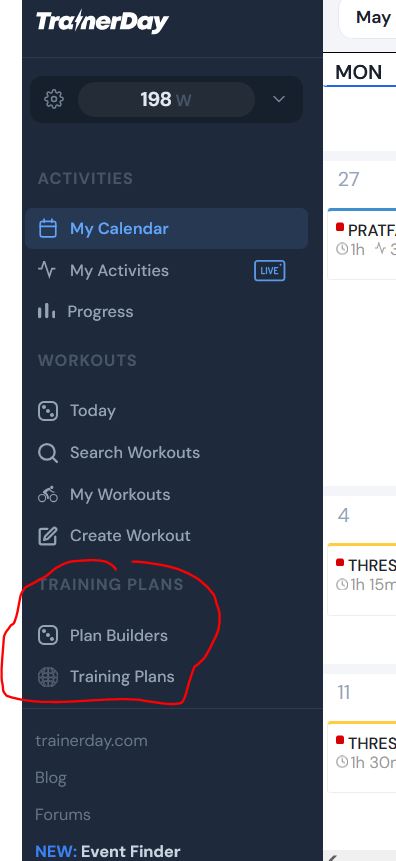
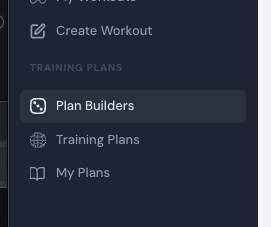
somehow I cannot find the training plans I have created myself.
I am quite sure there was an entry in the menu on the left hand side under “TRANING PLANS” before saying “My plans” (or sth. similar). Right now there are only two entries (“Plan builders” and “Training plans”). Where can I find the plans that I have created myself over the past years?
I have set them to “private”, so I cannot find them under “Training plans/Community plans”.
Strangely I can see my own plans when I look at “My calendar” and click on “Plans” on the top right. Besides the active plan, I can see my other plans when I click on “Show previous”.
Sorry, maybe I am missing sth. and the solution is obvious.
Thanks in advance for your help. I love TD, it truly makes me a better rider!
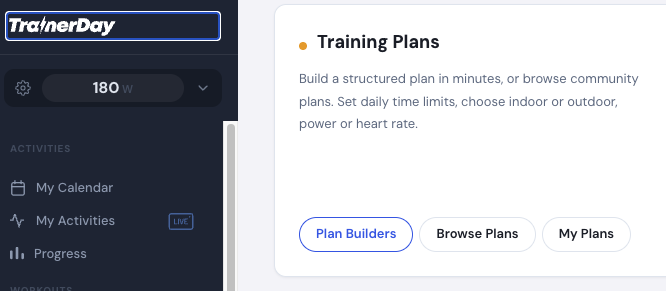
Your browser must not be tall enough and it is hiding… we need to improve that some how… You can scroll down over the menu. It’s there. You can also make the screen narrow and see and also see it from the home page.
Puh, thanks Alex for your quick reply! You saved my day!!! I was really worried a moment.
Just to let you know. I am using Firefox and there is no scroll bar for the menu. But since you gave me the solutions, I tried different things: When I minimize the browser window, the scroll bar shows up. When I set the browser window to full screen the scroll bar is missing. Strange!