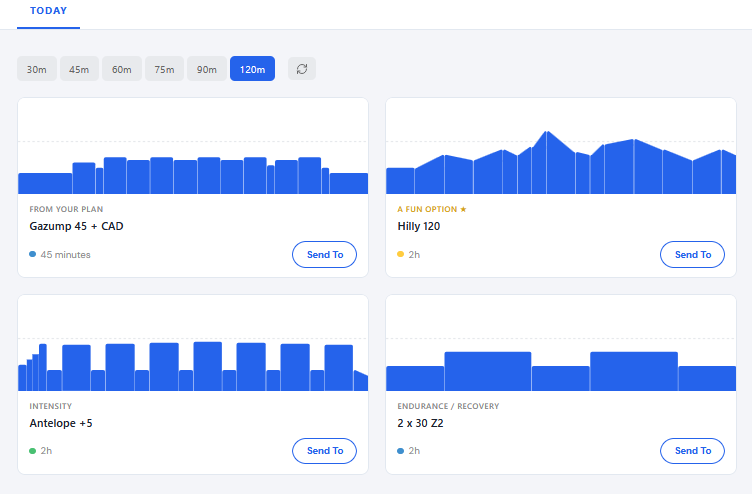
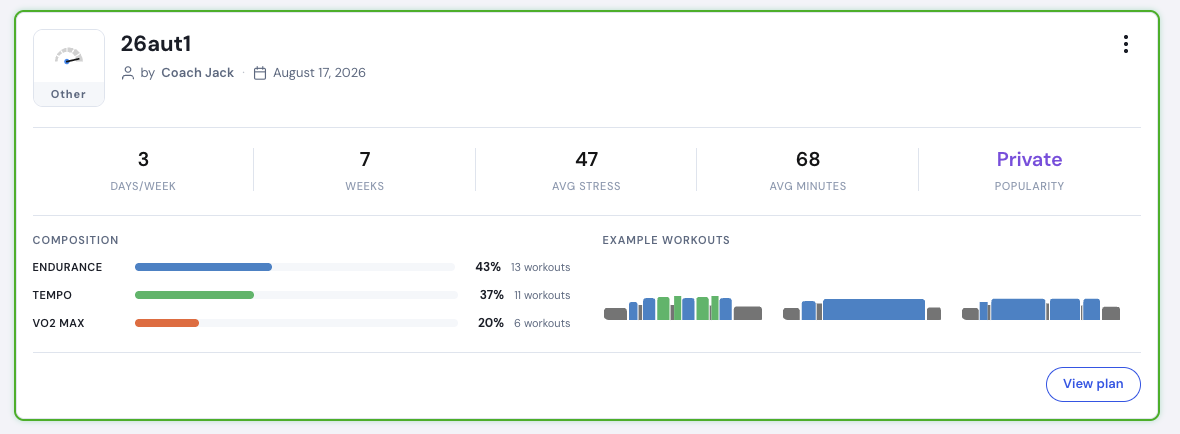
I created a plan yesterday. I changed it a couple of times… basically every parameter including “fixed length” or “until event”. Saved it, and today activated it. Now the “Today” training came up with something completely unrelated, even though the calendar showed it okay. Maybe it is something the plan was at a previous stage.
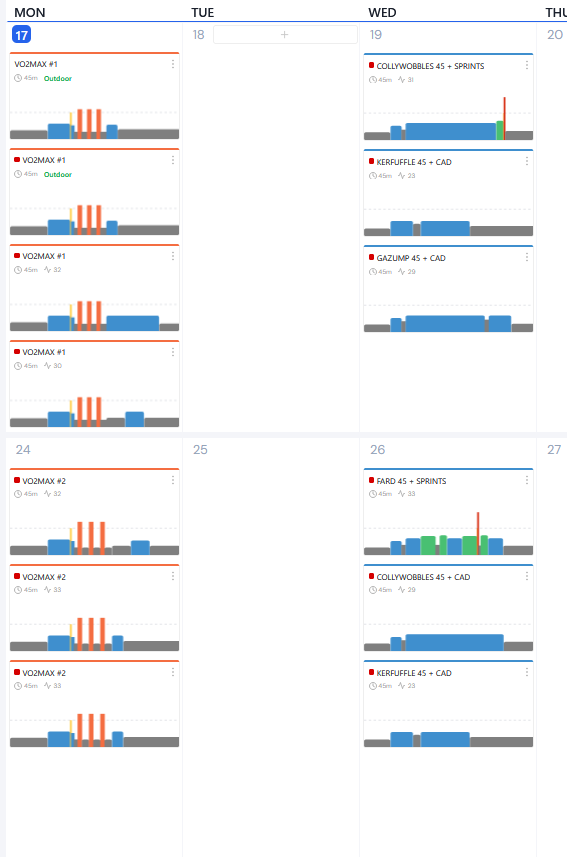
I tried deleting it, and recreating it again with the least parameter changes along. Then with a new name (in case it was screwed by the name). Then adding yet another plan (in case it is screwed by some incremental ID). No help. Now I have two practically identical plans, but the calendar now shows random number of trainings for each day, but whatever plan is activated, the “Today” training is still unrelated to any of them (which trainings otherwise make sense except for their number).
Plan and calendar are two different things. Go to the top of the calendar and remove the plans and send the correct plan to your calendar. Let me know if that resolves it.
After deleting everything from the calendar, and sending only the last one, the calendar looks okay.
But not even activating another plan, and reactivating the latest one after the calendar fix, fixes the “Today” training. although it appears to be active by the green border in “My plans”. The “Today” training is still something that I do not know where it comes from.
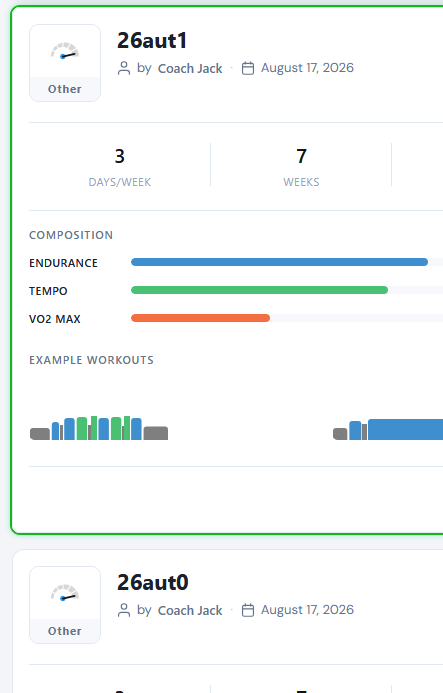
But I am still not sure if it is a clue that the plan still says 7 weeks, although it was set up as an 8-week plan from the beginning.
Sorry I am not sure I understand. What do I need to do so that trainings from the plan comes up as days progress? Is it not the “Activate in mobile App”? Doesn’t the green border indicate that it was done?
Yes, in a way, that is what I am saying. That plan was set up as an 8-week plan. Accordingly, if I click on it there are 8 weeks of trainings. Why is it 7 weeks then in the digest? If it is incorrect as I expect, I am also expecting that this might be a clue what might be going wrong with activation?
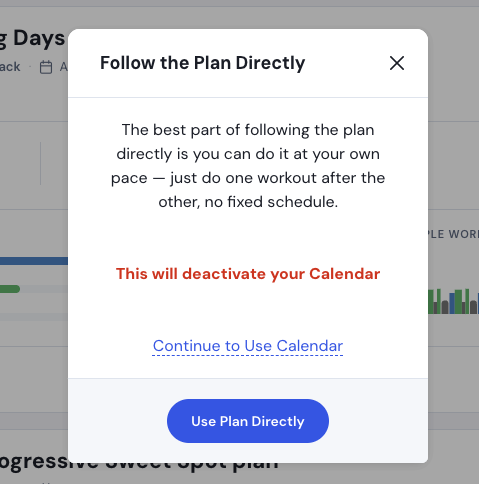
Oh, I see: I need to set the calendar to be active instead of the plan? I could do it by activating the plan, but setting the source to calendar. Is there any more intuitive way?
Sorry for my confusion. At least, it appears to work now. (Having said that I started setting plans active, because without it, nothing came up in “Today”. Not sure how the calendar got deactivated first. Probably for this reason I did not get the message above.)
Ok yes, we offer this “nice” flexibility of following a plan directly and try to make sure most people get an active calendar and not the plan directly as most people are more familiar with following a plan. Glad you got it.