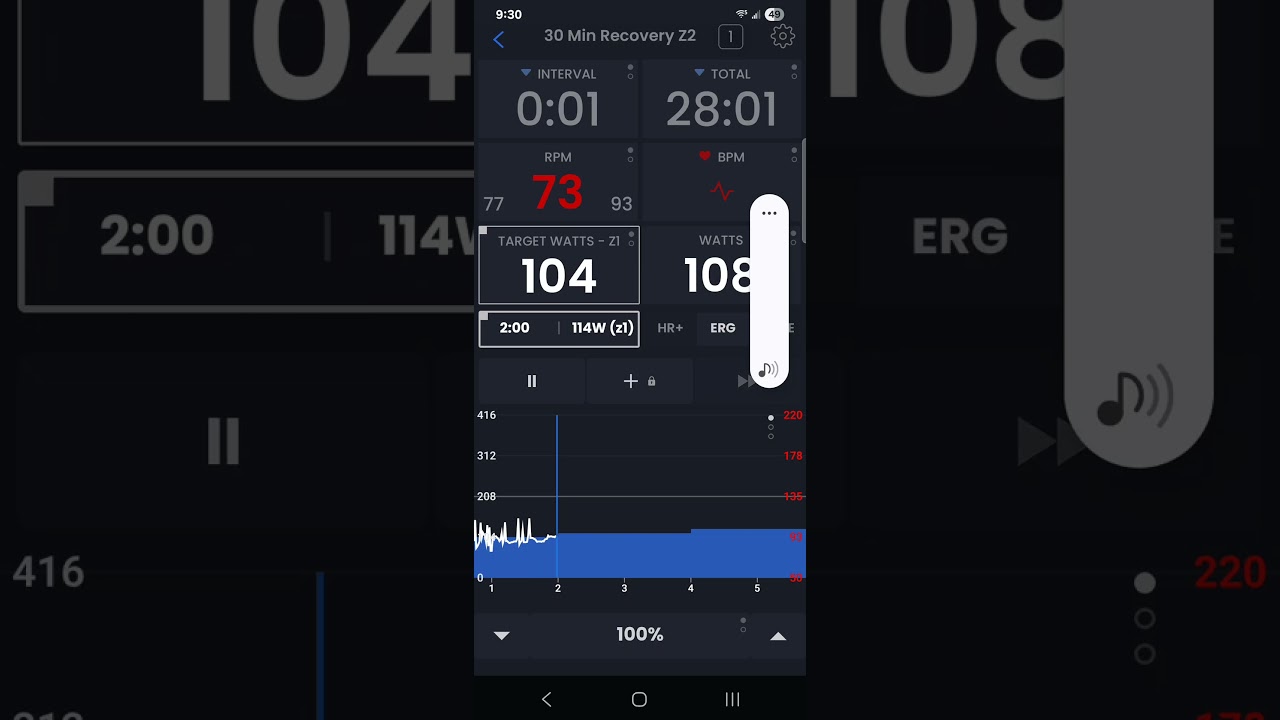
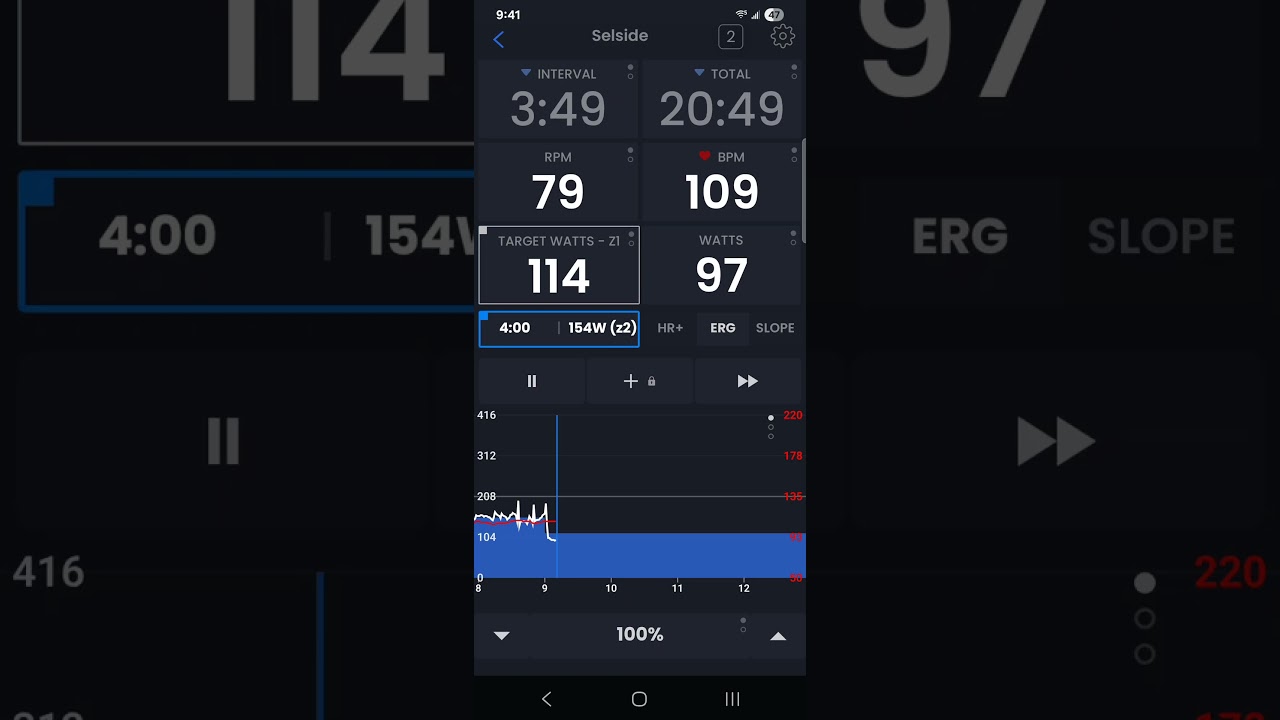
Hi, I’m opening the bugs section but I don’t know if it’s actually a bug.
Basically, I only use my trainer as a “controllable” device and the bike’s as a power meter. It’s a very useful feature, perhaps one of the best! But this has been happening to me lately… I should start by saying that I set the option to control the trainer directly from the power meter: basically, at a certain point, it drops by about 10W and then recovers within a few seconds. It’s as if the app were briefly managing a calibration change with a 10W decrease and then immediately recovering.
I’ve only noticed this recently, though, because before it was always very accurate (always -2/-4W, or when I tried to push, it would deviate by 6/7W but never more). Especially when my watts are constant, it seems strange that it would get messed up with so many watts.
Can I do some other tests?
Thank you so much and congratulations on the tremendous work you do, I’m happy to pay the subscription!!
That sounds like a bug to me… You are saying it changes during steady state effort? It’s possible that something a single dropped ble packet could internally be stored as a 0 and cause an effect. Which might be a change in our code rather than a change in your devices. It’s hard to say at this point. The best thing would be if you can record a video of it. I do have a slight improvement coming to power match but I don’t think it would affect this, it’s more if someones device disconnects or reconnects it’s more dynamic.
Thanks for the kind words… I would say keep observing, so far from this info I can’t tell what it might be.
Hi, thanks for the reply! So, I can tell you that I’ve recorded with both Garmin (a pure power meter) and Trainerday (therefore the app), and I see a common drop. However, I actually need to find a way to make a video when I see a significant drop in calibrated watts, where, as I mentioned, I see a drop from about -2/+2 to -20 watts. I’ll try to make a video today and post it to better explain the problem.
Thanks again!!!
If you have your garmin connected at the same time to your trainer, what will happen is Garmin will frequently try to take control of the app. Make sure you have Garmin connected as a power meter and not a smart trainer at the minimum but even that is not 100% guarantee this one happen.
Hi Alex, thank you so much. So, I have a SRAM power meter, my Garmin 1040, and my VanRysel 100D trainer.
Everything has always worked great using the power meter instead of the home trainer, leaving the home trainer controllable. The usual power fluctuations, but nothing major.
Now, however, I’ve noticed I’m having some serious problems with both the cadence and watts on the power meter.
Today I tried turning off my Garmin 1040, but nothing changed.
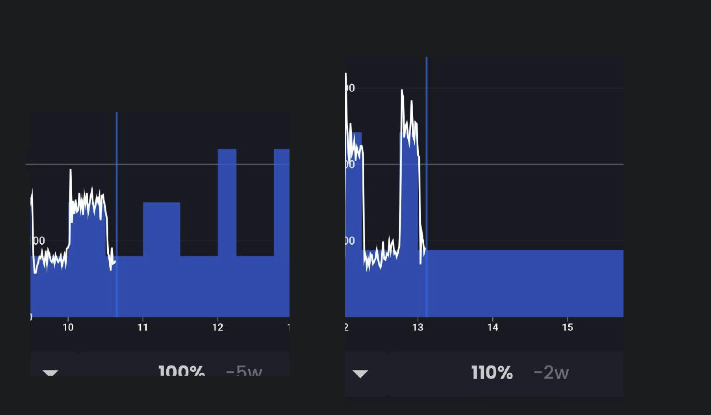
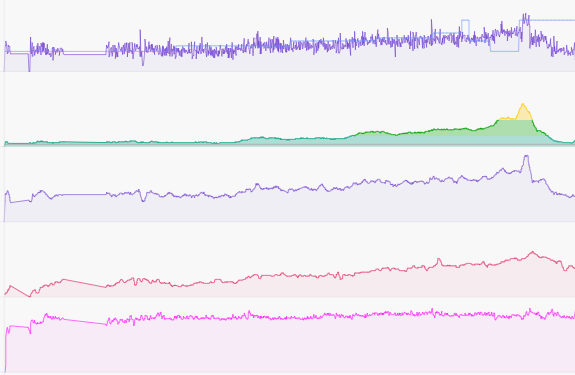
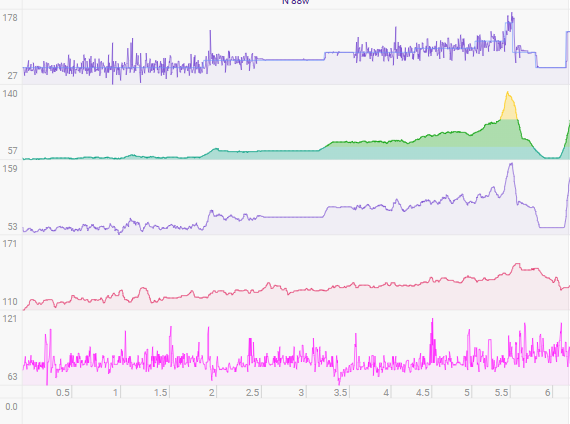
I noticed a really difficult sync between the power meter and the app… now I’ve tried changing the batteries in the power meter to see if that’s the problem or not. I’m attaching two examples of how the cadence and power tracking was before, and how it was today.
Thank you, as always, for your patience!
I logged in as you and see this recent workout. It’s very clear (to me and my guessing) the first 1/3 of the workout was using your power meter, and the second part was just using your smart trainer power. The thing to watch is the device count at the top and if it has a blue box around it. Meaning it’s losing connection to your power meter.
Hi Alex, thanks for checking!
It’s correct. When I saw that it wasn’t working, I switched from the power meter to the trainer to finish the workout. What’s bothering me is the cadence variability is really unstable, even though I always kept it at around 80 rpm.
I changed the battery of the Power meter and tomorrow I’ll see how it goes and I’ll update you so you can understand is it my Meter or something else.
If I had a roller that measures power decently I would always use that one even just for the consistency of the power Thanks again!!!
It’s possible our recent changes have affected it. If you want me to dig a bit deeper do about 30 seconds of pedaling connected to this page and email me the results
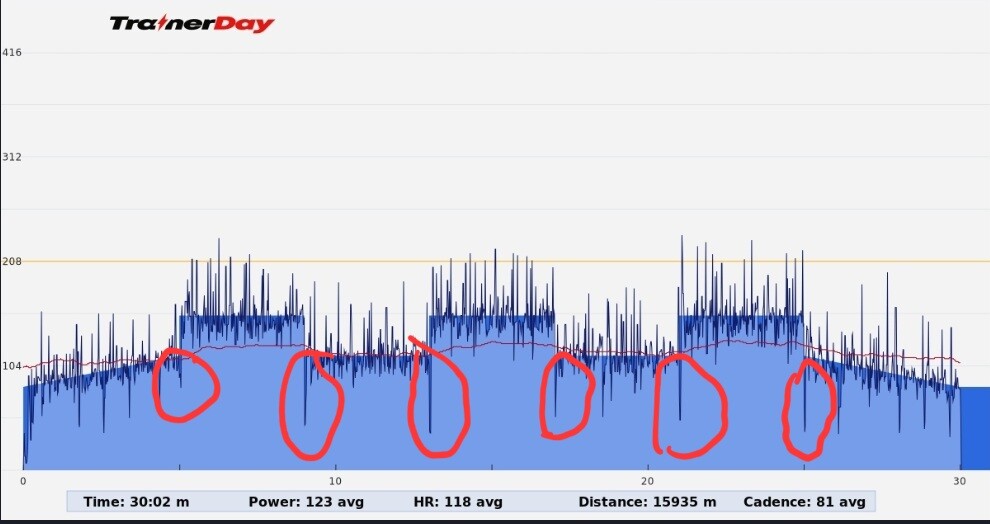
I’m in with this issua as well, I did a workout last week and felt the same during the intervals, about few secons like the power was lost then it engaged back on.
Today I did another workout and definetely the power gets lost/no power at the end of each interval, about 2 seconds prior the end of each interval. Also it happened during the rest of some intervals
Please see the picture attached where I circled the moments when that happened.
I remember time ago, the app wasn’t perfect when each interval beginning had the power engament off about about 2 seconds, and you guys made a great improvement where engament was in total synchronization with at the beginning of each interval.
Actually, I remember making good comments for that improvement in a post related with the app new version by then
It’s possible garmin is causing the drop. Try without it, and also make sure garmin is connected as power meter not as a smart trainer. The power dropping after an interval is fairly normal for many trainers but the drop before is odd.
I have a Stages SB20, where the power meters are in the crank arms like Stages used to have for regular bike crank arms. They work with coin batteries.
I’m doing a workout tonight and I’ll check the batteries to see they have enough charge. I don’t think it’s the problem because what I’ve seen in the past when batteries go out the power is jumping all over during the whole ride. But you never know when murphy law will manifest differently…
No, I adjusted our timing (trying to simplify our code) my guess is that power match is some how triggering slightly off, or getting disabled between intervals. If you have bigger differences in watts you might see it more… This should be easy to find.
I have FTMS + Sram dual sided PM… so it is using the same protocols in our app as yours (mine is wahoo/quarq). See below. We tested on a variety of devices and can’t see anything like you are seeing. Obviously wahoo and quarq are very close to each other a few watts difference.

 Thanks again!!!