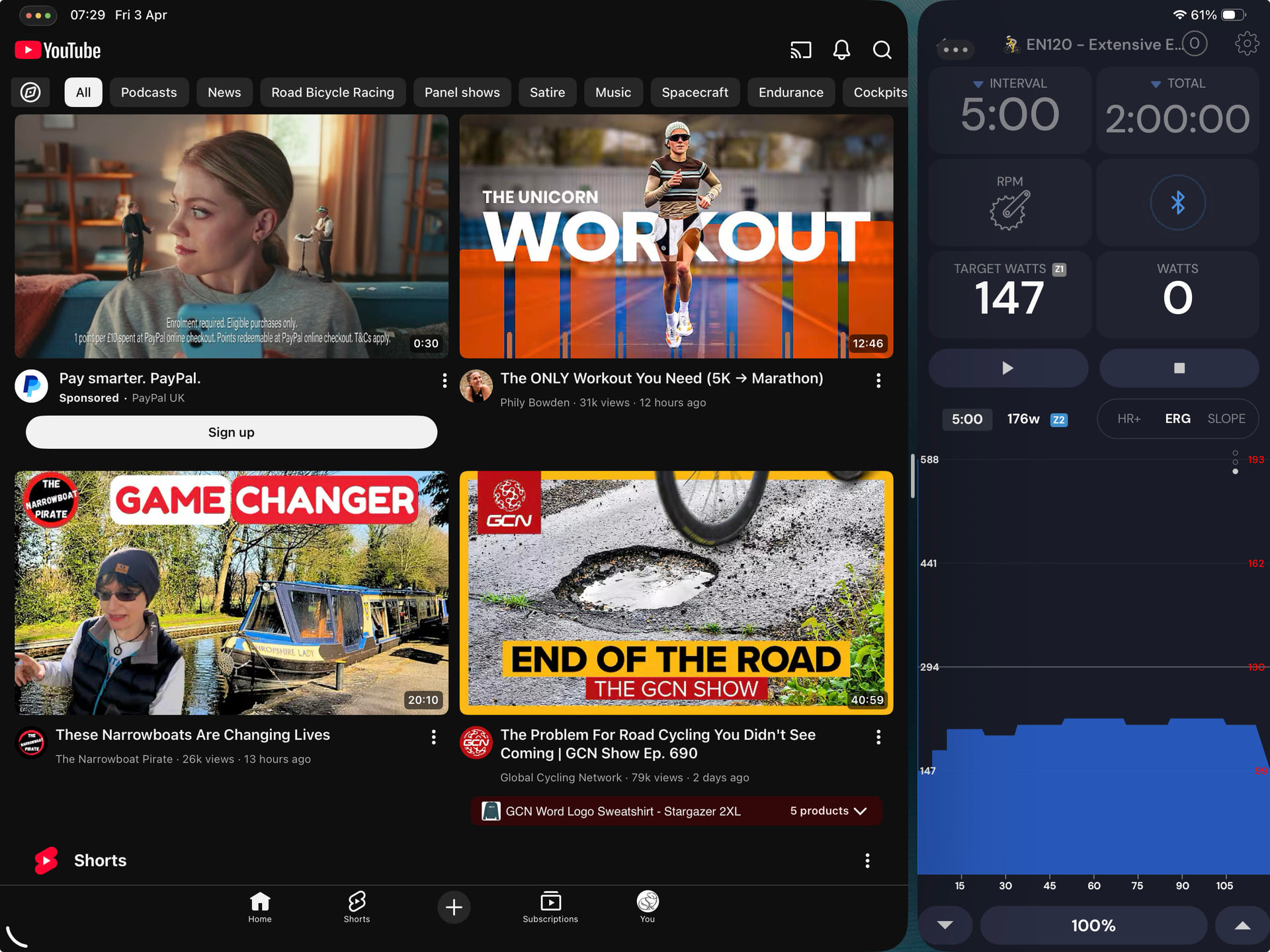
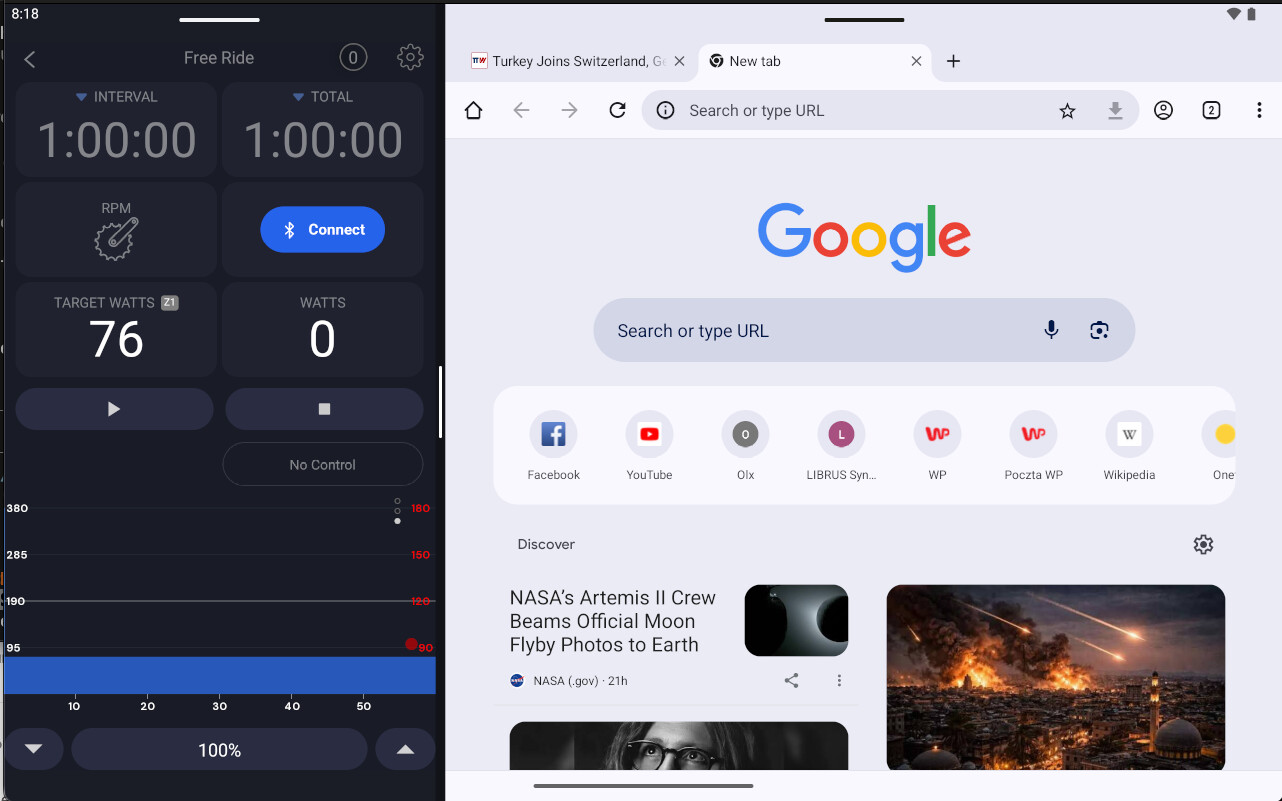
On Android (Samsung tablet), when using the app in split-screen mode, the chart disappears once the app’s width is reduced to less than half of the screen.
Previously ( before the latest changes were deployed), the chart remained visible even when the app was resized much smaller, you could nearly slide it to the edge and still view the chart without issues.
Now, as soon as the app becomes smaller than roughly half of the available screen width, the chart disappears entirely.
This is not a critical issue, but the previous behaviour was more flexible.
Our app really can’t go that narrow at this time. It’s really complicated to fix stuff like this so it does not break other views. I really like your view though I will add this to my list to do but not sure how soon I can get it but I will do it. Maybe it will be easier than I think but I would like to fix all the issues I see there.
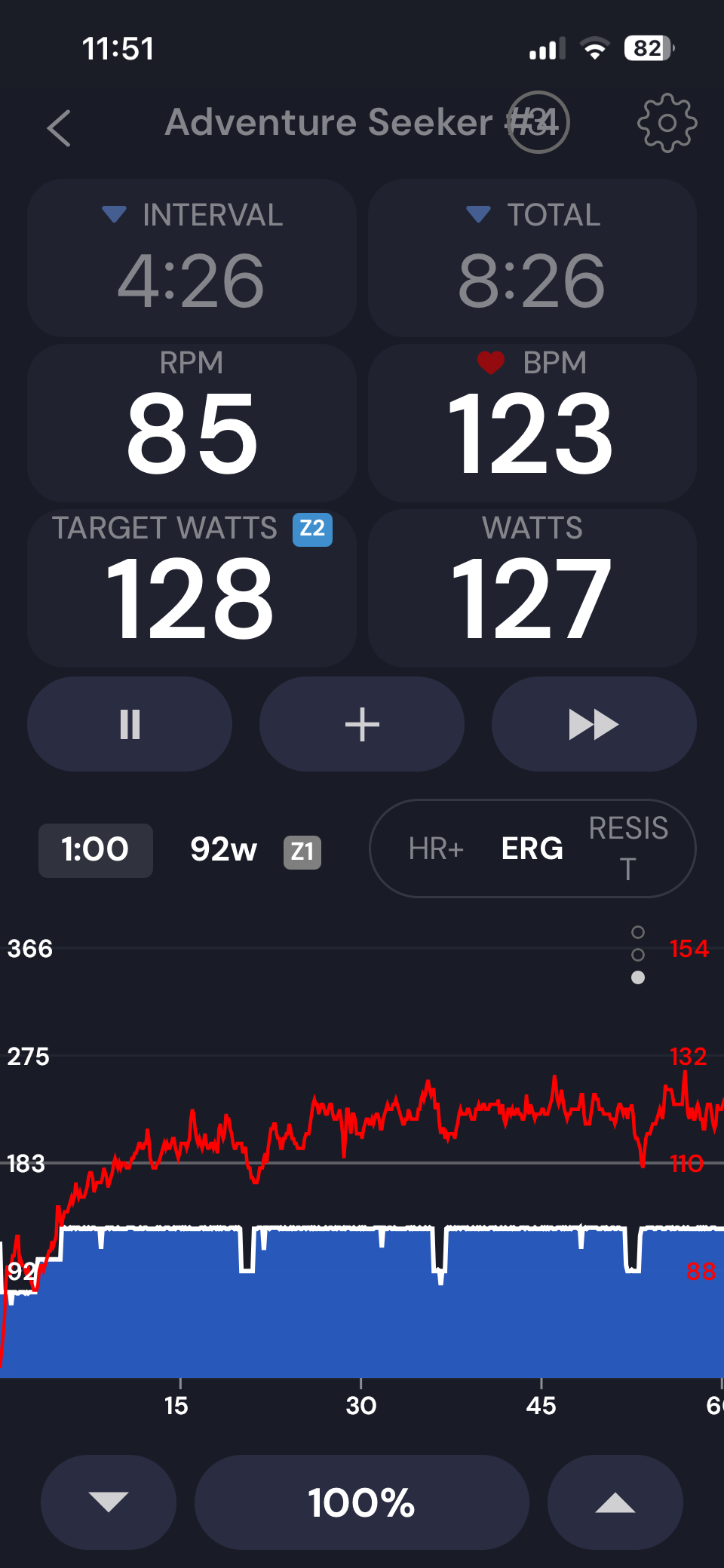
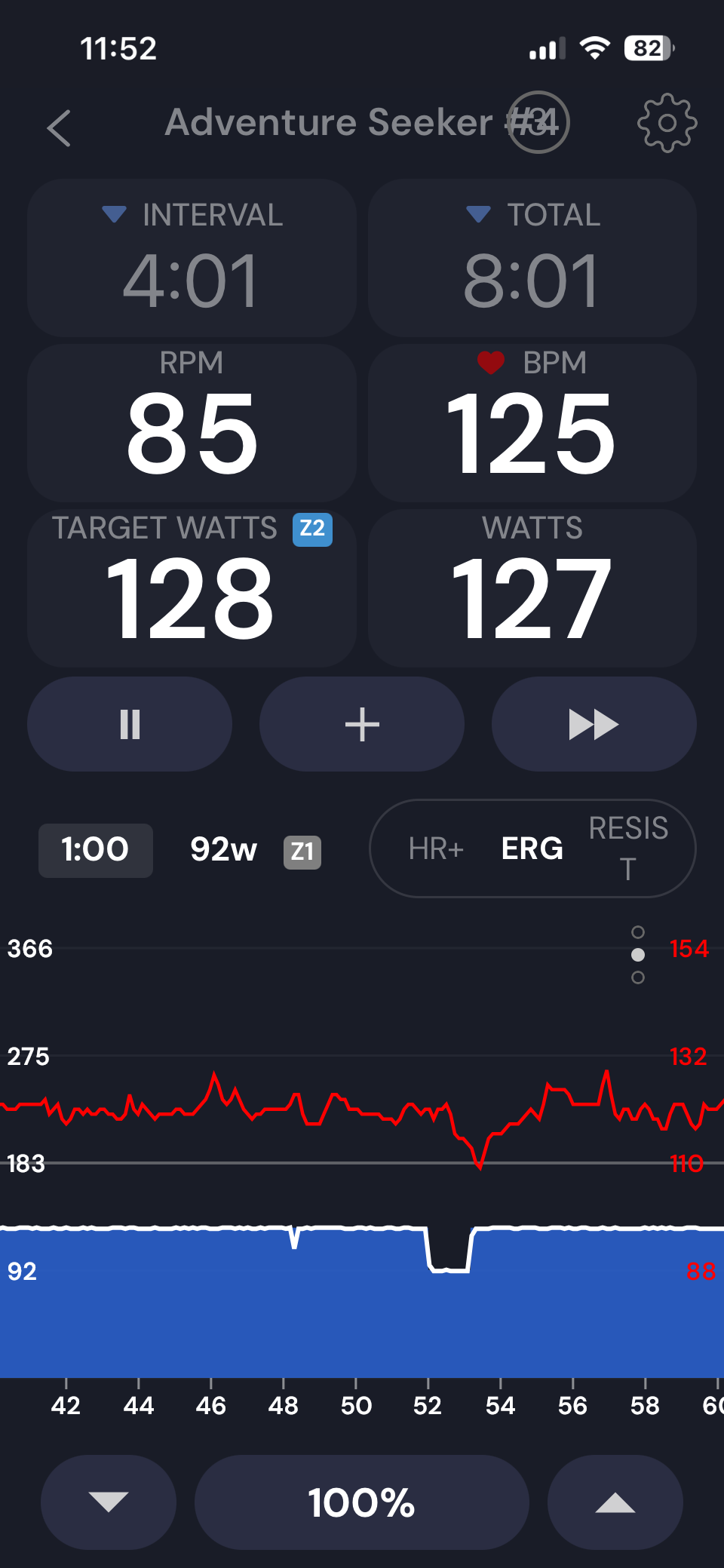
Hi, similar issues on iphone. Chart is well visible until about 60 minutes in the ride. Then “I don’t know what I am doing” as the chart won’t move to the left i.e. it does not reveal what is being plotted real time. Here are a couple of screen shots.
Oh, thanks yes, this is very strange issue. I have only heard of this once before, the progress bar just keeps moving not stopping in the middle. Do you remember any interesting details about this workout? People are doing tens of thousands of workouts a week and no one reports this. There is some unique detail of how to make this issue happen.
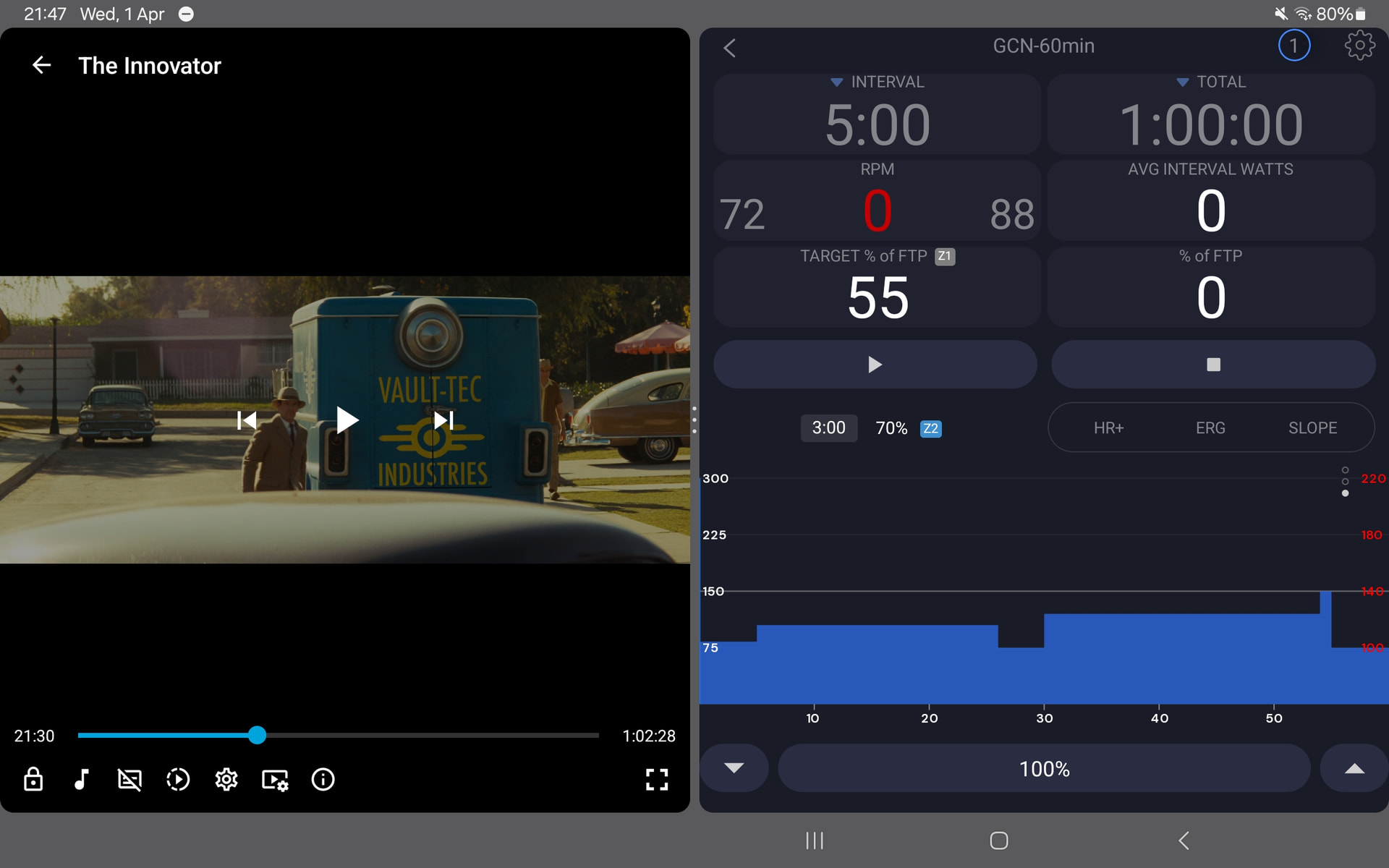
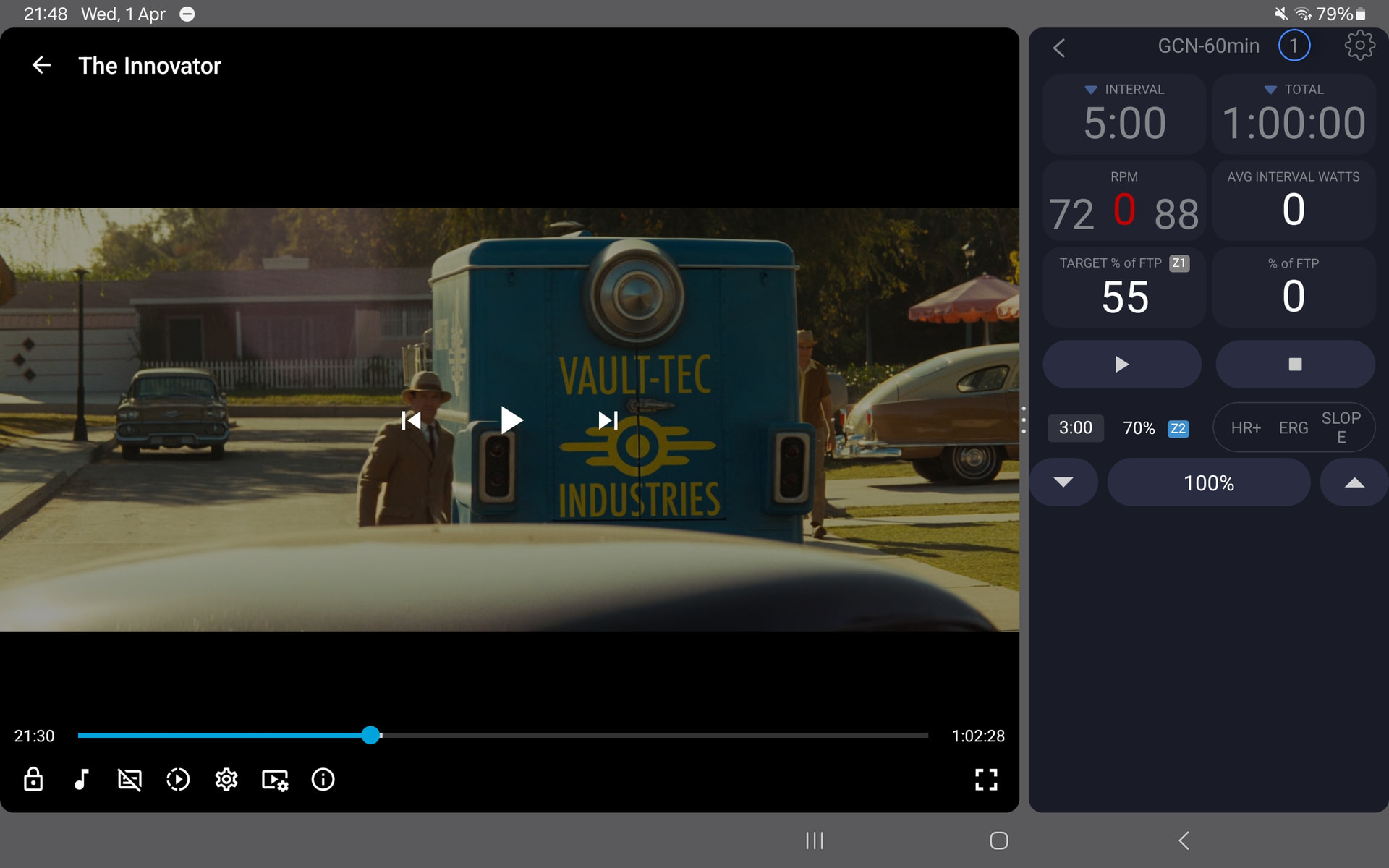
 I will add this to my list to do but not sure how soon I can get it but I will do it. Maybe it will be easier than I think but I would like to fix all the issues I see there.