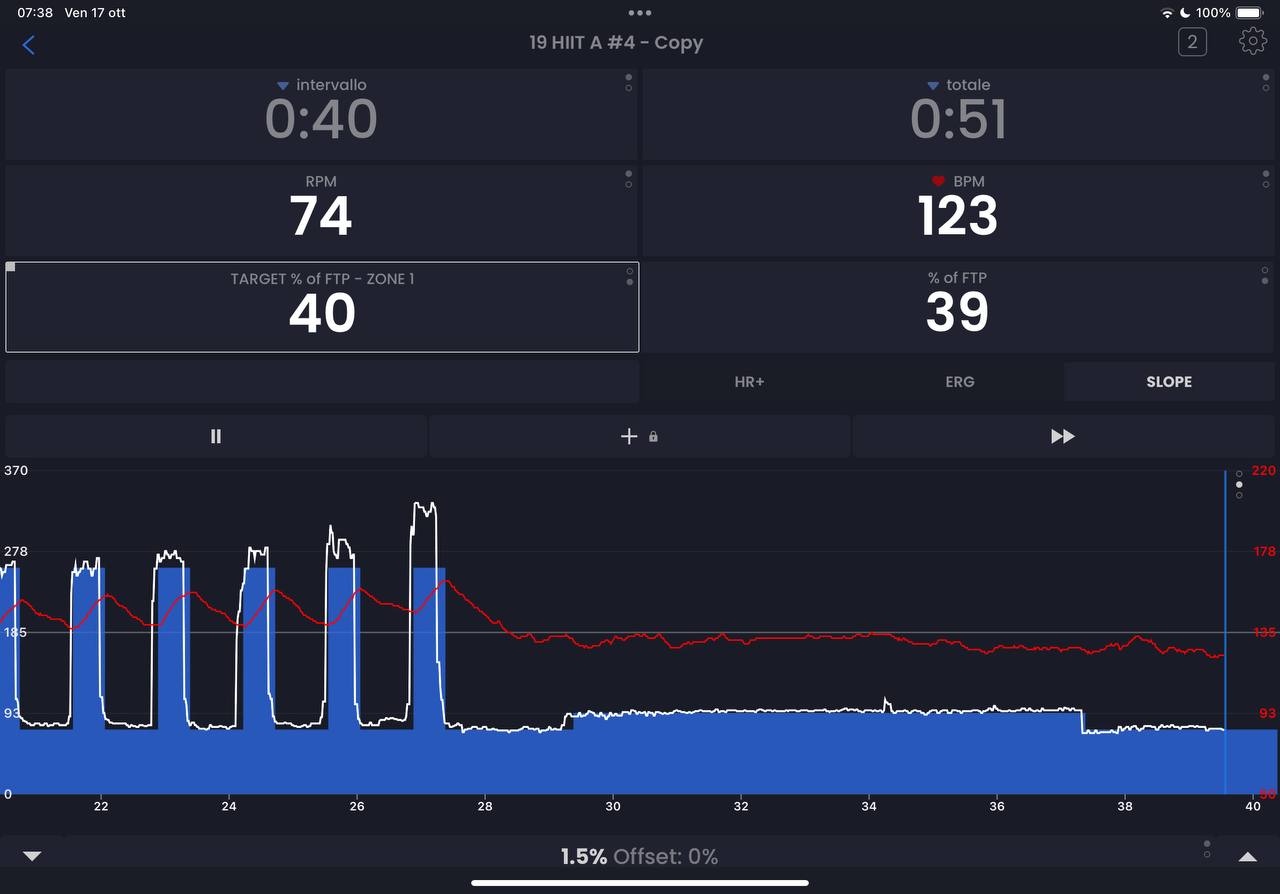
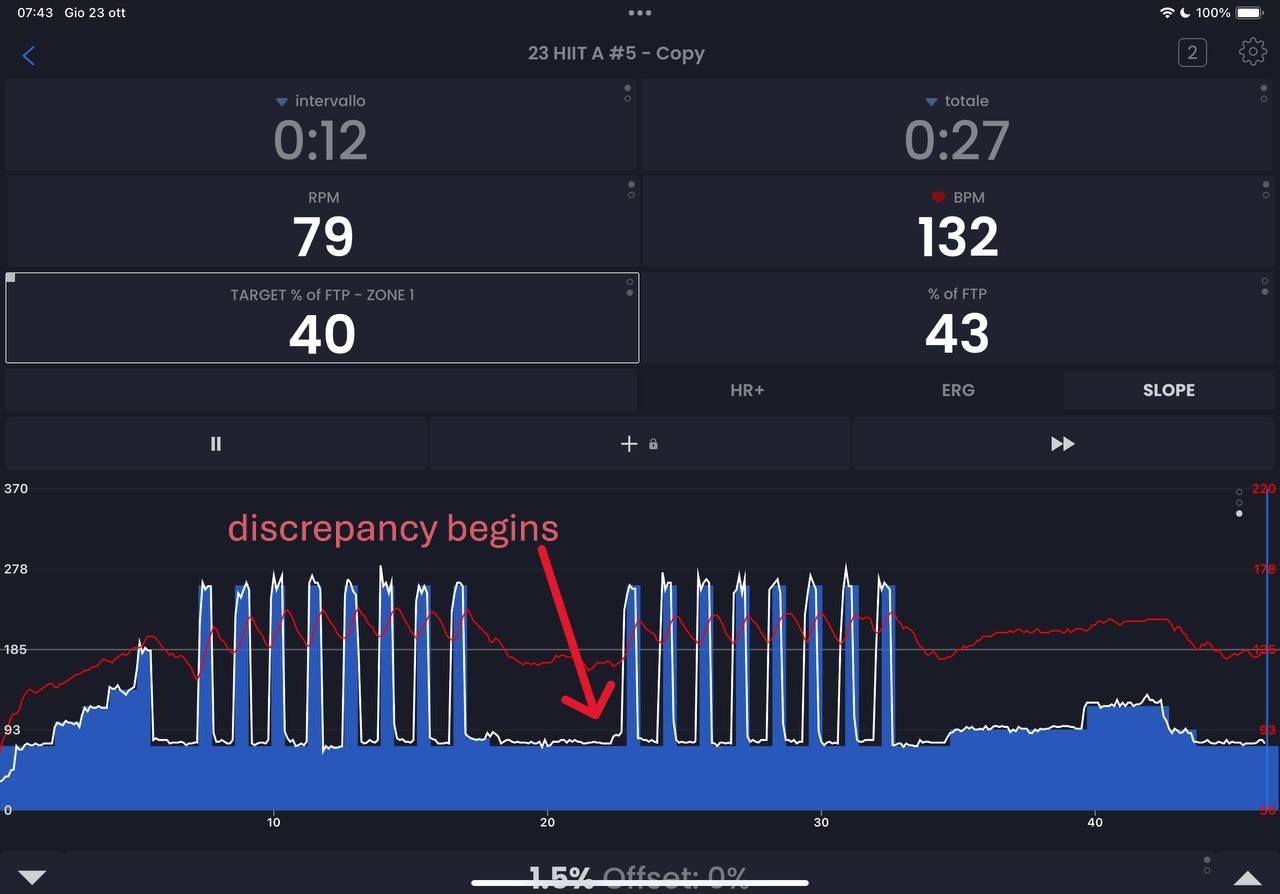
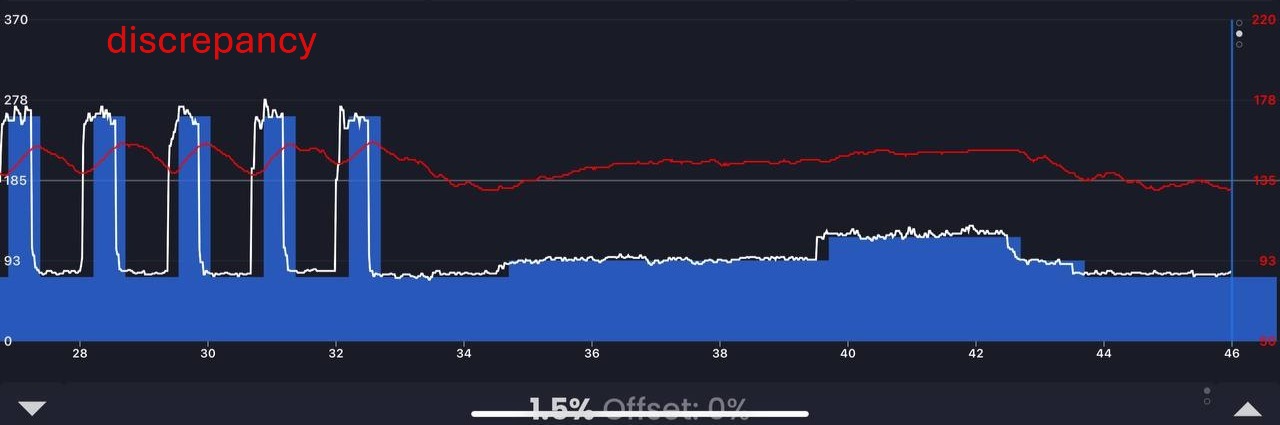
Hi, this morning I noticed a small problem with the timer. It seems that at a certain point during the workout, the partial and total timers were no longer synchronised. In the last section you can see that the remaining time was different.
I use an iPad Pro with iOS 18.6.2 and Trainerday v8.0.4.
This morning, the two timers were perfectly synchronised.
The app version is the same (8.0.4), but I noticed some changes compared to yesterday. Some characters are more legible, even though the text at the bottom has ended up under the home bar and the name of the workout at the top is truncated.
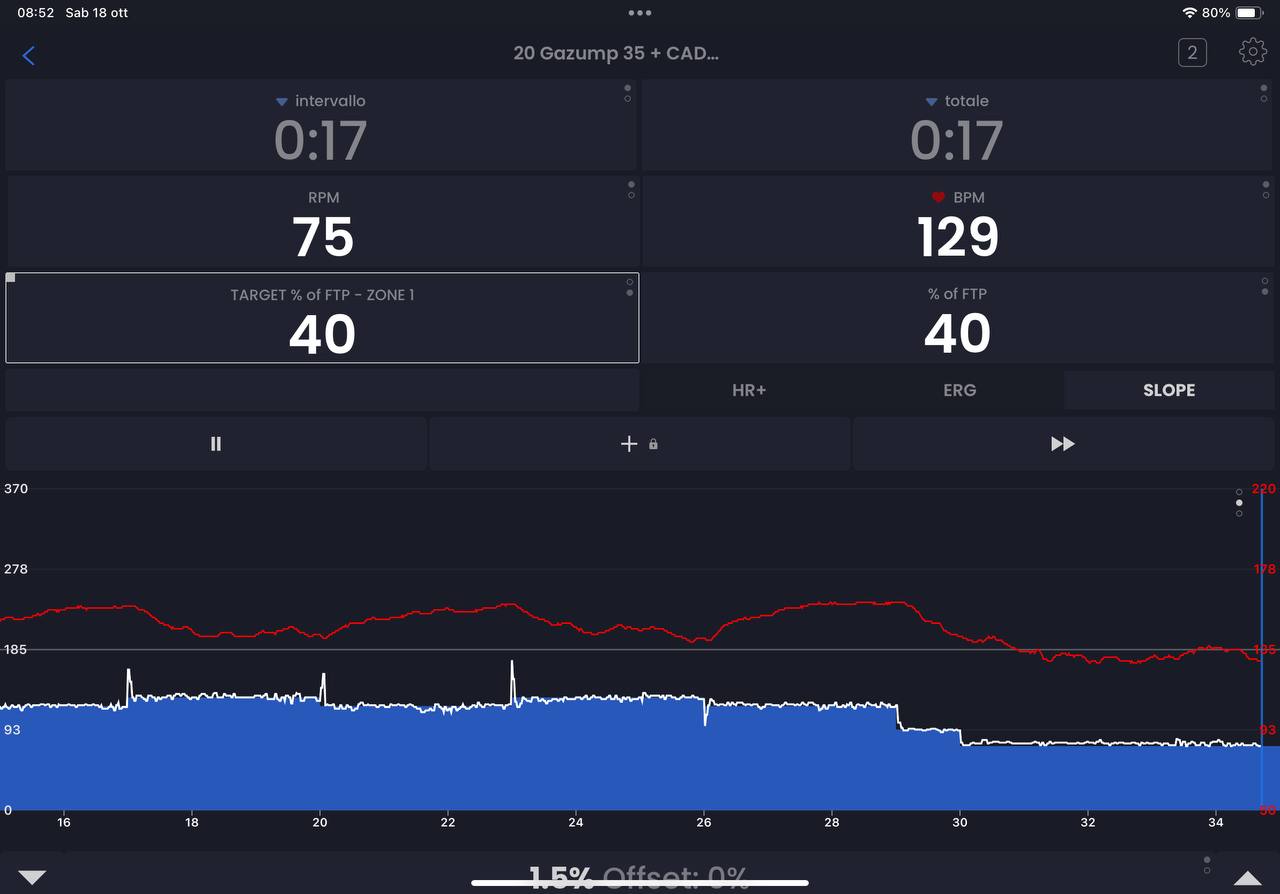
After several problem-free training sessions, the timer issue reappeared this morning.
If it helps, what I noticed was that the discrepancy began halfway through the training session. I noticed some strange steps in the timer when the end-of-session beeps sounded, and I was also manually adjusting the slope offset.
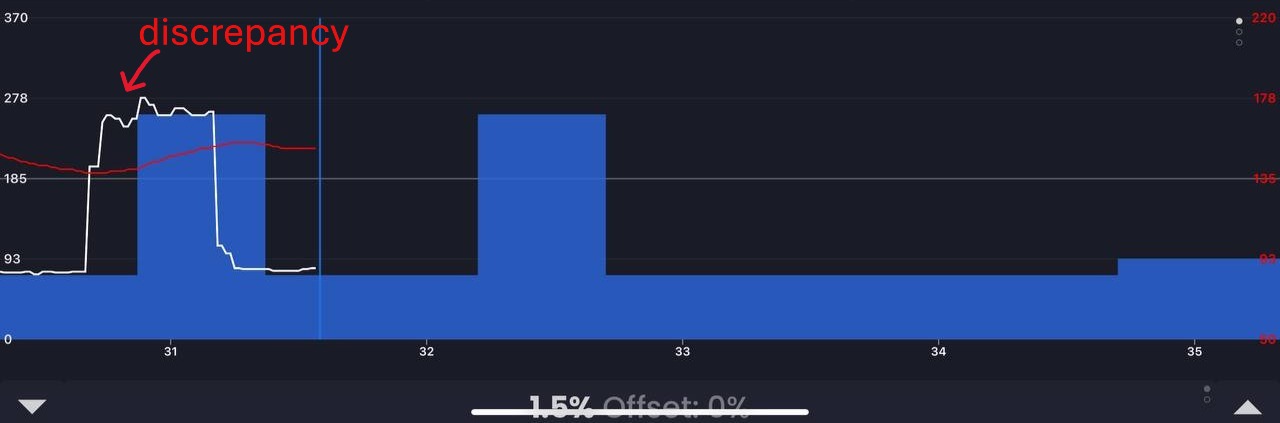
I noticed that the discrepancy between the timers can also be seen in the graph, where the scheduled work (white line) deviates from the expected work (blue area).
I don’t know if this is relevant, but I hope it helps.
(app version: 8.0.6)
Interesting, we don’t ever test slope mode timing (we just assume timing is the same as ERG). So you are saying the beeps and automatic slope adjustments are coming early? Can you send me a link to the workout (not the completed activity).
Because you do the changes manually in slope mode not automatic target matching like ERG, this confuses me.
Today I had what sounds like a similar issue. Doing some 30/30 intervals in resistance mode. The resistance would ease off for the last 3s of the interval. Similarly there seemed to be a bit of a “soft start” to the intervals. Once interval got going it seemed ok… Very strange
Oh guys, I finally think I know what is happening (possibly) with regards to going soft before intervals. One other user reported this but we just figured out what it might be. Will keep you posted.
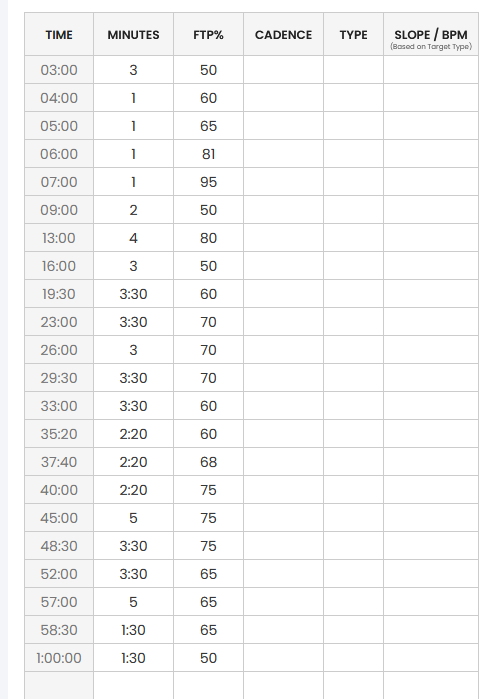
I have to say I love that workout with all the fractional slope targets. I will start working on seeing if we can reproduce this. So you think it is possibly connected to manually adjusting the offset? Because you did not see it for 20 minutes it makes it hard for use to test if we can’t reproduce it faster. But I will let you know what we find.
I recall that in the app, during its execution, the 2:20 sectors were diplayed as 2:19, and in fact, at the end, there was a 3 second discrepancy between the two timers.
Could there be a connection? (I changed the slope offset many times)
Strange we had fixed this. The problem is we designed this very early in our learning and followed the ERG standard of decimal minutes rather than seconds so rounding vs converting to int can cause this issue. I will see if I can duplicate this.
I ran some tests. The problem is not related to manually changing the slope offset, but rather to the ‘decimal issue’ I think.
Every time the error occurs, the sector timer loses 1 second compared to the global timer.
The problem can be reproduced by starting this workout even without being connected to the smart trainer:
Whenever an incorrect time appears in the “next section” box (in this case 0:49 appears instead of 0:50), the split timer loses 1 second.
(app version 8.2.3)
I recorded a clip while the problem was occurring, if it can be of any use, but I don’t know how to post it.
 Send it to me at