I go to the AI window when you create a workout and I am trying something unsucessful. I am asking AI if it can look at today’s ride from my plan and compare it to last week to see if there’s improvement but it seems like it cannot do that. if it could, i would ask if it could update my workout for next week to make it harder or lighter. is that something feasible,
You should be able to do this with our mcp, read other thread on how to set this up. Our built in ai is using low cost optimized models and generally this type of daily request gets expensive and we want to keep our costs low and a single simple cost. So mcp gives this flexibility without increasing our costs.
Thanks alex, let me search the forum for mcp as i have no idea what it is 
But you might need paid chatGPT or Claude to really use it to it’s full potential but it does work with free versions just not very many requests.
I have a ChatGPT and Gemini api key I use in my photo program. Let me look at the thread.
Thanks.
I give up. spent too much time. i do not see a refresch schema anywhere. on my free account there was a developer mode but not on my paid one. the plugin is created but i have no clue on how to authenticate for chatgpt to look at my workout. chatgpt is going in a loop. Oh well, look like it could have been cool.
I attempted to verify the TrainerDay connection rather than assume it was working. I cannot confirm a successful MCP connection or OAuth authorization from this session.
Connection test results
Direct endpoint check
URL: https://api.trainerday.com/mcp
The web retrieval returned 404 Not Found. This is the result of the web retrieval attempt, not a confirmed MCP protocol error; it does not establish that the server is down.
Plugin discovery
The available plugin search returned {"plugins":[]} for TrainerDay. No TrainerDay MCP tools are exposed to me in this session.
OAuth authorization
Not initiated. I do not have an available authorization action for your custom MCP server in this session, so I cannot honestly report an OAuth success or failure.
Other users connected, and I did with ChatGPT but I am reviewing this I think I have a fix.
You can’t do plugin search / discovery you have to add it manually. If you paste the instructions on our page into chatGPT it should be able to help. I might need to add the screenshots too.
I am deploying a fix right now, give it 10 minutes.
It’s very strange as other users connected the same way as you, but some others also get blocked like you. The fix is deployed let me know if that resolved the issue.
Alex, i am certainly doing something wrong. i see the plugin under personal. i can edit or manage but do not see refresh schema. i think this is what is missing for me to authenticate. if you got some free time, maybe you can do a chatgpt video. And i do not see a developer option under the go plan. i do have it under the free plan though. very strange.
I see openAI changed how this works and none of the AI tools know how to fix it
Go to settings plugins
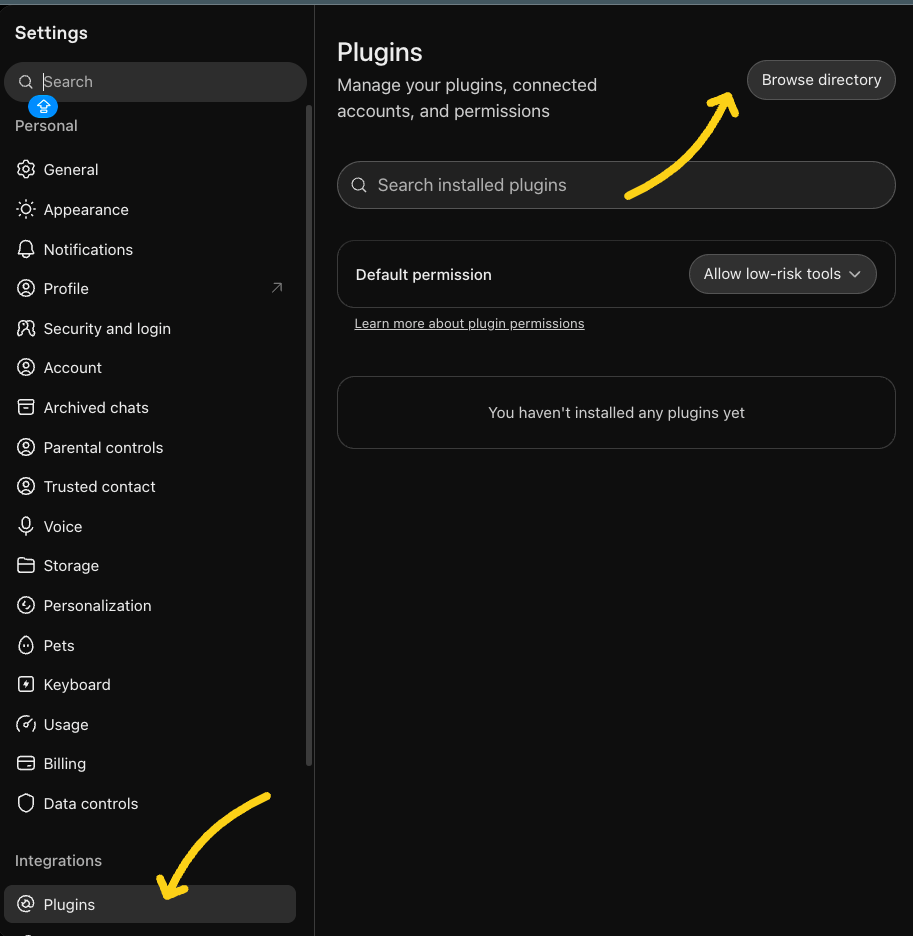
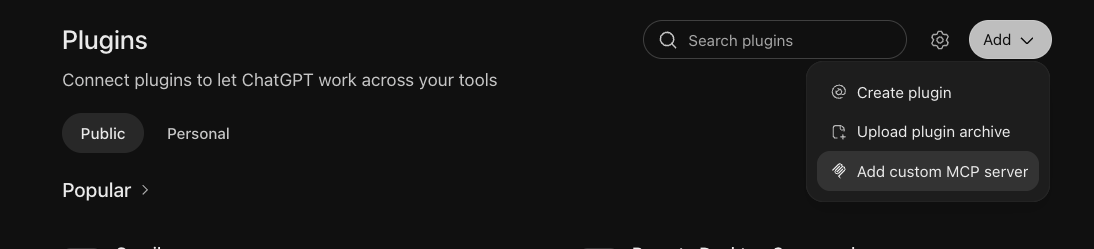
Then browse and click click add button and add custom mcp server
Then the below should be the same as the settings in our instructions.
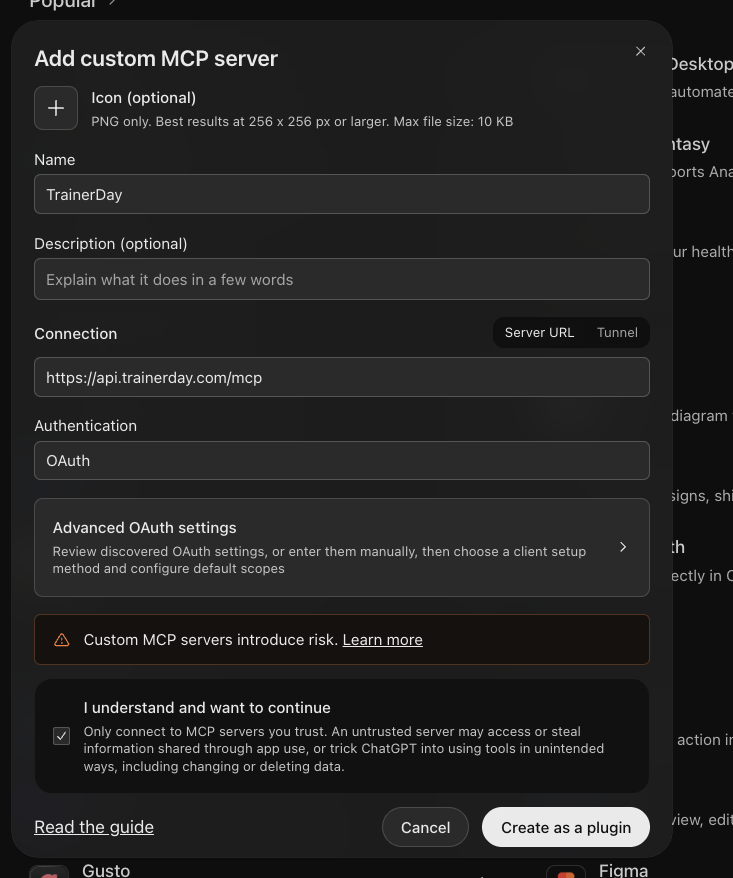
The rest should be obvious.
Then I was able to ask questions in a new chat window
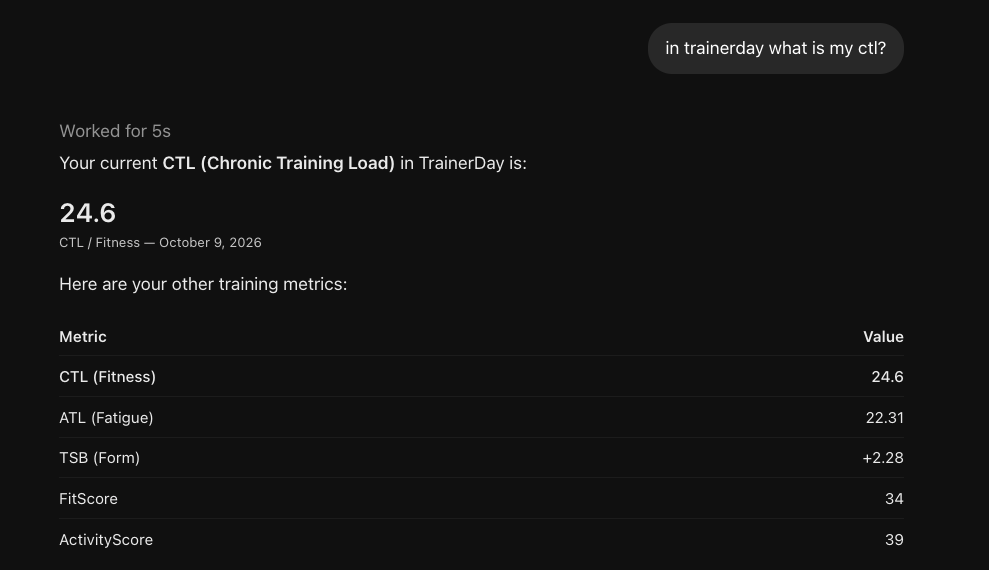
Alex, thanks a bunch. it is working. my mistake i think was to create a plugin and not a mcp server. I can now ask chatgpt question. I do not have to upload my garmin fit file anymore. Great stuff.
This is what i get: is that true or it is just chatgpt that cannot find it:
One limitation: The training summary does not include the actual watt-by-watt data, so I cannot confirm your average power or the exact power you held during each interval from this result alone. I can see the workout summary, but not the detailed power trace.
I just added this earlier today. You have to figure out how to refresh your tool list (not sure how in GPT). There is new tools to give this data. There are limits so it gives 3 second average by default but workouts <= 60 minutes can be 1-sec if you ask nicely.