Today I can’t connect to Trainerday with my Wahoo Kickr. My heart rate monitor and cadence sensor connect. I also checked with the Wahoo app and it is able to connect to the Kickr. I’m on firmware 1.5.68.a. I also tried this with both my ipad and iphone with the same result. I was able to connect two days ago (4/29/26).
What age kickr is it? Can you show a screenshot of connections tab and describe what will not connect means. Turn everything off and back on and reinstall our app if that does not work. We will test kickr V5 today also.
It goes back and forth between these two screens. (TICKR seemed to be connecting earlier, I don’t have it on right now, so I don’t think that’s a problem. Just the KICKR)
My KICKR is pretty old - Model WF104.
I did try shutting everything down, unplugging the KICKR, and restarting everything and it still won’t connect. I haven’t yet tried reinstalling the app, so I’ll try that now.
Thanks!
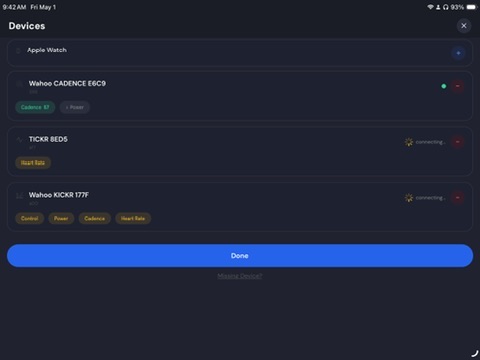
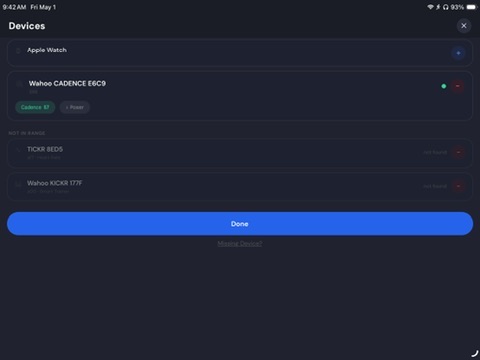
Oh my, I always think everyone’s talking about our mobile app. 95% of our users are still on the mobile app and not on the desktop. Let me test this.
I don’t see 104. At the bottom it tells you how to visually see the differences.
https://support.wahoofitness.com/hc/en-us/articles/4407140982674-Identify-a-KICKR-trainer
You also could try connecting here, ideally pedalling a bit and sending me a file from download report to support@trainerday.com
Okay, yes, it seems like this might be the original KICKR. You have to make really sure that nothing else is connecting to it, and also make sure in your phone settings that it’s not directly connected to your KICKR.
Hi Alex. I tried reinstalling the app on my ipad and it’s still not working. I shut bluetooth off on my phone just in case that was interfering. What’s weird is that the TICKR and Cadence sensor are connecting fine. Also, when I check the bluetooth settings for my ipad, it shows that the KICKR is connected to my ipad:
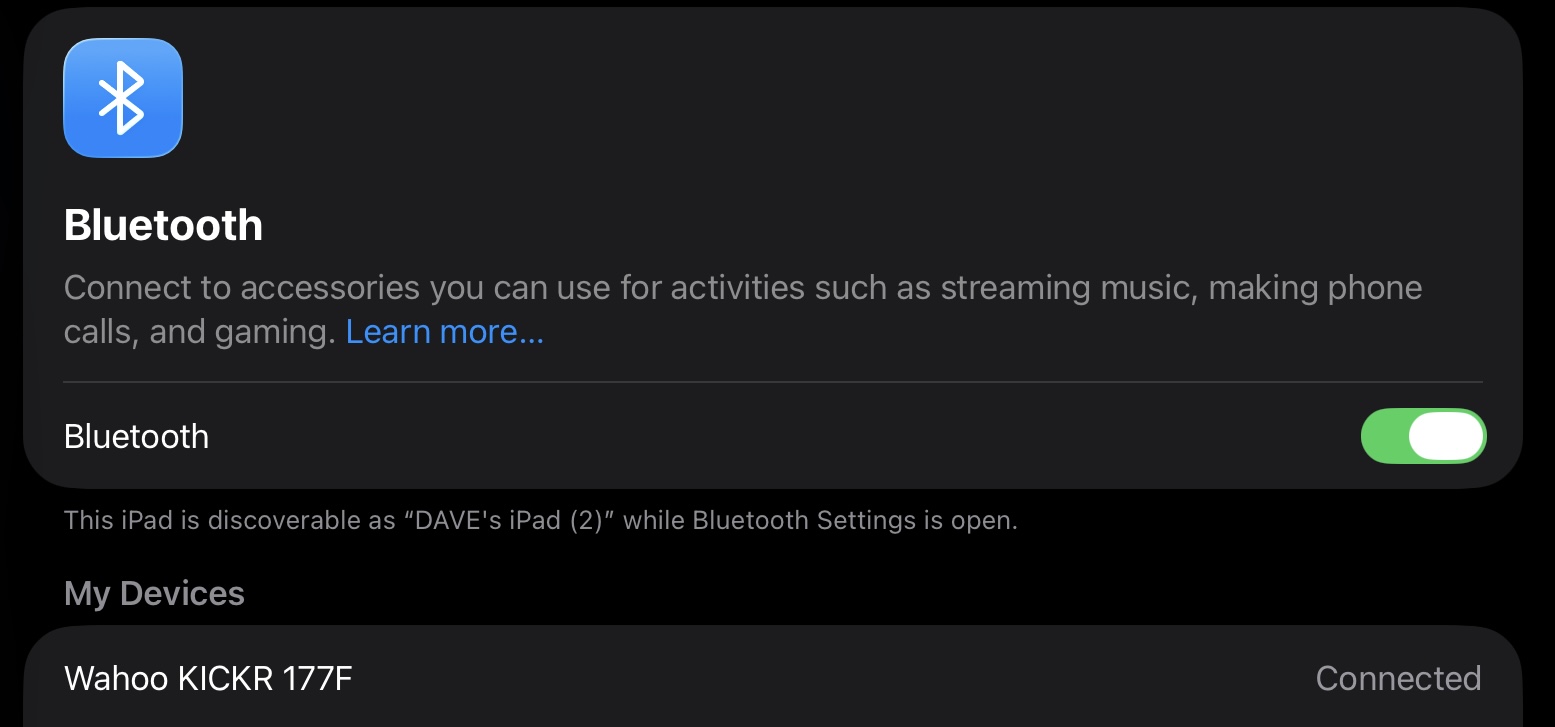
Also, I’m unable to connect to the BLE Device Testing Tool. I tried on my PC, and on my iPad, using several different browsers but I keep getting this error message when I click Connect Device - “Web Bluetooth is not supported in this browser.”
Is there something else I should try?
Thanks!
Oh, let me add some debugging code to our desktop app. Since you do have an original the web code won’t work. I have a mock emulator of the early wahoo devices so it should work. I will let you know. Should be the next day or two. Did it used to work with the desktop or the mobile app?
This is the problem. You need to say forget this device. You don’t want it directly connected. This blocks our app from connecting to it. I know other apps can, we just can’t for some reason.
I’ve always used the mobile app on the ipad. It worked great until this morning.
i tried, but it doesn’t give me any options in the ipad settings. There’s no information button associated with that device so I’m unable to forget it. When I press the name, nothing happens.
I also just downloaded and installed the desktop app on my macbook. It seems to be doing the same thing - Cadence sensor and TICKR connect fine, but the KICKR appears trying to connect, then disappears, then repeats. The only difference with the mobile app is that on my macbook I don’t see the TICKR in the list of bluetooth devices in my settings. Not sure if any of that is helpful.
Ok I am 95% sure I found the problem. Some old wahoo protocol quirk. You could try the desktop update and see if that works but I am more confident the mobile app will work just need to wait for apple/googles approval.
This should be fixed now.
Hi Alex. I’m still having trouble. I tried updating the app on my ipad and then I just deleted it entirely and reinstalled. I also tried resetting my KICKR a few times. The Cadence sensor still connects fine but the KICKR is stuck in “connecting”. I also tried the desktop app and got the same result.
New version of app just came out on android a few minutes ago that likely fixes it and Apple is in review now so should be in next 2 hours.
Make sure your device is NOT directly paired to your phone settings.
Great, thanks! I’ll try it again tonight.
Released in Apple too. Fingers crossed!!!
I’m sorry - it still doesn’t seem to be working. I tried uninstalling and reinstalling the ios app on my ipad and the desktop app on my Mac. Still having the same problem.